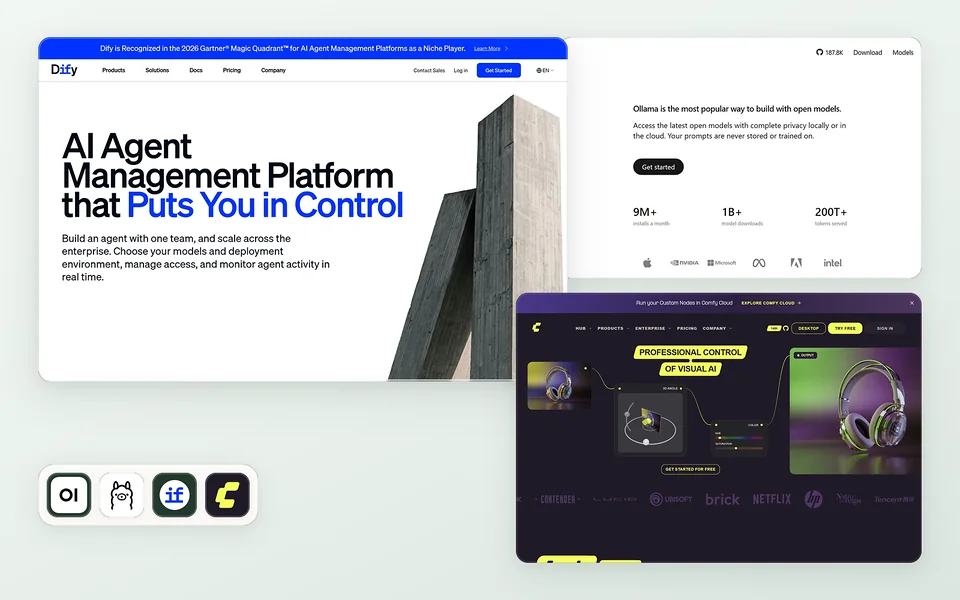
This collection pairs local model runtimes, self-hosted chat frontends, retrieval engines, visual generators, OCR parsers, and terminal coding agents into a complete private AI stack. For the fastest setup, run Ollama as your local model engine, connect Open WebUI or Cherry Studio for everyday chat and document Q&A, and add RAGFlow or Dify when you need structured knowledge pipelines.
Compare local and open-source AI tools
| Tool | Core Strength | Pricing | Deployment | Best For |
|---|---|---|---|---|
| Open WebUI | Self-hosted multi-model chat UI with RAG workspaces and tools | Free self-hosting | Docker / Self-hosted Web | Teams and individuals wanting a ChatGPT-style private frontend |
| Ollama | Local LLM runtime with CLI, desktop app, and OpenAI-compatible API | Free local software | macOS, Windows, Linux CLI/Desktop | Running open-weight LLMs locally as a backend for apps |
| Dify | Visual workflow builder for knowledge assistants and AI APIs | Free self-hosting | Self-hosted Docker / Cloud | Building repeatable RAG bots and agent workflows visually |
| RAGFlow | Deep document parsing with inspectable, citation-backed retrieval | Free self-hosting | Docker / Self-hosted Server | Complex PDFs, manuals, and enterprise knowledge bases |
| FastGPT | Editable chunk-level RAG knowledge base and visual workflow orchestration | Free community edition | Self-hosted Community / Cloud | Customer FAQ bots and structured internal support flows |
| Cherry Studio | Cross-platform desktop client combining local and cloud model providers | Free client | Windows, macOS, Linux Desktop | Comparing local vs. cloud models in one daily desktop app |
| Jan | Offline-first desktop AI assistant with built-in local API server | Free desktop app | Windows, macOS, Linux Desktop | Private offline drafting and project-folder Q&A |
| ComfyUI | Node-based local engine for reproducible image and video pipelines | Local engine free | Local Desktop / Python Engine | Controllable diffusion workflows and batch asset generation |
| PaddleOCR | Multilingual OCR and layout parsing toolkit for scans and PDFs | Local toolkit free | Local Python / CLI Toolkit | Converting scanned documents and tables into clean RAG inputs |
| Aider | Git-native terminal coding assistant compatible with local LLMs | Free open-source client | CLI / Terminal | Repo-level coding and refactoring using Ollama or cloud APIs |
How to choose by scenario
- Zero-config desktop privacy: Pair Ollama with Jan or Cherry Studio to chat with downloaded open-weight models and local files without Docker setup.
- Team chat & internal knowledge bases: Deploy Open WebUI over Ollama for shared workspaces, or use RAGFlow / FastGPT / Dify when citation traceability and chunk tuning matter.
- Document preprocessing & creative media: Run PaddleOCR before ingestion to extract tables from scans, and use ComfyUI for repeatable local image generation.
- Private terminal coding: Point Aider at your local Ollama endpoint for Git-tracked edits without sending source code to external services.
Frequently asked questions
What is the easiest way to start running AI locally without Docker?
Install Ollama for local model management and pair it with a native desktop app like Jan or Cherry Studio. Both connect directly to local models and let you organize prompts and documents in minutes.
How do Open WebUI, Dify, and RAGFlow differ for knowledge bases?
Open WebUI excels as a ChatGPT-like multi-user chat frontend with built-in document chat. Dify focuses on visual workflow and agent app building, while RAGFlow specializes in deep layout parsing and inspectable chunk citations for complex PDFs.
Are these open-source AI tools completely free to use?
The local clients and self-hosted community editions listed here are free software on your own hardware. Note that hardware electricity, optional paid cloud tiers (such as Dify or FastGPT cloud), and individual open-weight model licenses are separate.
Can I use local open-source models for coding?
Yes. Aider connects directly to local Ollama endpoints over an OpenAI-compatible API to inspect Git repositories and propose diffs, though larger coding models or sufficient VRAM improve multi-file accuracy.
Who it is for
- Privacy-conscious individuals running offline models on local hardware
- Engineering and operations teams deploying internal RAG knowledge bases
- Creators and developers automating OCR, image pipelines, and Git edits locally
Getting started
- Install Ollama on your workstation or server and pull a small baseline model for testing.
- Connect Cherry Studio, Jan, or Open WebUI as your daily chat and document Q&A frontend.
- Add RAGFlow or Dify when your workflow requires structured chunk parsing or shareable APIs.
Workflow steps
- Preprocess scanned PDFs or tables with PaddleOCR so downstream retrieval receives clean text.
- Verify answer citations inside RAGFlow or FastGPT before exposing a workspace to teammates.
- Route terminal code edits through Aider against your local endpoint for private repository work.
Before you begin
- All listed tools offer free local software or self-hosted community editions; hardware specs and optional cloud plans are separate.
- Check individual open-weight model licenses before commercial deployment.