
Sider
AssistantsRead pages with Chat, handle browser tasks with Hand and customize your browsing experience with Code. Sider adds an AI workspace to the sites and documents you already use.
Chat beside the sourceHand browser tasks
A free desktop workspace for comparing models, organizing reusable assistants and working with document knowledge, using local or cloud AI.
Cherry Studio helps when your AI work is spread across several websites and repeated prompts. The desktop client keeps assistants, conversations and document knowledge together, while a local model or configured cloud provider supplies the intelligence. The community client is free to obtain. It organizes AI services; answer quality still depends on the selected model and source material.
A useful first project is a document-review assistant for one course, product or research topic. Give it a narrow remit and a small collection of current files. Compare answers without rebuilding the instructions each time. For occasional one-line questions, a simple web chat may be easier; this workspace becomes more useful as reference material and recurring tasks accumulate.
Compare technical explanations
Review a product manual
Maintain a writing assistant
Work with local notes
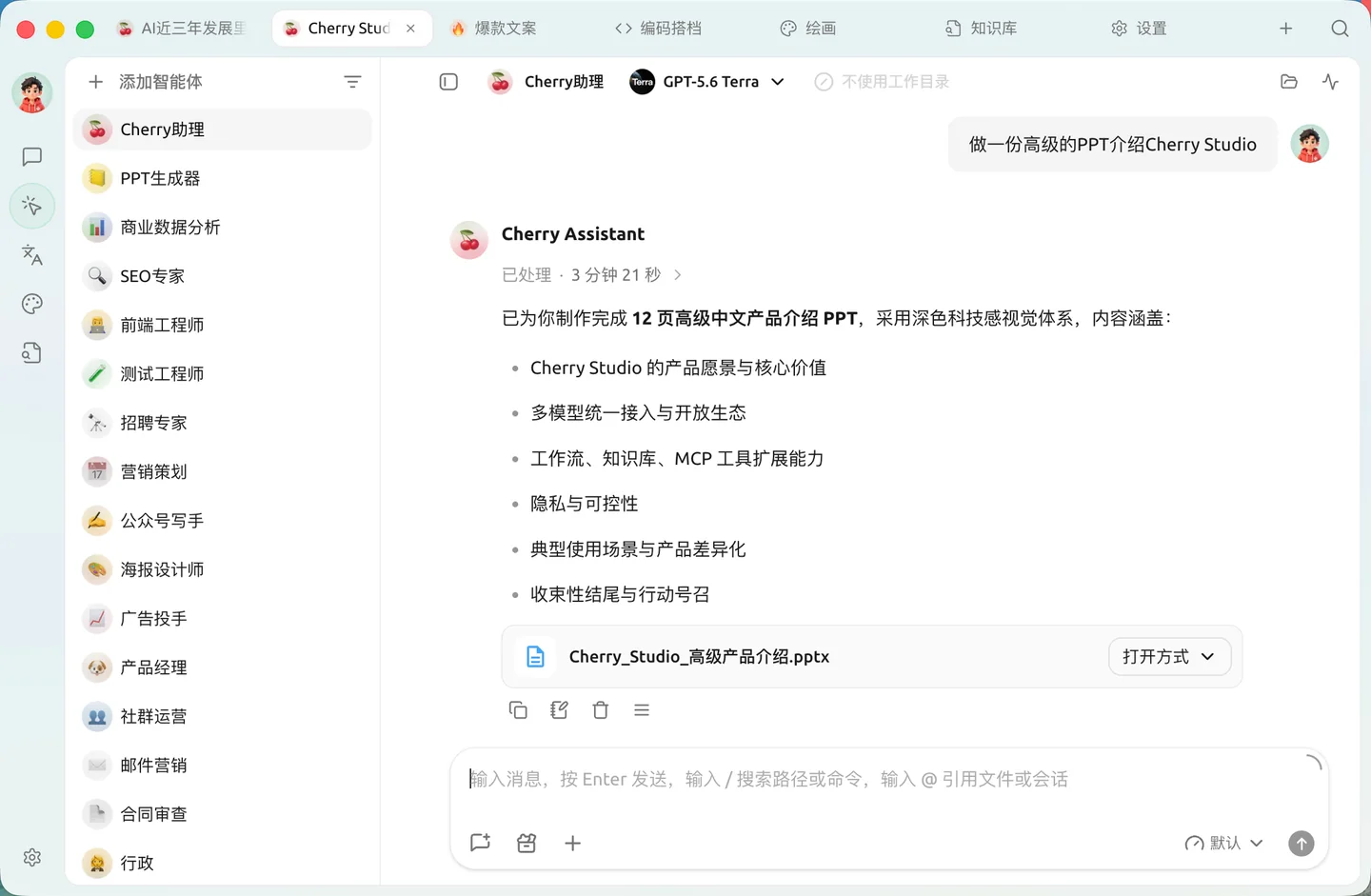
Official product image. Click to inspect the details.
Install the community client
Choose a free route
Create an assistant and add a short source
Check and preserve the result
Example prompt or task: Using only the supplied manual, list setup steps, prerequisites and unsupported cases. Identify the relevant section. If a fact is missing, say it was not found in the supplied material.
This is an editorial evaluation task. Include one question whose answer is absent; recognizing a gap is more useful than inventing a complete-looking procedure.
Built-in free models and rate limits change. External APIs and enterprise services are separate.
The community desktop uses AGPL-3.0. The official CherryAI guide describes an integrated free model entry whose lineup, allowances and rate limits can change. Use the refreshed list inside the app as the current reference; no particular free model or fixed daily quota is promised here.
Local inference can avoid per-request cloud charges after downloading models, but uses your hardware, memory, storage and electricity. Paid APIs, aggregators and enterprise offerings remain separate. Account for document embedding and OCR as well as the conversational model when comparing the total cost.
The community client is free. Connected model services are separate: built-in allowances can change and external paid APIs remain billable.
The current CherryAI entry offers a built-in starting route. A configured local provider is another option. Check Model Services in the installed version.
OCR recognizes text and embeddings support retrieval. Neither replaces the conversational model selected for answering.
Not automatically. Cloud chat or embedding services can receive material required for their requests. Review each component.
With metered providers, several generated answers can mean several charges. Start with a small comparison and inspect provider usage.
Configured agent tools may do so with suitable permissions. Ordinary chat advice does not establish that a file has actually changed.
Preserve important conversations, configuration and source files. Follow the current migration instructions before changing major versions.
Explore platforms, inputs and outputs, licensing, and access requirements.
Desktop releases cover Windows, macOS and Linux. Match the download to your processor and operating system. Original documents, knowledge indexes and conversation exports are different objects; keep the originals and check the current export choices before planning a team handoff.
An assistant preset is reusable configuration, not a newly trained model. A knowledge base retrieves relevant material rather than permanently teaching every connected model. If a response overlooks a file, inspect extraction and retrieval before rewriting the whole prompt or switching providers.
The current policy describes local storage for conversations and configured keys, along with controls for anonymized operational and improvement data. Third-party providers receive their own requests, and built-in model services can involve a relay. A desktop interface does not by itself prove an offline data path.
Community code uses AGPL-3.0; enterprise arrangements differ. Keep the application license, individual model license and document rights separate when redistributing a modified client or sharing output.
Reviewed October 3, 2026. Product facts come from the official sources below. Suggested projects, prompts and review methods are FindGoodAI editorial guidance, not measured performance results.
Loading experiences…
Saved tools are private. Approved comments are public; edits return to moderation. Comment counts include approved comments and replies. Each person has one rating. New ratings are automatically approved; withdrawn, unapproved or invalid ratings do not count. Share real experiences and avoid spam, private information or personal attacks.
For moderation appeals or data requests: support@findgoodai.com
Bring a real task and see how it fits the way you work.
User experiences