When a coding agent goes straight to code, most rework comes from requirements nobody thought through: how many retries, what happens to duplicate requests, who owns a permission. Those questions surface only after the code is written. This guide is for developers already using Claude Code or Codex: how to use Google’s open-source Elephant-Goldfish Model (EGM) to have the AI write a design first, get it challenged, and only then write code.
Note: the commands and workflow below come from EGM’s README, workflow guide and setup guide. We have not run a full EGM session on a paid account, and the sample questions are illustrations, not real output.
Quick answer
- Use it for changes that are hard to undo: payments, permissions, data migrations, external callbacks.
- Skip it for one-line fixes, styling or a clear small bug. EGM’s own guide says not to force the design process on a fix you can get right in one go.
- Easiest start: skip the new spec and run
egm-reviewon an existing design doc or PR plan to see what the goldfish catch. - Cost: the plugin is free (Apache 2.0), but reviews start several fresh subagents, which uses extra quota on your coding assistant.
What EGM is: an elephant drafts, a goldfish reviews
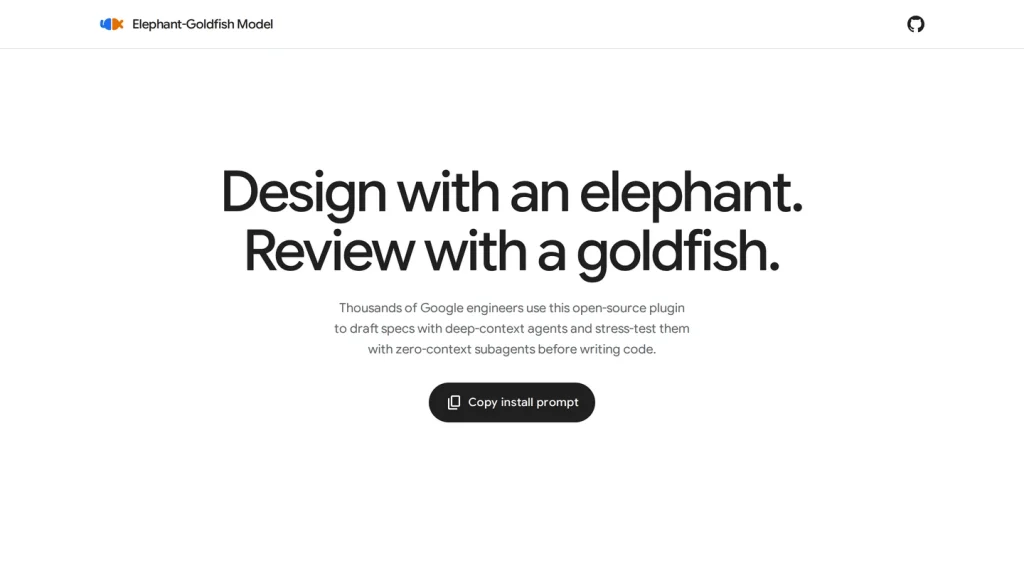
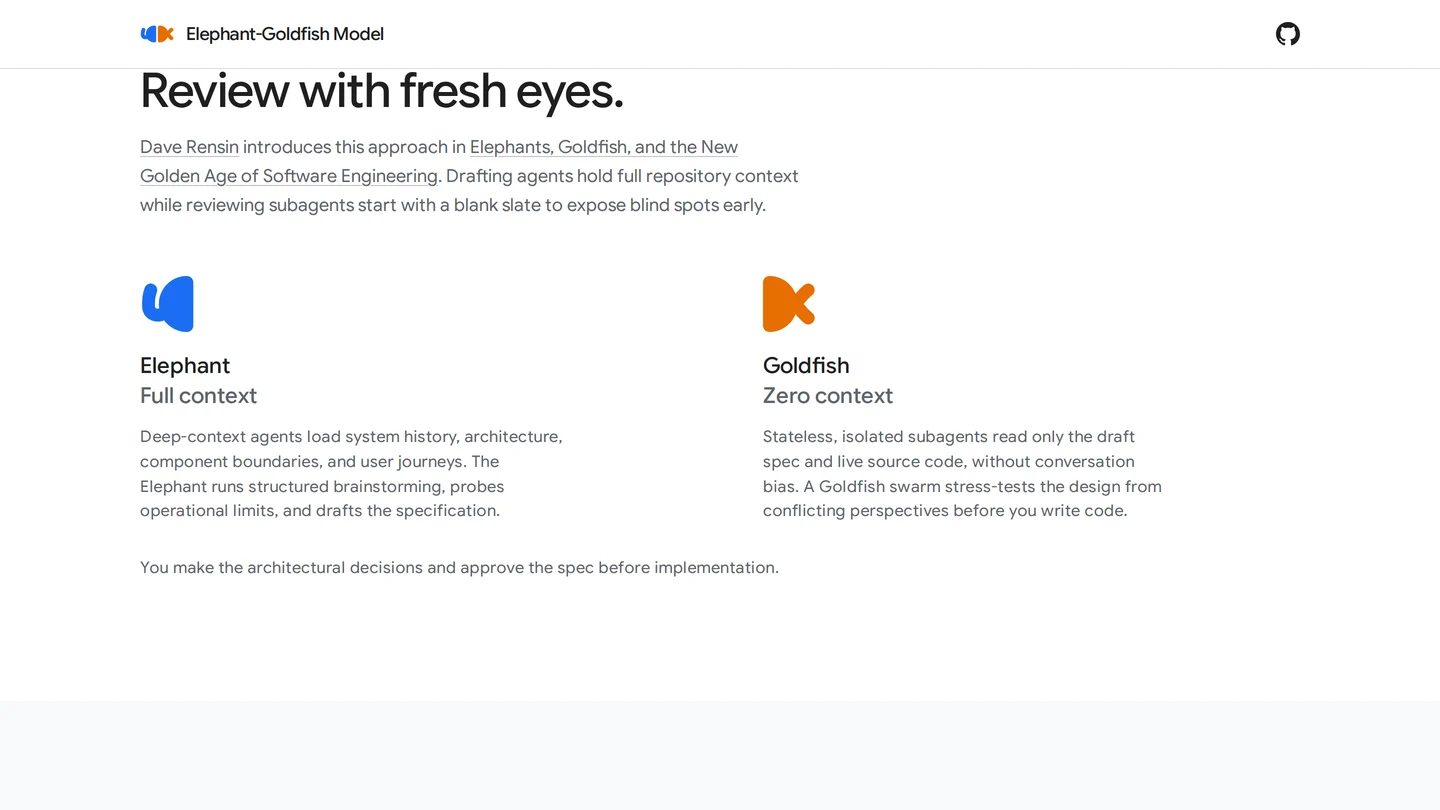
EGM is an open-source plugin published by Google on GitHub, based on Dave Rensin’s essay “Elephants, Goldfish, and the New Golden Age of Software Engineering.” It splits design into three roles:
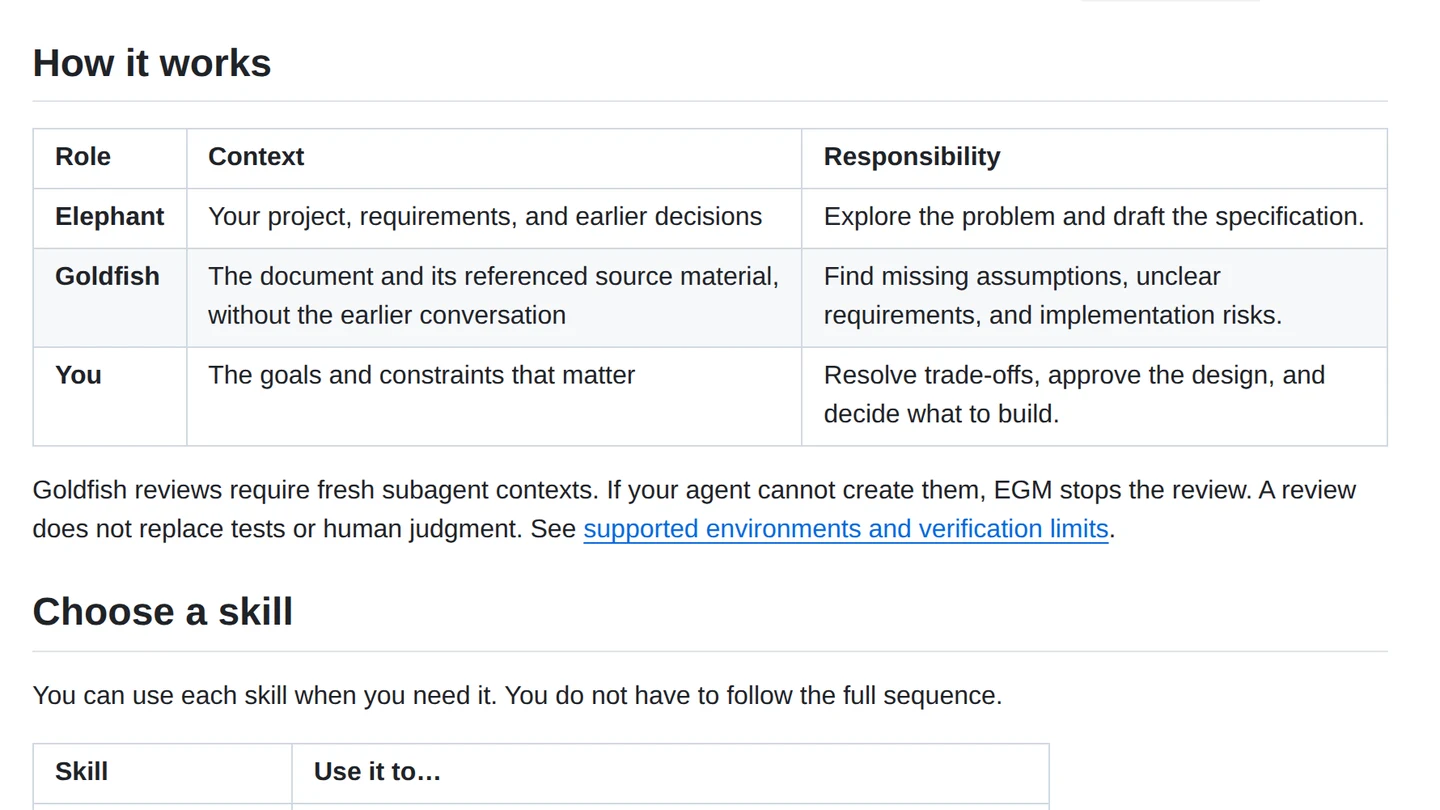
- Elephant: holds your project context, requirements and earlier decisions, explores the problem and drafts the specification.
- Goldfish: fresh subagents that read only the document and the source code it references, without the earlier conversation, looking for unstated assumptions, unclear requirements and implementation risks.
- You: resolve the trade-offs, approve the design and decide what to build.
The point is that the goldfish never saw the conversation. After half an hour of chat, the drafting agent takes many things for granted and leaves them out of the document; a new reader with only the document finds those gaps. The site says thousands of Google engineers use EGM, and the README notes it is not an officially supported Google product.
Step 1: install
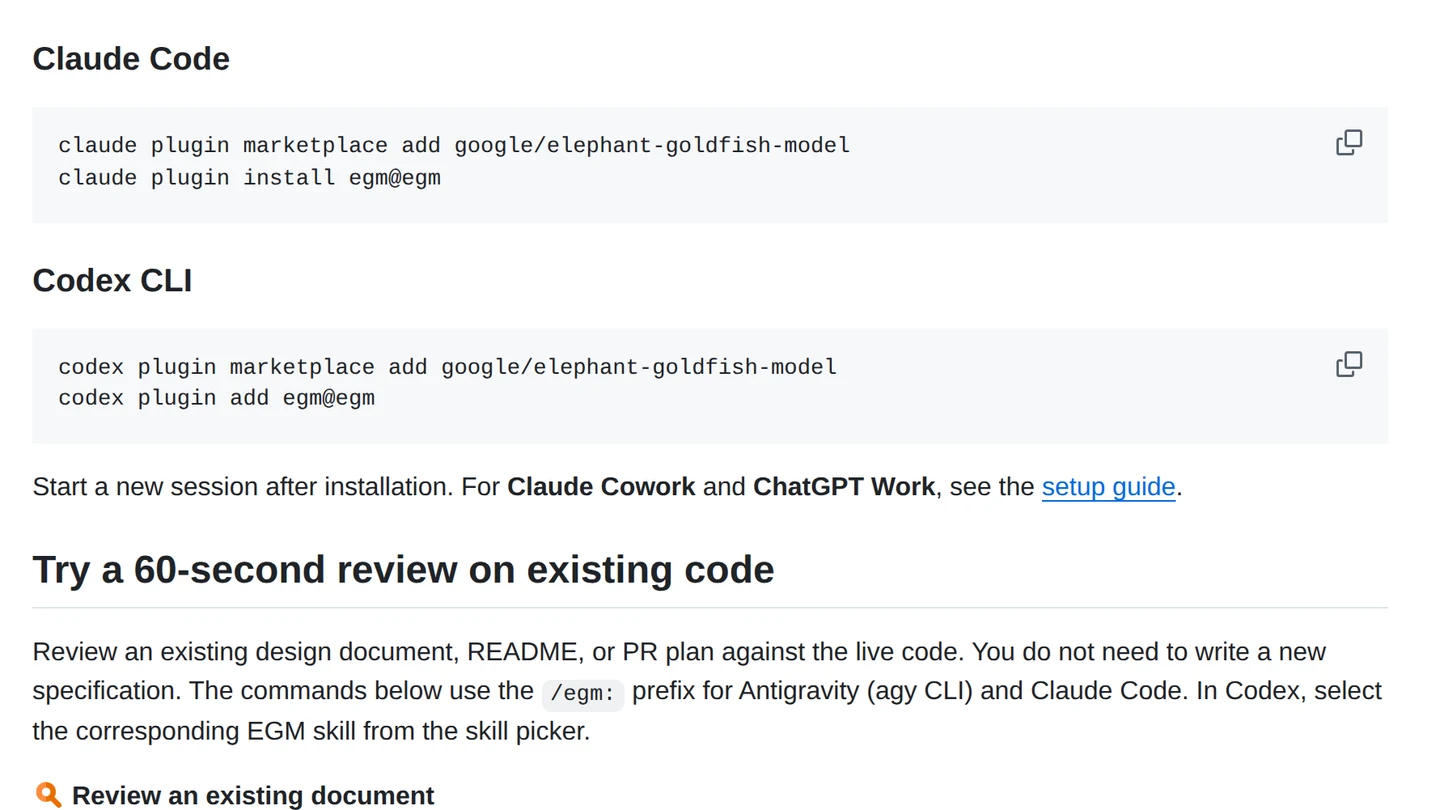
Pick the commands for your assistant, then start a new session so the skills load.
Claude Code:
claude plugin marketplace add google/elephant-goldfish-model
claude plugin install egm@egm
Codex CLI:
codex plugin marketplace add google/elephant-goldfish-model
codex plugin add egm@egm
Antigravity CLI:
agy plugin install https://github.com/google/elephant-goldfish-modelChatGPT and Codex desktop users can install the published EGM plugin from the app, and Claude Cowork and ChatGPT Work have their own setup steps. Install the whole plugin: copying only the skills folder leaves the reviewer prompts unreachable.
Step 2: try a 60-second review
If you do not want to start with a new design, review something you already have: a design doc, a README or a PR plan saved as Markdown. In Claude Code add the /egm: prefix; in Codex pick the matching EGM skill from the skill picker.
/egm:egm-review docs/designs/webhooks.mdFresh reviewers check the design, its clarity, its fit with the code and its implementation plan. EGM warns that a review gives a lot of feedback by design: take what is relevant and ignore the rest.
Step 3: walk a new feature through the full loop
The official example is adding webhook delivery to a project. What happens when a delivery fails, or the same event arrives twice? Those are exactly the questions worth settling first. The loop has four steps:
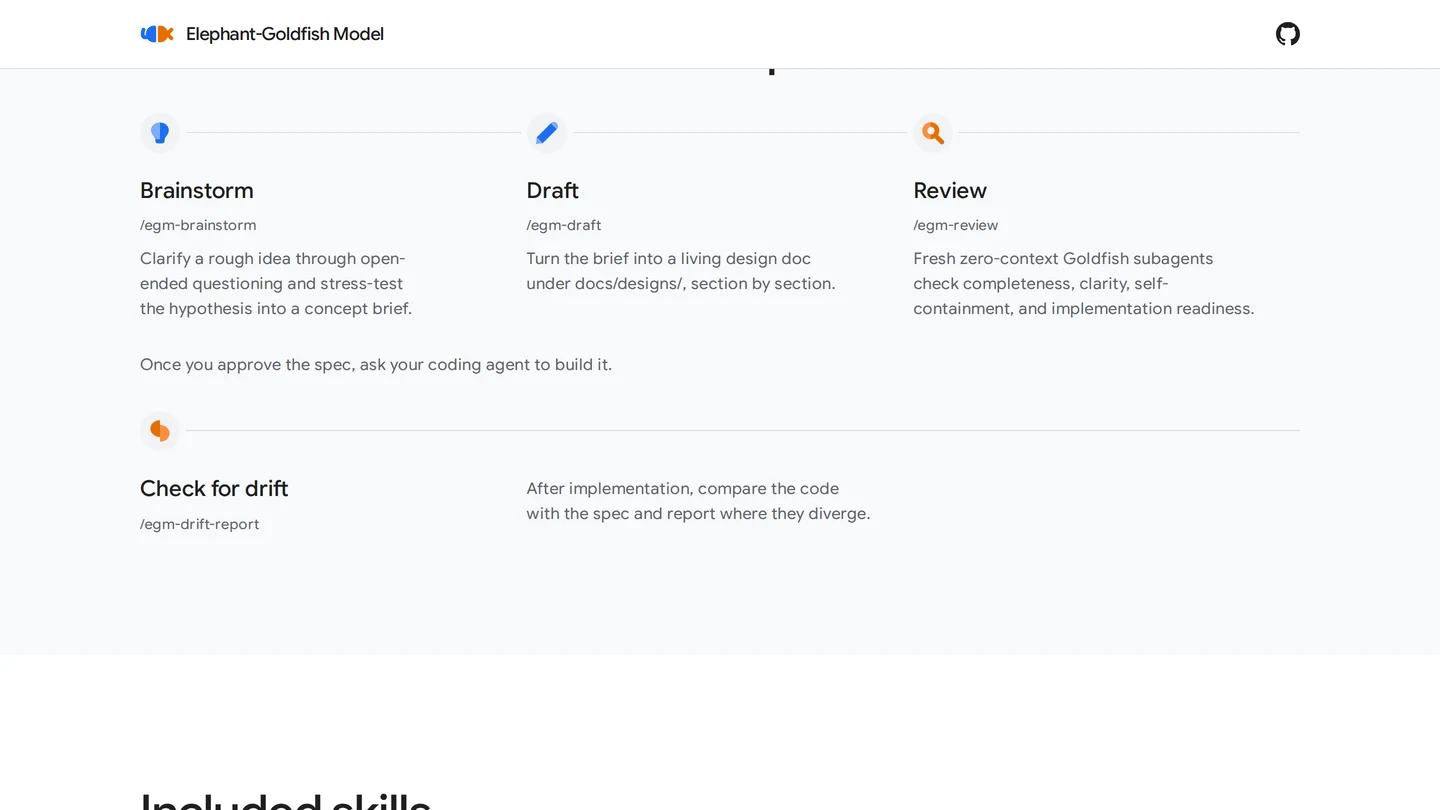
1. Brainstorm: turn one line into a concept brief
/egm:egm-brainstorm Add webhook delivery to this project.The agent asks you questions until the idea is clear, sends a group of goldfish to stress-test the proposal from different angles, and saves the agreed direction as concepts_brief.md. As an illustration, expect questions like how many retries and at what interval, whether receivers must verify a signature, and who deduplicates repeated deliveries. Answer them yourself rather than letting the agent guess.
2. Draft: write the design section by section
/egm:egm-draftThe agent turns the brief into design_draft.md and pauses after each section for your feedback in chat. Approved designs belong under docs/designs/, listed in a SITEMAP.md index so they are easy to find later.
3. Review: let the goldfish find the gaps
/egm:egm-review design_draft.mdThe review runs in five stages covering completeness, clarity, self-containment (can it be understood without the chat?), fit with the code and implementation readiness. Use the path the agent returned in the previous step. When there are many findings, egm-resolve lets you go through them with the agent and agree on changes.
4. Implement: build to the document
Once the design is approved, ask your coding agent to implement it. EGM recommends sending the design to a colleague as a pull request first; it does not replace human review. If the agent makes a small mistake during implementation, ask for a point fix; if it goes far off course, update the design and try again.
After release: check for drift every week
Code and documents drift apart. egm-drift-report compares each design document with the current source and reports where they diverge; you decide whether to change the document or the code. EGM suggests running it weekly, for example as part of a maintenance rotation.
/egm:egm-drift-report docs/designs/Older projects without documentation can start with egm-bootstrap, which writes a README for each leaf directory and works upwards to a summary of the whole system. A person should still review the result.
Limits to know
- Fresh subagents are required. Brainstorming and review must run in a fresh context. If your environment cannot create one, EGM stops instead of reviewing its own work in the same chat. The setup guide says the standalone Antigravity IDE is not supported for this today.
- Quota. Each review starts several subagents and uses noticeably more than a normal chat, which matters on pay-per-token APIs.
- Data. EGM sends your code and documents to whatever model your assistant uses, so that assistant’s data rules apply.
- Verification. Antigravity CLI, Claude Code and Codex pass EGM’s automated install and end-to-end workflow tests, but the evidence for reviewer isolation is narrower, and reviews are no substitute for tests.
How to decide, and what to do next
If your team already writes design docs, EGM’s main value is an extra reviewer who never heard the backstory, so start by reviewing existing documents. If you usually give the AI one line and let it code, pick your next feature that touches payments or permissions, run the full four steps once, and compare how much rework you needed. Related pages: the EGM tool page, Claude Code, Codex and Google Antigravity. For a different way to keep coding agents on track, see this week’s Kiro Crew bots.
Frequently asked questions
Is EGM free?
Yes. It is open source under Apache 2.0; model usage is billed through your coding assistant.
Do I need a prefix in Claude Code?
Yes. Claude Code and Antigravity CLI use the /egm: prefix, for example /egm:egm-review. In Codex, choose the skill from the picker.
Does EGM write the code?
No. It produces a reviewed design that you approve; your coding agent then implements it.
Can I use it for documents that are not code?
Yes, with egm-review-loop and reviewers and standards you choose. The built-in drafting and design review target software specifications.
What if the review gives too many comments?
That is by design. Deal with anything that affects correctness or security first, ignore the rest, or work through them with egm-resolve.
Sources
- EGM website
- GitHub: google/elephant-goldfish-model (README)
- EGM workflow guide
- EGM setup guide and supported environments
- Dave Rensin: Elephants, Goldfish, and the New Golden Age of Software Engineering
Copy the link to save or share this article.