
Kiro announced on November 5 that bots are generally available in Kiro Crew. A bot is a named, long-running agent that you set up for one part of your work. It keeps its own memory and runs its own sessions, so you no longer have to track each session yourself.
What is different
Context used to disappear when a session ended, and you had to explain it again next time. Bots keep that continuity:
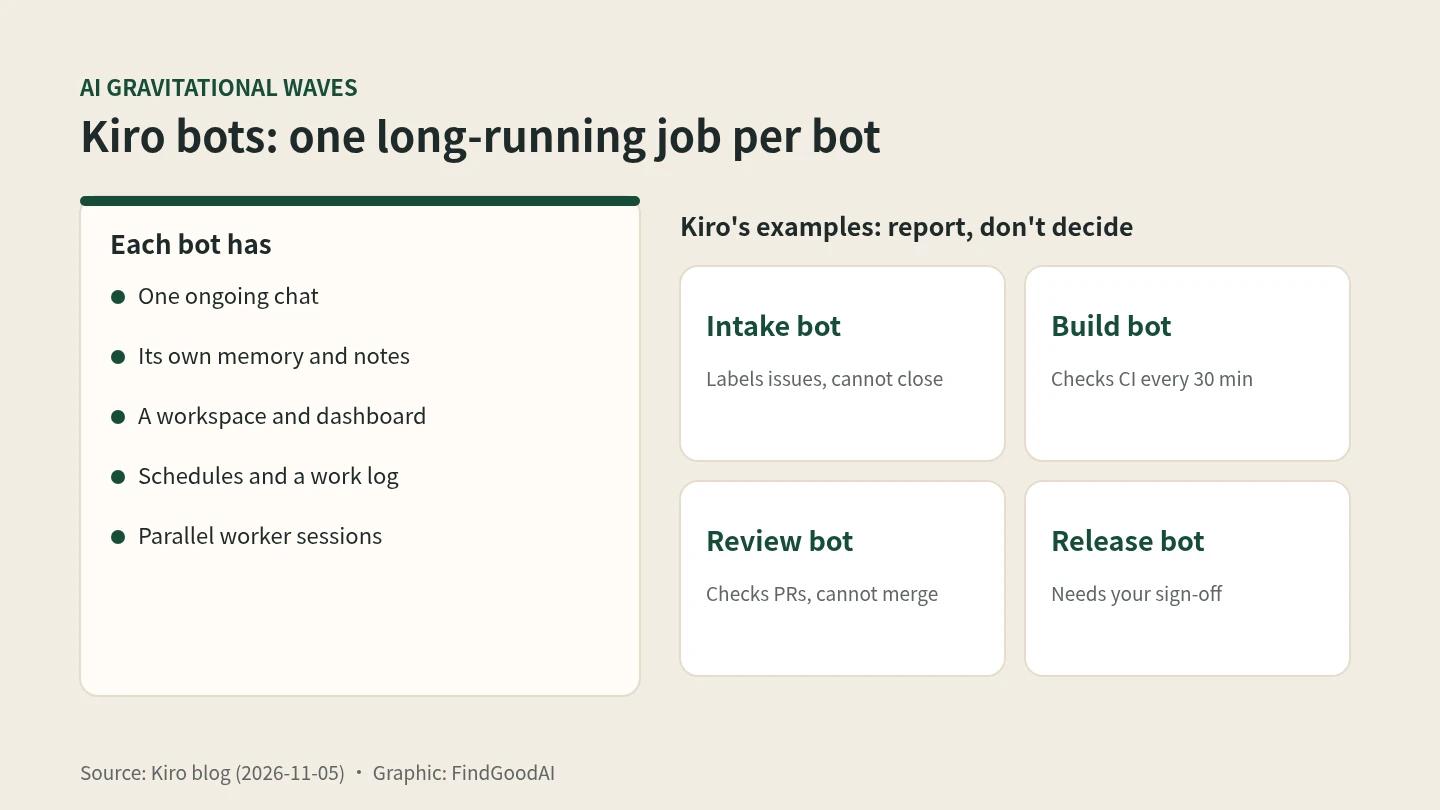
- One chat, one workspace: each bot has a single ongoing chat for direction and results, notes for decisions and open items, and a customisable dashboard.
- Parallel work: a bot can run sessions in parallel, redirect work that drifts and ask you only when a decision is needed.
- Schedules: set them in chat, such as checking overnight build failures or preparing weekly release notes. Results go to a work log, and only items that need you come back to the chat.
- Model choice: a bot and its worker agents can use different models.
- Where it runs: a laptop, a Mac Mini or an EC2 instance.
How you might use it
Kiro suggests starting with one job that makes you reconnect context every session, then adding bots over time. Its four examples share a rule: the bot can look and report, but not decide.
- an intake bot labels new issues and flags likely duplicates, but cannot close them;
- a build-health bot checks CI every 30 minutes and reports only failures that need attention;
- a code-review bot checks pull requests against past decisions, but cannot approve or merge;
- a release-readiness bot works through the checklist and asks for your sign-off before anything ships.
Limits to know
Each bot gets only the tools and permissions its job needs. It can ask for more, but nothing changes until you approve, and requesting tools in chat is still in preview. Memories are kept per bot, and you can view, edit or delete them. The post does not cover plans, regions or prices; results only show the model and credits used. Similar long-running agents include Devin and Codex.
Source: Kiro blog: Kiro Crew bots