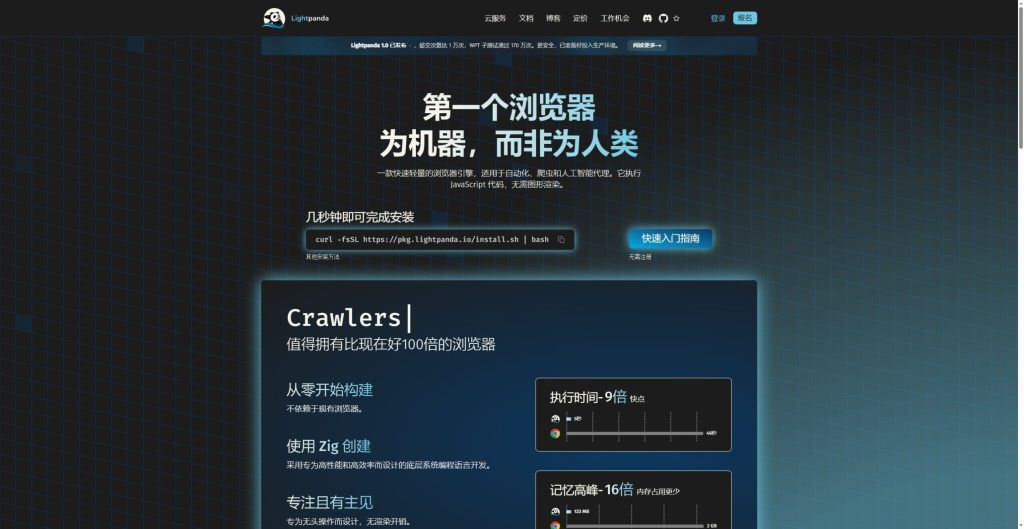
Lightpanda is a headless browser for web automation and data extraction. It executes JavaScript and maintains the DOM so programs can read dynamic pages or interact with forms. This guide follows the project repository and official documentation checked on October 15, 2026. Documentation examples are not presented as runs performed for this article.
Choose the environment and build
Lightpanda Lightpanda 1.0 was released on October 2, 2026. Installation instructions include stable and nightly builds. Record the version used for debugging or deployment so behavior from different builds is not mixed together. Linux and macOS binaries cover x86_64 and arm64; Windows users can run the Linux version inside WSL2. There is no native Windows executable in the repository.
Linux binaries depend on glibc. Follow the installation instructions for your architecture, grant execution permission and run ./lightpanda version. The ./ prefix means the executable is in the current directory. The examples here use the project demonstration site, with no real login data.
Start with one Markdown export
The fetch command is a simple way to check whether the needed body text, links and dynamic content are present before building a larger task. An example with robots checks enabled is:
./lightpanda fetch --obey-robots --dump markdown https://demo-browser.lightpanda.io/campfire-commerce/
Inspect the result for pagination, lazy loading, language selection and authentication requirements. A text response alone does not establish complete extraction: error and sign-in pages have text too. PNG and PDF exports render Markdown as text rather than reproduce a full visual page.
Connect Playwright to the local service
./lightpanda serve --obey-robots --host 127.0.0.1 --port 9222
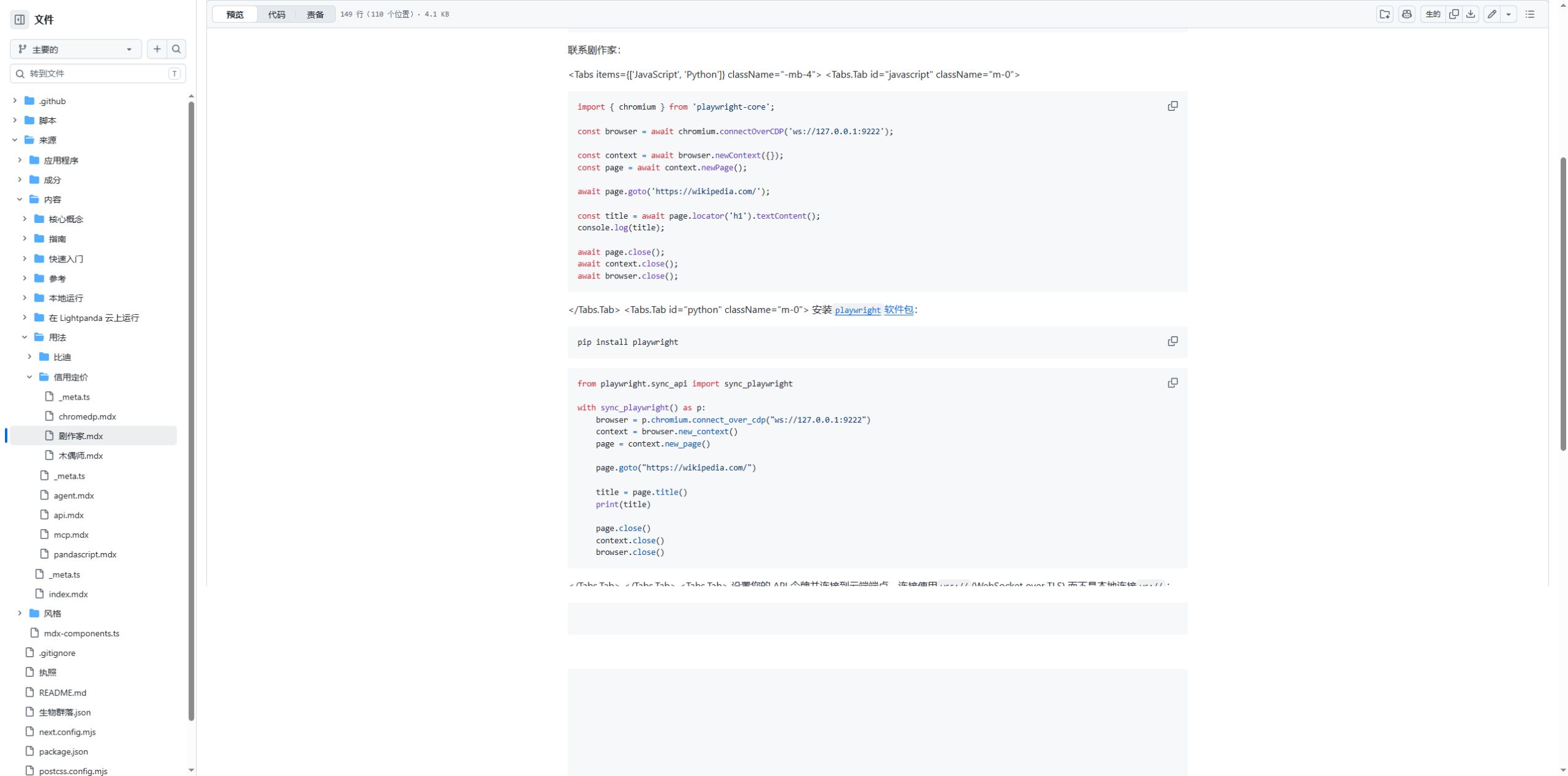
Use playwright-core in another terminal and call chromium.connectOverCDP('ws://127.0.0.1:9222'), then create a context and a page. The official example shows navigation, reading a title and closing resources. The chromium namespace is a client API name; it does not mean that this service is running Chromium.
The official lightpanda/browser image provides another local route. For workstation testing, bind the mapped port to 127.0.0.1. Validate individual fields first, then add waiting conditions, cookies and forms. A successful connection is only the start of a script migration.
Keep MCP sessions explicit
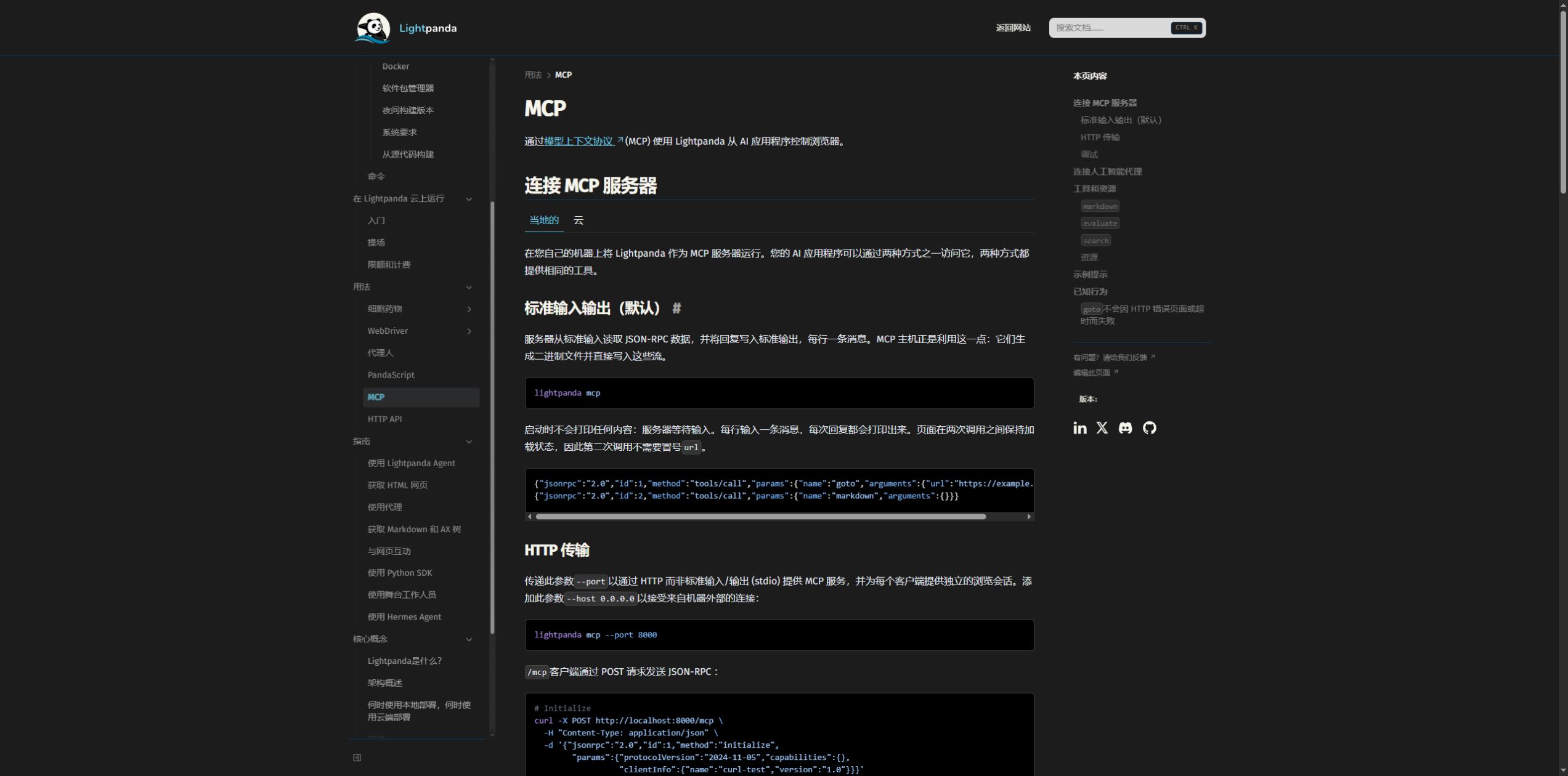
A supporting client can start lightpanda mcp --obey-robots over stdio. For HTTP, use lightpanda mcp --host 127.0.0.1 --port 9223 --obey-robots. Configure the CDP and MCP ports separately.
After HTTP initialization, retain Mcp-Session-Id and send it with subsequent calls. Requests without that header use the default shared session. The MCP guide documents session-management tools for keeping pages, cookies and memory separate across tasks.
A successful navigation tool response is not sufficient to accept a page. Check httpStatus and extracted content for 404, 500 and timeout cases. For a multi-page job, record the URL, response status, required fields and retry outcome for each page.
Agent mode and PandaScript
Agent mode uses an LLM to plan browser actions. lightpanda agent --no-llm opens a mode without an LLM connection. Model-backed tasks need provider configuration and a separate inference budget. Fixed workflows can be exported as PandaScript and replayed with lightpanda run session.js.
Replay reduces repeated planning, but changed selectors, expired authentication and redesigned pages can still break a task. Define result fields and success conditions alongside the actions. Use demonstration data in public examples and keep private cookies, keys and page contents out of scripts.
Understand browser hours and concurrency
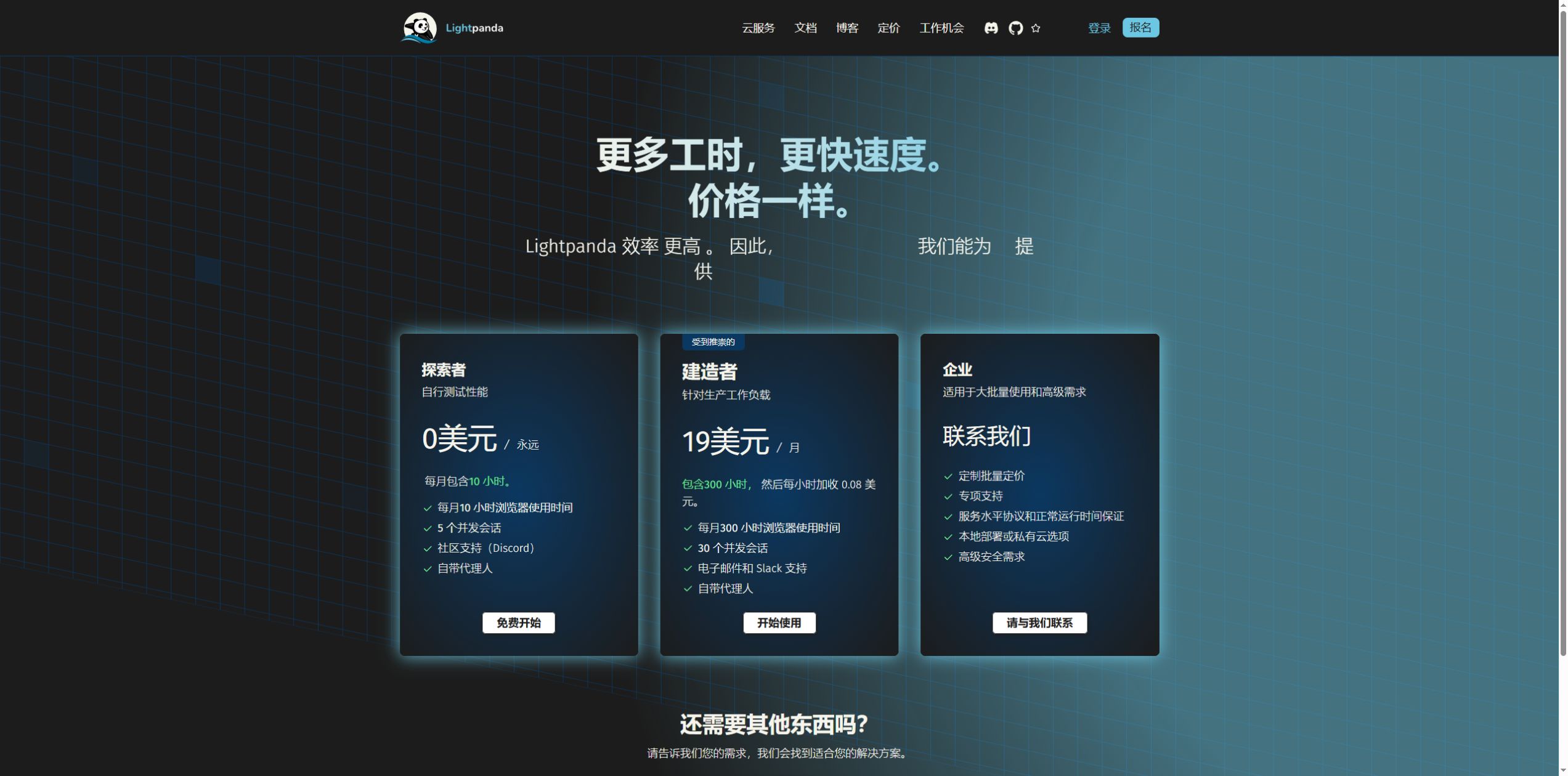
The pricing page checked on October 15, 2026 lists Explorer at $0, with 10 monthly browser hours and 5 concurrent sessions. Builder costs $19 per month, with 300 hours and 30 concurrent sessions; additional usage is $0.08 per hour. Enterprise capacity and support are quoted separately.
Concurrency limits how many sessions can be open at once, not the lifetime count of API calls. Hours add up across all open sessions. Exceeding concurrency returns 429. The current Cloud limits documentation also specifies a 15-minute CDP connection limit and a 5-minute MCP idle limit. Save intermediate results and handle disconnects in long-running tasks.
Check a representative workload
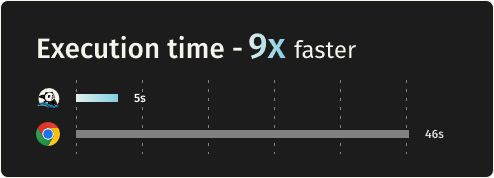
Before increasing volume, test authorized pages for dynamic field completeness, error-page detection, cookie isolation, replay reliability, latency and peak memory. Published performance results are useful context; this guide did not rerun them or translate them into a business-task completion rate.
Bind local ports to loopback and keep default CORS checks. Plan requests around site permission, robots rules and rate limits. Telemetry is enabled by default and can be disabled with LIGHTPANDA_DISABLE_TELEMETRY=true. Source code defaults to AGPL-3.0-only. Local compute, proxies and model calls have separate operating costs.
Copy the link to save or share this article.