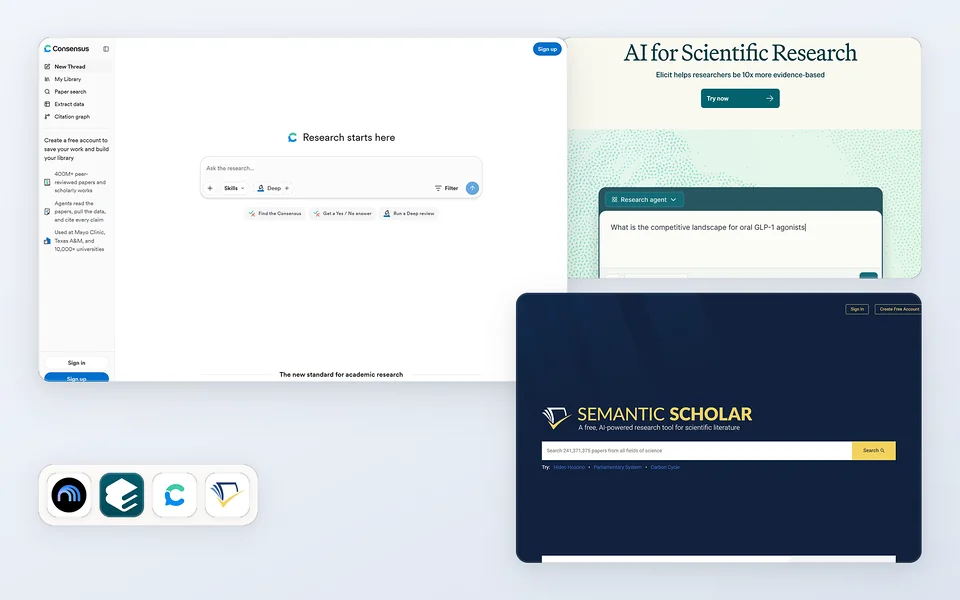
This collection covers the end-to-end research workflow: finding peer-reviewed papers, mapping citation networks, extracting structured evidence, and reading or editing dense PDFs with verifiable citations. Start by discovering seed papers in Semantic Scholar, ResearchRabbit, or Consensus, extract study attributes in Elicit, and upload your verified PDFs into Gemini Notebook (NotebookLM) or PDFgear for deep synthesis.
Compare AI research, citation, and PDF tools
| Tool | Core Strength | Pricing | Platform | Best For |
|---|---|---|---|---|
| Gemini Notebook (formerly NotebookLM) | Source-grounded Q&A, study guides, and Audio Overviews from uploads | Freemium | Web App (Google) | Synthesizing course packs, papers, and multi-source notes |
| Perplexity | Real-time web answer engine with clickable inline citations | Free; Pro USD 20/month or USD 200/year; Max USD 200/month or USD 2,000/year. | Web, Desktop, Mobile | Fast background checks and cross-checking web sources |
| Elicit | Automated paper discovery and structured evidence extraction tables | Free Basic plan | Web App | Systematic literature reviews and methodology comparisons |
| Consensus | Academic search engine mapping claims directly to peer-reviewed studies | Free tier available | Web App | Evidence checks on scientific or medical hypotheses |
| ResearchRabbit | Visual citation graphs and paper recommendations from seed lists | Free tier available | Web App | Mapping an unfamiliar research field and finding related work |
| Semantic Scholar | Free scholarly search by Ai2 with citation links and paper feeds | Free research service | Web App & API | Broad academic discovery and checking reference lineages |
| Adobe Acrobat AI Assistant | Cited PDF Q&A and summaries integrated inside Adobe Acrobat | AI add-on listed at US$4.99/month, annual commitment; bundles differ | Acrobat Desktop / Web | Reviewing formal reports, contracts, and multi-PDF briefs |
| PDFgear | Free PDF editing, conversion, and AI document chat in one desktop app | Official site describes free PDF and AI tools | Windows, macOS, iOS | Routine PDF page editing plus lightweight AI summarization |
| Metaso | Chinese & academic source-linked AI search with scoped retrieval | Free daily credits | Web & Mobile | Bilingual or Chinese scholarly lookup with reference lists |
| Kimi | Long-context document reading, comparison, and briefing drafts | Free access + paid memberships | Web, Desktop, Mobile | Digesting long PDF reports, appendices, and bilingual papers |
How to pair them by research stage
- Literature discovery & field mapping: Start with Semantic Scholar or Consensus to gather peer-reviewed hits, then feed seed papers into ResearchRabbit to uncover citation clusters.
- Structured evidence extraction: Use Elicit when you need a side-by-side table of sample sizes, methods, and findings across dozens of papers.
- Closed-corpus PDF reading: Upload curated PDFs to Gemini Notebook (NotebookLM) or Kimi for cited Q&A that stays anchored to your own documents rather than open-web guesses.
- Editing & formal document review: Use PDFgear for free local PDF editing plus AI summaries, or Adobe Acrobat AI Assistant inside existing Acrobat workflows.
Frequently asked questions
Which tool is best for verifying whether a claim has scientific backing?
Consensus and Elicit are purpose-built for peer-reviewed literature rather than general web results. Pair them with Semantic Scholar to inspect original abstracts and citation contexts directly.
How is Gemini Notebook (NotebookLM) different from general chatbots for reading PDFs?
NotebookLM grounds answers strictly in the sources you upload and provides clickable inline citations back to specific passages, making it well suited for closed-book exam prep and literature synthesis.
Do I need a paid subscription to build an AI research workflow?
No. Semantic Scholar, ResearchRabbit, and PDFgear offer free access, while Consensus, Elicit, Perplexity, NotebookLM, Metaso, and Kimi all provide free tiers or daily credits suitable for regular reading.
What should I use when I need both PDF editing and AI summarization?
PDFgear combines standard PDF editing, splitting, and conversion with built-in AI chat at zero upfront cost on its site, while Adobe Acrobat AI Assistant adds cloud-based cited Q&A inside Acrobat.
Who it is for
- Graduate students and academic researchers conducting literature reviews
- Analysts, consultants, and policy teams verifying claims in dense PDFs
- Bilingual readers digesting long English papers and Chinese industry reports
Getting started
- Query Semantic Scholar or Consensus to collect peer-reviewed seed papers on your topic.
- Expand your reading list with ResearchRabbit citation graphs or extract methods in Elicit.
- Upload verified PDFs into Gemini Notebook (NotebookLM) or PDFgear for cited reading and notes.
Workflow steps
- Use Perplexity or Metaso for quick background checks, always clicking through to primary originals.
- Compare study designs across papers using Elicit’s structured evidence table.
- Organize final quotes, page edits, and summaries inside NotebookLM, Kimi, PDFgear, or Acrobat.
Before you begin
- Always inspect the original paper section before citing AI-extracted claims or evidence tables.
- Closed-corpus tools like NotebookLM keep answers grounded in uploaded files rather than open-web guesses.