

Sources & references
Official plans and documentation ↗
Ask questions about documents, follow citations and prepare useful summaries from PDFs and supported files. Acrobat AI Assistant keeps reading and document work close together, with cloud processing and plan-specific AI access.
Acrobat AI Assistant works with documents in Adobe's PDF environment. It can summarize content, answer questions and cite the relevant source passages. Current Acrobat pages also describe PDF Spaces and richer ways to review documents, with availability depending on the plan and interface. It is useful for someone who repeatedly reads reports, policies or proposals and wants to move from reading to a structured summary without losing the document context.
Try one report with known answers. Ask for the main conclusions, then follow each citation and check numbers, scope and exceptions. When comparing documents, clearly identify the version and date of each source. Use generated explanations to assist reading; a contract or important business decision still needs a person to inspect the actual wording and context.
Report reading: Extract a reviewed overview and locate supporting passages.
Policy comparison: Compare dated source documents and verify important differences.
Proposal preparation: Turn approved document facts into a structured briefing draft.
Official product image. Click to inspect the details.
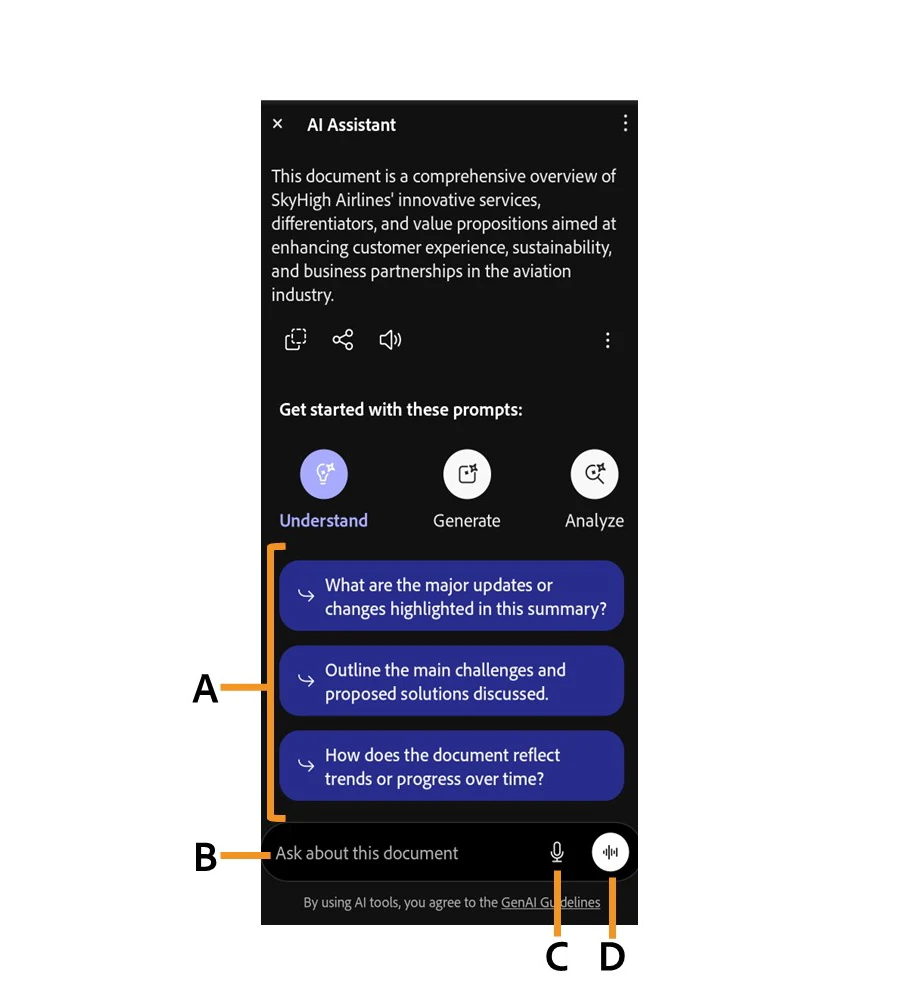
Ask a targeted question while keeping the source document available.
Create a first-pass overview of a report or policy.
Follow answer references back to the relevant document passages.
Use supported shared document-context features to work with related material.
Use plan-supported tools to develop explanations or presentations from document material.
Open a permitted document: Choose a file that can be processed under the applicable account terms.
Ask a narrow question: Request a conclusion or comparison with source references.
Follow the citations: Read the original passage and check amounts, dates and qualifications.
Save a reviewed result: Export or share only after checking the plan's available tools and document access.
Choose a file that can be processed under the applicable account terms.
Request a conclusion or comparison with source references.
Read the original passage and check amounts, dates and qualifications.
Export or share only after checking the plan's available tools and document access.
AI add-on listed at US$4.99/month, annual commitment; bundles differ
Adobe's plan catalog lists AI Assistant for Acrobat at US$4.99/month on an annual, billed-monthly commitment. The current Acrobat AI page also offers bundled products, including Acrobat Express at US$9.99/month and Studio at US$24.99/month in its annual billed-monthly view. These are different offers; do not treat their features as interchangeable.
The AI usage policy lists 1,000 monthly requests per user for eligible individual and team plans, with possible throttling. Limited complimentary requests are for trying the service. AI requests are separate from Creative Cloud generative credits, and local taxes and cancellation commitments should be checked.
No; limited trial requests and an eligible AI plan are different access levels.
The catalog describes annual billing paid monthly.
They are separately packaged Acrobat products with different features.
Follow citations and read the original document passage.
The AI policy explicitly describes cloud document processing.
The current usage policy tracks them separately.
Explore platforms, inputs and outputs, licensing, and access requirements.
Answers and citations need review, especially for complex tables and contracts. File eligibility, supported languages, available tools and request limits depend on the interface and account plan.
The AI usage policy says document generation involves cloud processing. Adobe says customer content is not used to train its AI models; still confirm whether the document may be processed under your organization's rules.
Official plans and documentation ↗
Loading experiences…
Saved tools are private. Approved comments are public; edits return to moderation. Comment counts include approved comments and replies. Each person has one rating. New ratings are automatically approved; withdrawn, unapproved or invalid ratings do not count. Share real experiences and avoid spam, private information or personal attacks.
For moderation appeals or data requests: support@findgoodai.com
Bring a real task and see how it fits the way you work.
User experiences