

Anyword
ProductivityCreate on-brand marketing copy and compare variants using audience-focused performance predictions.
Marketing variantsBrand guidance
Explore YouWare for research reports, slides, spreadsheets and websites, with a practical brief-to-review workflow, credit limits and current pricing caveats.
YouWare’s current homepage presents an AI work partner for presentations, research, spreadsheets and websites. This is broader than its earlier coding-only positioning. The useful way to evaluate it is by the artifact you need to deliver: a slide deck, a report, an editable workbook or a website, each with its own acceptance checks and export requirements.
Editorial suggestion: choose one deliverable and provide a small, clearly organized source set. State what must remain unchanged, which conclusions need evidence and what the audience already knows. Ask for an outline before a polished final file. This keeps the first review focused on substance instead of allowing visual polish to hide missing facts or an unsuitable structure.
Business review decks
Research deliverables
Campaign work packages
Official product image. Click to inspect the details.
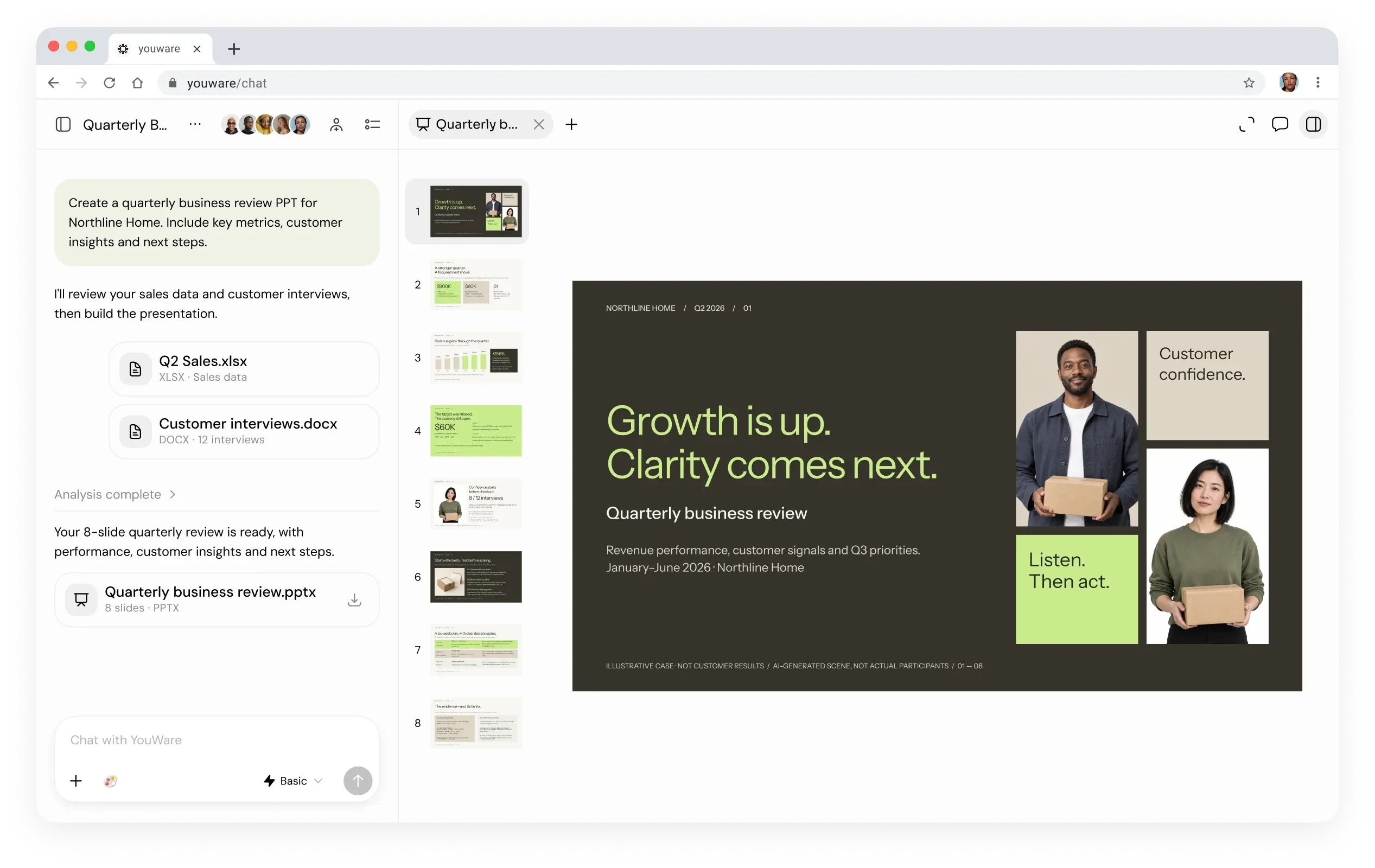
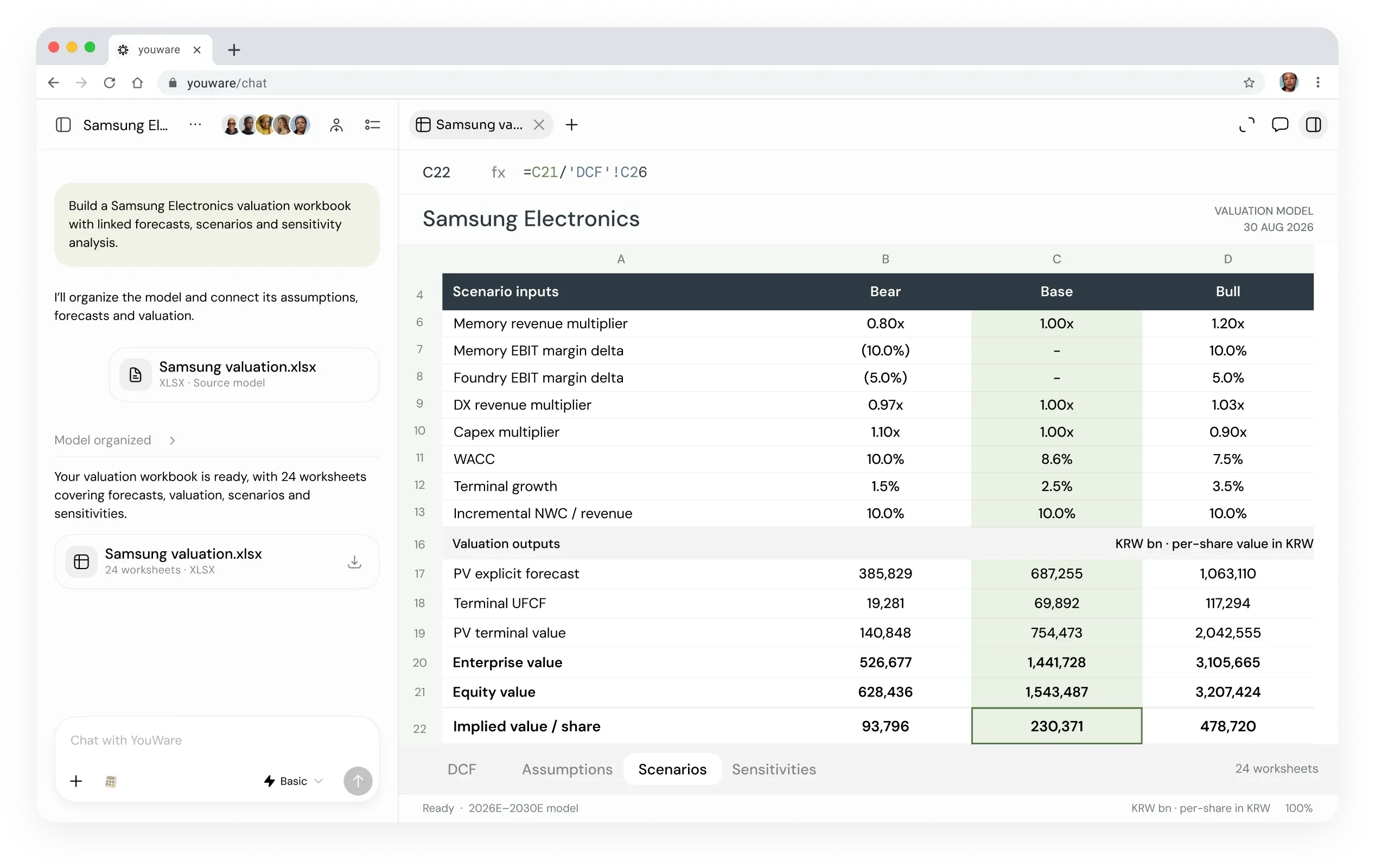
Official examples and public-page captures; these are not results from a paid-feature trial.
The homepage describes creating decks from files, data and research, with PowerPoint or PDF delivery, and sourced reports in Word or PDF. Verify citations and exported formatting before treating the file as client-ready.
YouWare presents spreadsheet creation and analysis with formulas, tables and charts. For a meaningful review, recalculate a few sample rows yourself and separate supplied data from generated assumptions, especially in financial-looking examples.
The site continues to offer website building, while official guides describe code download and backend capabilities on paid plans. Confirm the actual account entitlement before planning migration or depending on a particular integration.
1. Define one output
2. Review the outline first
3. Refine one problem at a time
4. Inspect the exported artifact
Choose a deck, report, workbook or site and name the audience, file format and essential sections. Provide a small source pack with clear filenames. Remove personal information or confidential material that the task does not require.
Ask for a proposed structure and list of assumptions before requesting the finished artifact. Correct missing sections and unsupported conclusions early. For a workbook, specify which cells are inputs and what calculations the output must contain.
Give concrete feedback such as a slide’s message, a table’s missing unit or an unsupported claim. Keep a copy of the previous export so you can check whether the revision changed other content unexpectedly. This is an editorial review method, not an automatic accuracy guarantee.
Open the downloaded file in the software your recipient uses. Check page breaks, chart labels, formulas, source links and permissions. For websites, verify mobile layout and forms separately. Only share the reviewed version; the generated preview is not the final acceptance test.
The homepage offers a free starting point, and official guides describe Free, Pro and Ultra credit-based access. The current subscription page is dynamic and did not expose a reliable complete price table in this check. Earlier official guides quote USD 20/month for Pro and USD 200/month for Ultra, but those figures are not presented here as confirmed current checkout prices.
Check your account for trial credits, billing period, export rights and connector access. The credit policy distinguishes creation, tool calls and AI use inside projects, so a published project should not automatically be assumed to have zero ongoing AI cost.
No. Its current homepage emphasizes presentations, reports, spreadsheets and websites as separate work outputs.
The homepage offers a free entry. Confirm the actual trial balance and feature restrictions inside your account.
The homepage names PowerPoint and PDF for decks, Word and PDF for reports, and Excel workbooks for spreadsheets.
They are historical official-guide figures, not a verified current quote. Use the live subscription checkout before purchasing.
No. Inspect evidence and recalculate sample values. Keep assumptions visibly separate from supplied facts.
No. It summarizes current official descriptions and provides a review workflow; the screenshots are official examples.
Explore platforms, inputs and outputs, licensing, and access requirements.
These tools overlap with parts of the workflow; compare the specific task, export requirements and current plan rather than treating them as identical products.
Choose uploaded files and connected services deliberately. Start with public or sanitized information, then review the product’s current data terms and sharing settings before using client materials. An editable export makes review possible; it does not establish that the sources, formulas or claims in the artifact are correct.
Loading experiences…
Create on-brand marketing copy and compare variants using audience-focused performance predictions.
Connect company knowledge across workplace apps, find relevant sources and use that context in AI answers and workflows.
An AI writing workspace for developing characters, outlining stories and revising fiction scenes.
Bring a real task and see how it fits the way you work.


User experiences