ChatPDF
ProductivityAsk questions about PDFs and other supported documents, then jump from an answer to the cited source. ChatPDF combines document reading, summaries and multi-file conversations in a browser workspace.
Search, summarize and compare uploaded documents with source-linked answers. Humata adds team-oriented document access and page-based plans for ongoing knowledge work.
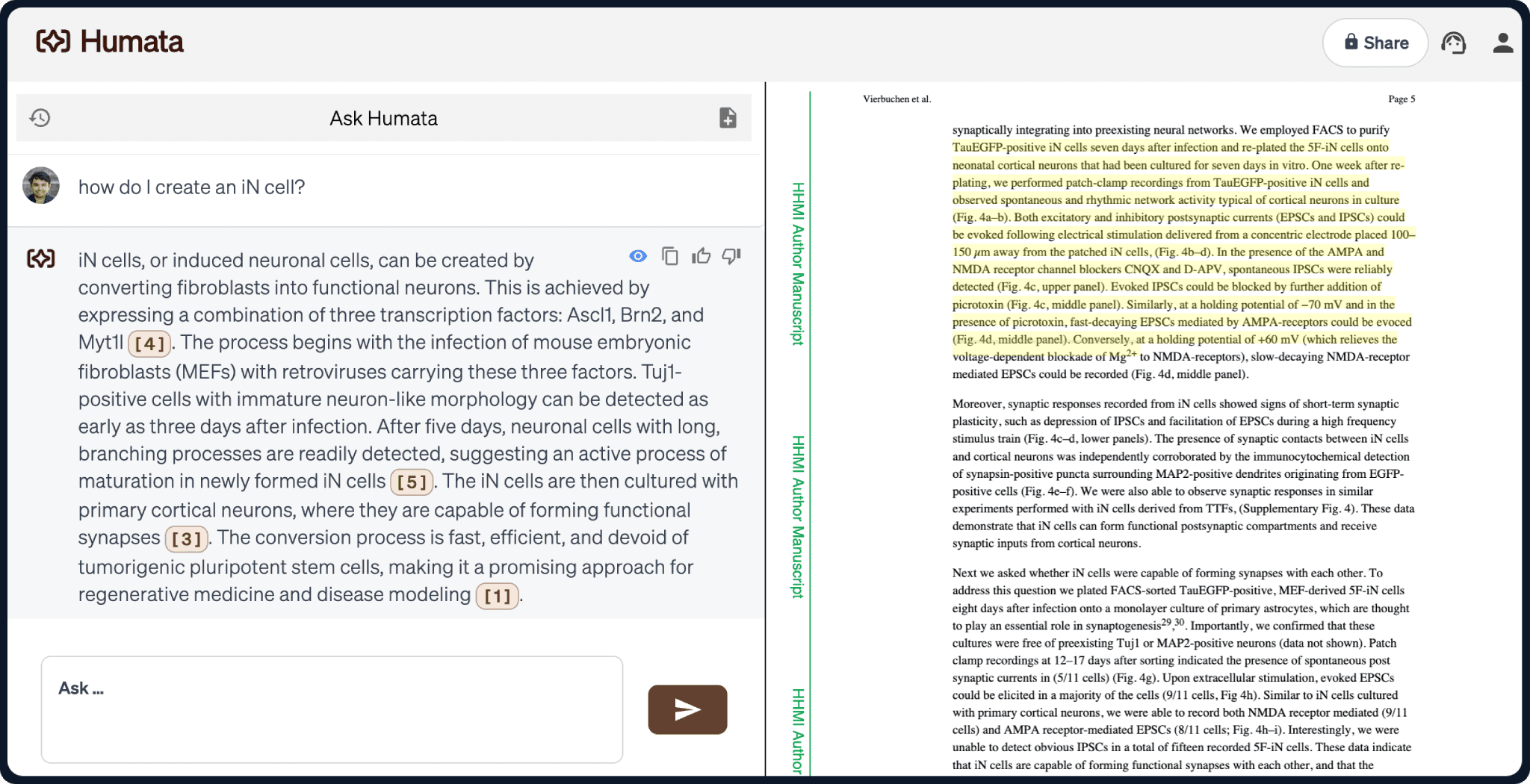
Humata turns a collection of documents into a question-and-answer workspace. It is aimed at readers who need to locate evidence across technical material, compare files or repeatedly answer questions from the same source set. Citations connect generated answers with passages that can be inspected.
The first decision is how to organize the collection. Separate subjects and versions, use clear filenames and choose a small set of benchmark questions with known answers. This makes missing context, incorrect document selection and unsupported synthesis easier to identify before inviting a wider team.
Technical knowledge base
Research comparison
Internal document help
Official product image. Click to inspect the details.

Ask about a document collection and compare findings. Specify the documents or period when the same subject appears in several versions.
Follow source links to inspect the evidence. Check whether an answer combines several passages or relies on only one narrow example.
Request a shorter summary or a more focused explanation. Keep the original question and source context visible when refining the result.
Higher plans offer department and folder permissions. Design the folder structure around who should see the underlying documents.
The product offers OCR for scanned text on eligible plans and a webpage embedding capability. Test representative scans and the intended audience before broader deployment.
Prepare the collection
Check extraction
Evaluate cited answers
Set access and monitor pages
Use a small, current set of documents. Remove obsolete duplicates and label versions before uploading.
Ask a question with a known answer. For scanned files, confirm that the selected plan and OCR workflow can read the text.
Compare the response with the exact cited passages. Include one question whose answer is absent to see whether the limitation is acknowledged.
Invite the appropriate users, confirm folder visibility and review page consumption before expanding the collection.
Pricing checked on October 5, 2026. See plan details below.
The Free tier provides up to 60 pages for basic use. Expert is listed at $9.99 per month for up to three users, with 500 monthly pages and $0.02 per additional page. Page allowance is separate from the number of questions asked.
Team is listed at $49 per user/month, with 5,000 monthly pages, $0.01 per additional page and capabilities such as OCR and department or folder permissions. Larger organizations use custom Enterprise pricing. Review seat count and additional-page charges together when estimating cost.
The plan comparison includes monthly page allowances and additional-page rates.
No. Check the eligible plan; the current Team offering lists OCR.
Yes, the product supports questions across files and document comparisons.
Read the cited passage and confirm the answer has not widened the claim beyond its context.
Access depends on your plan and configured permissions; verify visibility with the intended roles.
Use a small collection with known answers, one scanned page if needed, and a question not answered in the documents.
Explore platforms, inputs and outputs, licensing, and access requirements.
Humata is a proprietary service. Confirm file types, OCR access and integration requirements for your actual account rather than treating every homepage capability as part of the entry plan. A useful acceptance check covers text, tables, scanned pages and questions spanning more than one file.
Document permissions are central to a shared knowledge base. Test visibility with the roles you intend to use before adding confidential material or embedding answers on a webpage. Separate public reference material from internal documents, and review data handling terms for the chosen plan.
Loading experiences…
Saved tools are private. Approved comments are public; edits return to moderation. Comment counts include approved comments and replies. Each person has one rating. New ratings are automatically approved; withdrawn, unapproved or invalid ratings do not count. Share real experiences and avoid spam, private information or personal attacks.
For moderation appeals or data requests: support@findgoodai.com
Bring a real task and see how it fits the way you work.
User experiences