

Sources & references
Hailuo AI official creator site ↗
MiniMax H3 model launch and Hailuo access ↗
MiniMax H3 open-source model specifications ↗
Create short clips from prompts, stills and other permitted references, then use Hailuo Media Agent for a broader production flow. Compare model, length, resolution and credit cost before starting a series.
Hailuo AI is MiniMax's creator-facing video platform. Its model choices have evolved from Hailuo 02 and 2.3 to the multimodal H3 generation system. H3's official technical announcement describes text, image, video and audio as possible context, with native stereo audio in outputs up to 15 seconds; the controls exposed in the consumer interface can vary by model and account. A useful production distinction is between generating a single shot and asking Media Agent to assemble a longer idea from multiple assets.
Start with one shot description: subject, action, camera movement, framing, lighting and the exact ending. A product clip might begin with an approved product photograph, hold its shape and label, then add a slow camera move. If the first and final frames matter, use the available frame-reference mode and compare both ends of the result. Watch the whole clip for temporal problems that a thumbnail hides: fingers changing shape, objects disappearing, shifted logos or sound that no longer matches the scene.
MiniMax's public subscription terms describe memberships, expiring monthly membership Credits and separate top-ups, but they also contain legacy model-specific prices. The Hailuo front page now advertises H3; therefore do not treat an older subscription paragraph as a guaranteed current H3 cost. Check the signed-in plan and the chosen model's displayed price before committing to a recurring output schedule. The separate MiniMax API is another billing route, not evidence that a creator subscription covers API use.
Product motion concepts
Storyboards and pitch clips
Social video experiments
Official product image. Click to inspect the details.
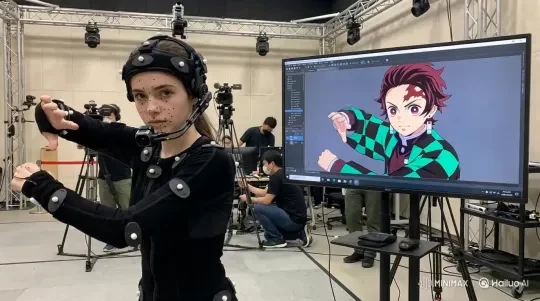
Write action, framing, camera and ending in concrete terms; inspect the full motion rather than judging the first frame alone.
Use approved images or start/end frames where supported to control subject and composition; check for identity and product drift.
MiniMax describes reference images, clips and audio as possible H3 context. Verify the exact input limits and modes in the current creator interface.
Describe a larger piece and let the agent propose a model and production path, then review shot selection, voice and pacing before export.
Balance visual fidelity, duration and credit cost; a higher setting should be chosen for a tested final cut, not every early experiment.
Write a shot plan
Run a low-cost test
Review frame by frame
Assemble and account for use
Specify subject, action, ratio, length, final frame and sound; collect references you may legally upload.
Choose the current model and a short setting, note the displayed credits, and generate one representative clip.
Check subject consistency, physics, text, lips, sound and the first/last frame; revise the prompt or reference before scaling.
Combine accepted shots with source material, verify permissions and record total credits and exports for the project.
See plan details below.
Hailuo AI has a free trial entry and paid creator memberships, but credit grants, model rates and available settings are displayed dynamically in the signed-in product. Its published subscription terms describe monthly membership Credits that expire at the end of their validity period, plus separately purchased Credits; some numeric plan descriptions in that document refer to earlier Hailuo models. Estimate a project from the current model-selection screen instead of transferring those legacy numbers to H3.
The MiniMax open platform offers video APIs under its own documentation and billing. A creator plan should not be budgeted as an API plan. Compare the actual price for a short test, a production-quality version and any Media Agent operation separately, and retain a margin for failed creative iterations.
Yes. MiniMax's own announcements link its Hailuo video models and Hailuo AI creator platform.
Yes, image-guided modes exist, though the inputs offered depend on model and account.
MiniMax describes native stereo audio for H3; check the selected H3 mode and output settings before assuming sound in every job.
The model announcement describes 4–15 seconds, while the exact consumer controls may differ by account.
No. Media Agent is presented as a broader multimodal production flow that can select models and assemble content.
No. The subscription terms describe membership Credits as time-limited; check the exact validity in the current account.
Explore platforms, inputs and outputs, licensing, and access requirements.
H3 model specifications in MiniMax announcements are model capabilities, not a promise that every user sees every input mode or maximum resolution. The official Hailuo 02 announcement documents first-and-last-frame control for that generation. Media Agent can choose a broader workflow, but editorial decisions and legal clearance remain with the creator.
Reference clips and voice samples may identify people or expose unreleased work. Upload only assets you have permission to process; verify how a team workspace shares inputs and results. Before publishing a realistic clip, disclose its generated nature where required by the destination and inspect whether model output imitates an unlicensed person or mark.
Hailuo AI official creator site ↗
MiniMax H3 model launch and Hailuo access ↗
MiniMax H3 open-source model specifications ↗
Loading experiences…
Bring a real task and see how it fits the way you work.
User experiences