
Humata
ProductivitySearch, summarize and compare uploaded documents with source-linked answers. Humata adds team-oriented document access and page-based plans for ongoing knowledge work.
Questions across filesCited passages
A meeting transcription and knowledge workspace with searchable recordings, summaries, comments and integrations. Free ongoing transcription has Auto-join conditions, while storage and AI credits remain limited.
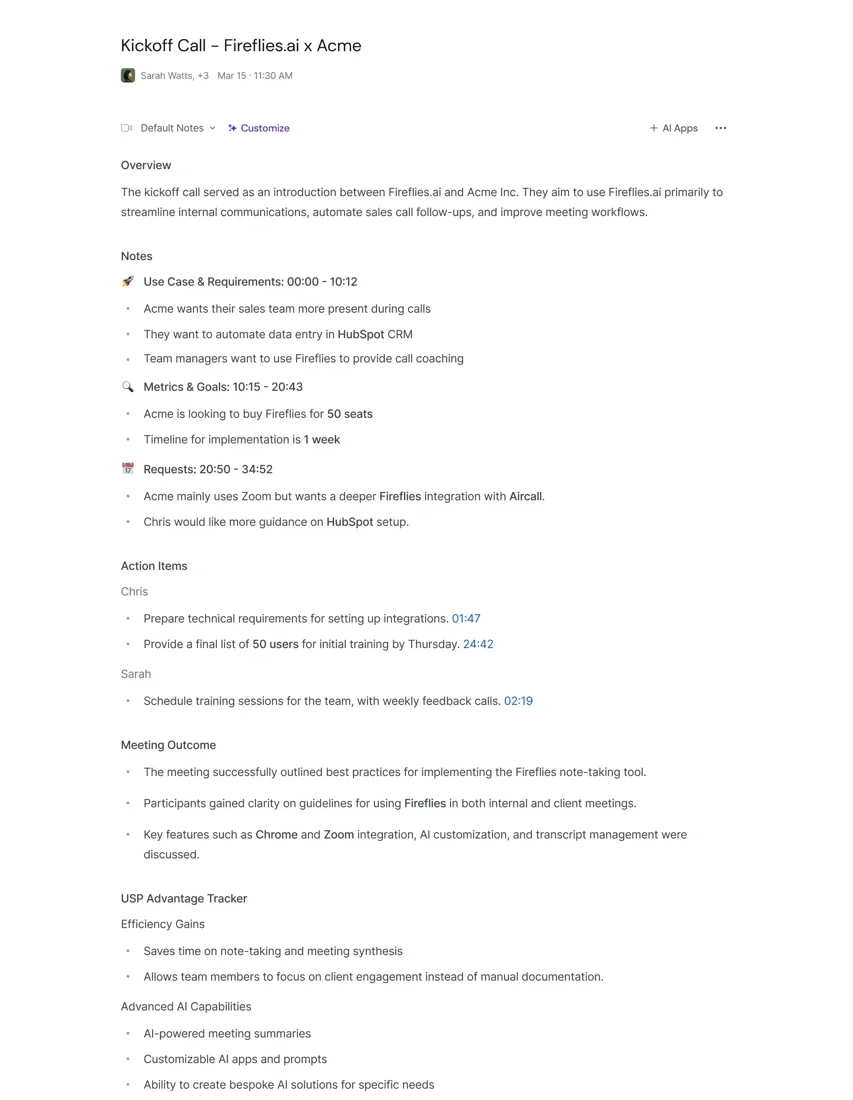
Fireflies turns meetings into a searchable workspace where a recording, transcript, notes and collaborative comments can be reviewed together. It suits people who regularly need to recover a detail from a conversation or pass a clear account of a discussion to a colleague.
Its free route needs a careful explanation. The current transcription-credit guide distinguishes new accounts created on or after September 1, 2026 from older accounts. A new web account starts with three transcription credits; enabling the specified Auto-join setting unlocks unlimited transcription for eligible meetings. Summaries and uploaded files still have credit rules, and the Free storage allowance is 400 minutes per seat in total.
Find a customer request
Prepare a project handoff
Maintain a meeting library
Review recurring blockers
Official product image. Click to inspect the details.
Check your account allowances
Configure capture deliberately
Review and correct the record
Share and manage retention
Example prompt or task: Create a review table with the issue, the supporting timestamp, the proposed response and whether the response was agreed. Leave the owner and deadline blank when the meeting did not specify them.
This can be a manual review task or a request to an available AI feature. It does not imply unlimited free summary generation.
Unlimited transcription does not mean unlimited summaries, uploads or storage. Older accounts may have different entitlements.
For new web accounts, the official guide lists three initial transcription credits. Chrome-extension and mobile signup routes have different starting allocations. Enabling Auto-join can remove the transcription-credit requirement for eligible meetings, but the same guide says summaries still consume credits and uploaded files require one transcription credit each.
Free storage is 400 minutes per seat, measured as retained meeting content rather than a monthly renewal. The Free feature guide also lists 20 one-time AI credits for advanced actions. Some overview wording describes unlimited summaries, but the detailed credit guide has explicit conditions; this page does not promise unrestricted ongoing free summaries.
Paid plans expand allowances and storage. Imported media can also be subject to source-specific rate limits and overage charges. Check the current account and pricing before starting a large upload or automated import, especially when several teammates share a workspace.
Yes, for eligible meetings under the documented Auto-join conditions.
No. The detailed credit guide retains summary-credit conditions.
No. It is a total storage allowance per seat.
No. Uploads consume credits and have file and rate limits.
No. Advanced AI uses a separate allowance.
Not necessarily; the guide explicitly distinguishes signup dates.
Only include meetings you are permitted and intend to capture.
Explore platforms, inputs and outputs, licensing, and access requirements.
The Free guide lists a two-hour recording limit per meeting and uploads up to 100 MB and 150 minutes per file in supported formats such as MP3, MP4, WAV and M4A. Capture duration, file size, credit availability and retained storage are separate constraints.
Fireflies processes meetings as a cloud service. Better microphones and orderly turn-taking help the underlying transcript; a polished summary cannot fix missing audio reliably. Review a representative short meeting before using the system for a recurring business process.
Fireflies states that meeting content is not used to train its AI models and describes zero-retention agreements with processing vendors. This does not mean that your meeting library is never stored: the service retains content for your workspace and gives you sharing and retention controls.
Review the recording notification, recap recipients and meeting visibility settings. Do not enable broad calendar capture merely to unlock a free allowance without considering what meetings it will join. Enterprise-only governance and storage options should not be assumed to apply to Free.
Reviewed October 3, 2026. Product facts come from the official sources below. Suggested projects, prompts and review methods are FindGoodAI editorial guidance, not measured performance results.
Loading experiences…
Saved tools are private. Approved comments are public; edits return to moderation. Comment counts include approved comments and replies. Each person has one rating. New ratings are automatically approved; withdrawn, unapproved or invalid ratings do not count. Share real experiences and avoid spam, private information or personal attacks.
For moderation appeals or data requests: support@findgoodai.com
Bring a real task and see how it fits the way you work.
User experiences