
Sources & references
Doubao official web assistant ↗
ByteDance’s Chinese-first assistant brings chat, voice, creative tools and document work together, with desktop task execution and Feishu-connected workflows.
Doubao is ByteDance’s assistant for everyday questions, communication and creative work. The current desktop product page also presents a work mode that can produce documents and operate through a computer workflow. These are related experiences, but choosing a desktop task is different from asking a quick question in chat.
The strongest starting point is a task with a clear audience and a visible result: a Chinese customer update, a meeting action list or a short presentation. Work from material you already have. That lets you judge whether the assistant preserved the important details, instead of judging only whether the language sounds smooth.
Draft a Chinese brief from scattered notes
Turn meeting material into an action list
Work with documents, slides and spreadsheets
Explore a supervised desktop task
Official product image. Click to inspect the details.
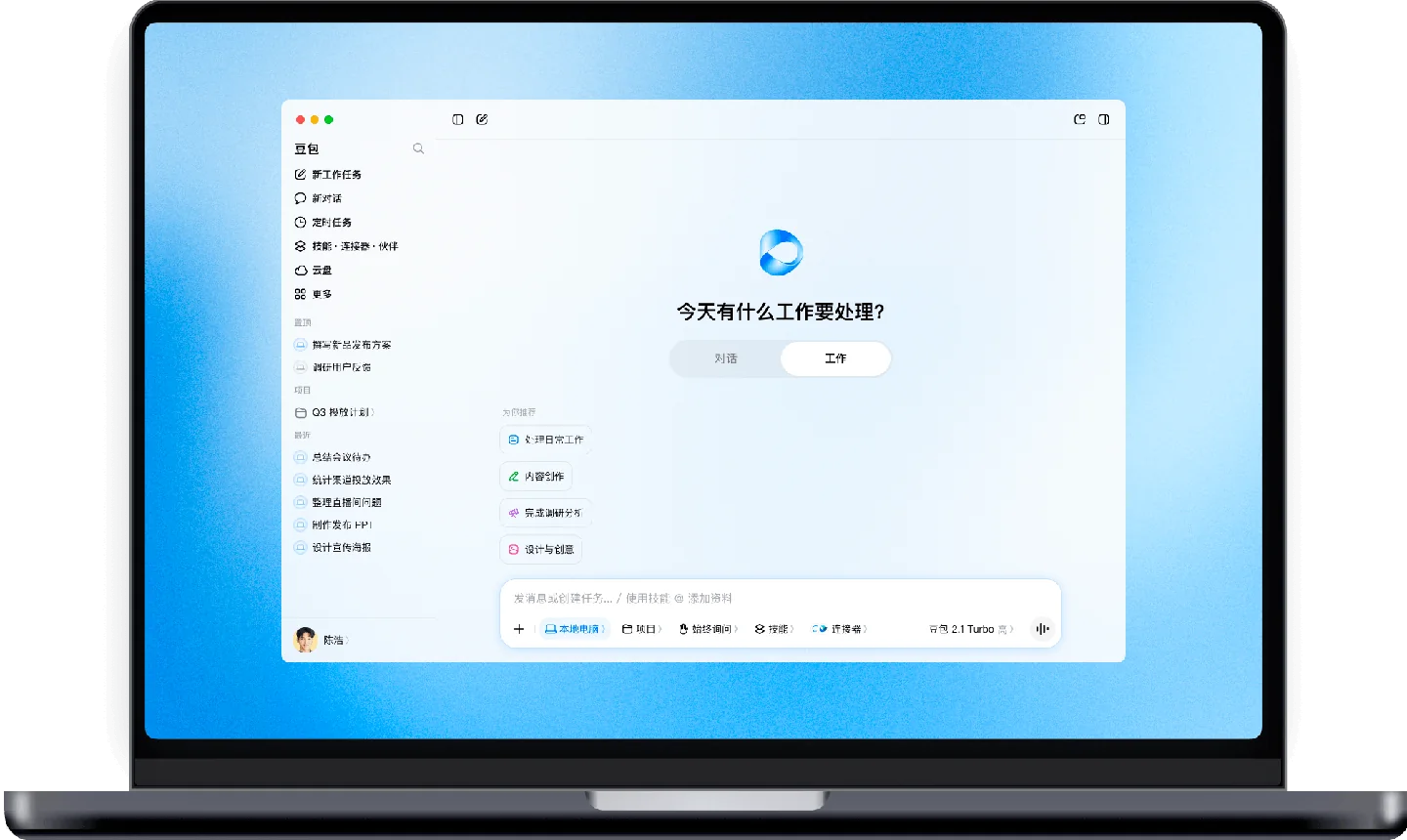
Choose ordinary chat or a desktop work task
Provide a small set of approved source materials
Specify the file, format and stopping point
Review the artifact and its sharing settings
1. Gather the minimum material. Collect a few project notes and meeting decisions. Remove irrelevant conversations and label dates clearly. Decide whether you need a simple message or an editable document before choosing chat or a work task.
2. Specify the result. Example prompt: “Using these notes, prepare a one-page weekly update in Chinese. Organize it into completed work, blockers and next steps. Keep each action owner and date exactly as supplied. Mark missing information instead of filling it in.”
3. Review the structure. Check the outline before requesting visual polish or a slide deck. Ask it to merge duplicate actions, identify contradictions and distinguish a proposal from a confirmed decision. Those checks usually improve the output more than requesting more formal language.
4. Save and share deliberately. Open the actual artifact, verify assignments and inspect its access settings. Keep an approved copy with a date in the filename. If you later revise the source notes, regenerate only the affected part and compare the change.
Promotions and paid benefits vary. A time-limited desktop offer is not permanent unlimited access.
Doubao’s available benefits depend on product, account and purchase channel. At review time, the desktop download page advertised a limited-time subscription promotion. This listing does not treat that promotion as a permanent free plan or publish an unverified monthly price. Check the live account screen for eligibility, renewal and usage limits.
Cloud-drive expansion is separately described as a paid option in its usage notice. Developer access through Volcengine has its own pricing. Before paying, try one representative completed task and inspect whether your constraint is generation usage, desktop access, storage or a particular advanced feature.
They suit different task sizes. Use chat for a short explanation or rewrite. Use a work task when you need several steps, files or connected context, and specify a deliverable so you can tell when the task is complete.
The official memory FAQ says chat history and saved memories are separate. Review or delete memories in their own controls. Switching memory off also does not automatically remove previously saved memories.
The cloud-drive notice distinguishes a conversation attachment from the stored cloud file. Review the drive itself when organizing or deleting materials; removing a chat reference is not the same operation as deleting the underlying file.
Recording and transcription features are described in the privacy policy. Obtain the participants’ permission and start with a short recording whose decisions you already know. Check speaker attribution, action owners and deadlines against the audio.
Choose something reversible, such as organizing a copied set of notes into a draft report. State the folder, output filename and stop condition. Review the intermediate result before adding connectors or a wider range of files.
Connect only the approved workspace and identify the source documents for the task. Ask the result to distinguish current decisions from historical discussion. A generated summary should not silently convert a tentative message into an agreed policy.
It can be explored for other languages, but this listing focuses on its Chinese-facing product and Feishu ecosystem. Test the actual language pair, local account availability and export format your collaborators need before adopting it as a shared tool.
Explore platforms, inputs and outputs, licensing, and access requirements.
Doubao has web, mobile and desktop experiences, and its privacy documentation distinguishes capabilities across versions. Depending on the feature, material can include text, voice, images, files or explicitly shared screen context. Do not assume a control visible in the desktop application will be present on every phone or in an ordinary browser session.
For a document workflow, decide in advance whether the recipient needs an editable file, a share link or only the final text. Check the available export in that specific editor. Use a small sample when testing imported tables, because merged cells and ambiguous dates can change the meaning of an otherwise attractive result.
Skills and connectors in work mode have defined scopes. Read the requested permissions before linking an external service, and give a task a clear stopping point. For example, ask for a draft reply and supporting evidence before authorizing anything to be sent or published.
The Doubao model platform is a developer route separate from the consumer application. An API model is not automatically the complete desktop assistant. No self-hostable release of the full consumer service was verified for this listing; model access, product subscriptions and third-party connectors should be evaluated separately.
The permissions list explains feature-specific access, while the privacy policy describes the handling of chat material, work tasks and office outputs. Give camera, microphone, screen or file access when the chosen task needs it, then revisit settings when your use changes.
For recurring work, make a habit of reviewing three places: the conversation, saved memories and cloud files. They represent different kinds of persistence. Before sharing a document link, inspect what the recipient will actually be able to access.
Reviewed October 3, 2026. Product facts are based on the official sources below. Example prompts, workflows and selection advice are FindGoodAI editorial guidance.
Doubao official web assistant ↗
Loading experiences…
Saved tools are private. Approved comments are public; edits return to moderation. Comment counts include approved comments and replies. Each person has one rating. New ratings are automatically approved; withdrawn, unapproved or invalid ratings do not count. Share real experiences and avoid spam, private information or personal attacks.
For moderation appeals or data requests: support@findgoodai.com
Bring a real task and see how it fits the way you work.
User experiences