
Humata
ProductivitySearch, summarize and compare uploaded documents with source-linked answers. Humata adds team-oriented document access and page-based plans for ongoing knowledge work.
Questions across filesCited passages
Ask questions about PDFs and other supported documents, then jump from an answer to the cited source. ChatPDF combines document reading, summaries and multi-file conversations in a browser workspace.
ChatPDF focuses on an everyday research problem: finding the part of a document that answers a question. Its side-by-side layout keeps the conversation and source document together, while linked citations help you inspect the evidence behind an answer. This is useful for initial reading and targeted follow-up questions.
For a useful first test, choose a public report with a table, a definition and a stated limitation. Ask one question about each, open the cited passages and compare the answers with your own reading. The goal is faster navigation with reliable checks, not replacing every page with a short summary.
Paper screening
Manual lookup
Report comparison
Official product image. Click to inspect the details.
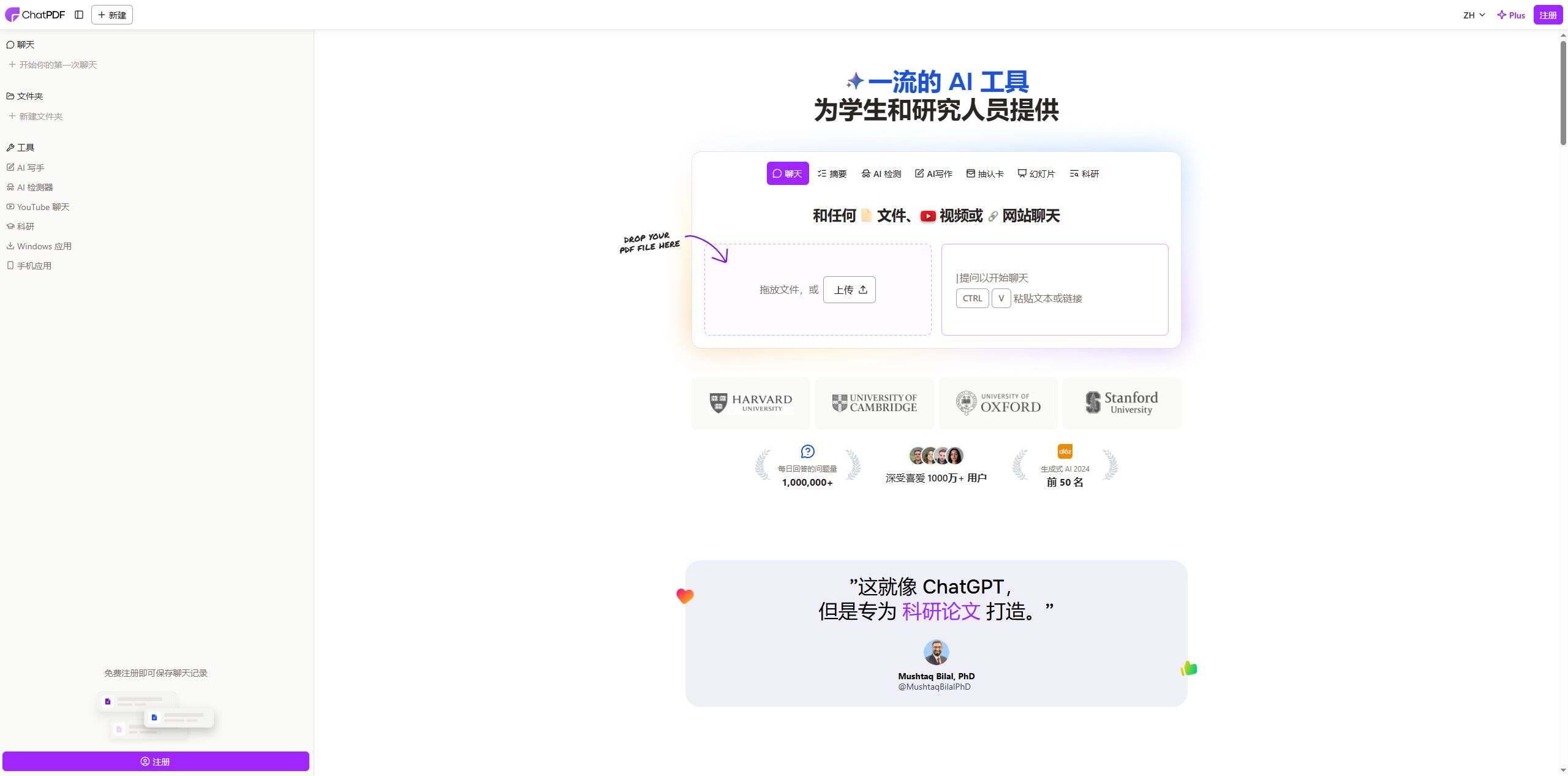
Citations connect an answer with the relevant document page. Read the surrounding paragraph to check conditions that may be omitted from a short response.
Keep the PDF and conversation visible together. This makes it easier to follow an explanation while checking the original wording.
Group related files and ask cross-document questions. Label versions clearly so an older report is not confused with an update.
The official format list includes Word, PowerPoint, Markdown and text files as well as PDF. Confirm that the content is readable after upload.
Read a document in one language and ask about it in another. Preserve names, units and quotations in the original language when precision matters.
Choose a readable source
Ask a specific question
Open the citations
Organize the result
Start with a public, text-based document and give it a descriptive filename. Check that tables and section headings are visible.
Name the topic and requested output, such as a table of limitations with page references.
Read each cited passage and compare numbers, units and scope with the generated answer.
Save the accepted notes with document titles and page references. Add related files only when a cross-document question requires them.
Pricing checked on October 5, 2026. See plan details below.
The free plan currently allows analysis of two documents per day. Core use can be tried without registering, while an account enables features such as saved history and multi-document organization.
The observed Plus dialog offers unlimited PDFs and questions but still limits each PDF to 2,000 pages and each folder to 50 PDFs. The Singapore-dollar view shows SGD 15.99 monthly or SGD 9.92 per month equivalent on annual billing. Currency and final billing details should be checked in the local offer.
Core use can be tried without an account; saved history and additional organization features require one.
No. The official list also includes Word, PowerPoint, Markdown and plain text.
No. Open the passage and check that it actually supports the answer and its scope.
Related documents can be organized in a folder for multi-file questions, subject to plan limits.
No. Plus still specifies page and per-folder limits.
The product supports multilingual questions; verify technical terms against the original.
Explore platforms, inputs and outputs, licensing, and access requirements.
ChatPDF is a proprietary cloud service. It also presents study and writing tools, but its document workflow should be evaluated on readable input, accurate extraction and usable citations. A fluent explanation is not evidence that every chart, footnote or scanned page was interpreted correctly.
Documents are private by default according to the product FAQ; creating a sharing link changes who can access the material. Upload only documents you are permitted to process, review any share link before distributing it, and remove files when they are no longer needed.
Loading experiences…
Saved tools are private. Approved comments are public; edits return to moderation. Comment counts include approved comments and replies. Each person has one rating. New ratings are automatically approved; withdrawn, unapproved or invalid ratings do not count. Share real experiences and avoid spam, private information or personal attacks.
For moderation appeals or data requests: support@findgoodai.com
Bring a real task and see how it fits the way you work.
User experiences