
Humata
ProductivitySearch, summarize and compare uploaded documents with source-linked answers. Humata adds team-oriented document access and page-based plans for ongoing knowledge work.
Questions across filesCited passages
A free offline desktop OCR application for screenshots, batches of images and scanned documents. Umi-OCR brings recognition engines into a practical interface with editable results, layout handling and searchable PDF workflows.
Umi-OCR turns text trapped inside screenshots and scanned documents into material that can be searched, copied and edited. Its main advantage is a desktop workflow: users can capture a region, inspect the recognition result and continue working without building a Python application or buying cloud OCR credits.
The project supports Windows and Linux x64, with platform-specific installation instructions. It packages recognition through engine plugins, including RapidOCR and PaddleOCR options. The interface is not itself a new recognition model, so language coverage, accuracy and available specialized features depend on the chosen engine and model.
Recover meeting-slide text
Digitize a scanned archive
Read a software error screenshot
Build a searchable reference folder
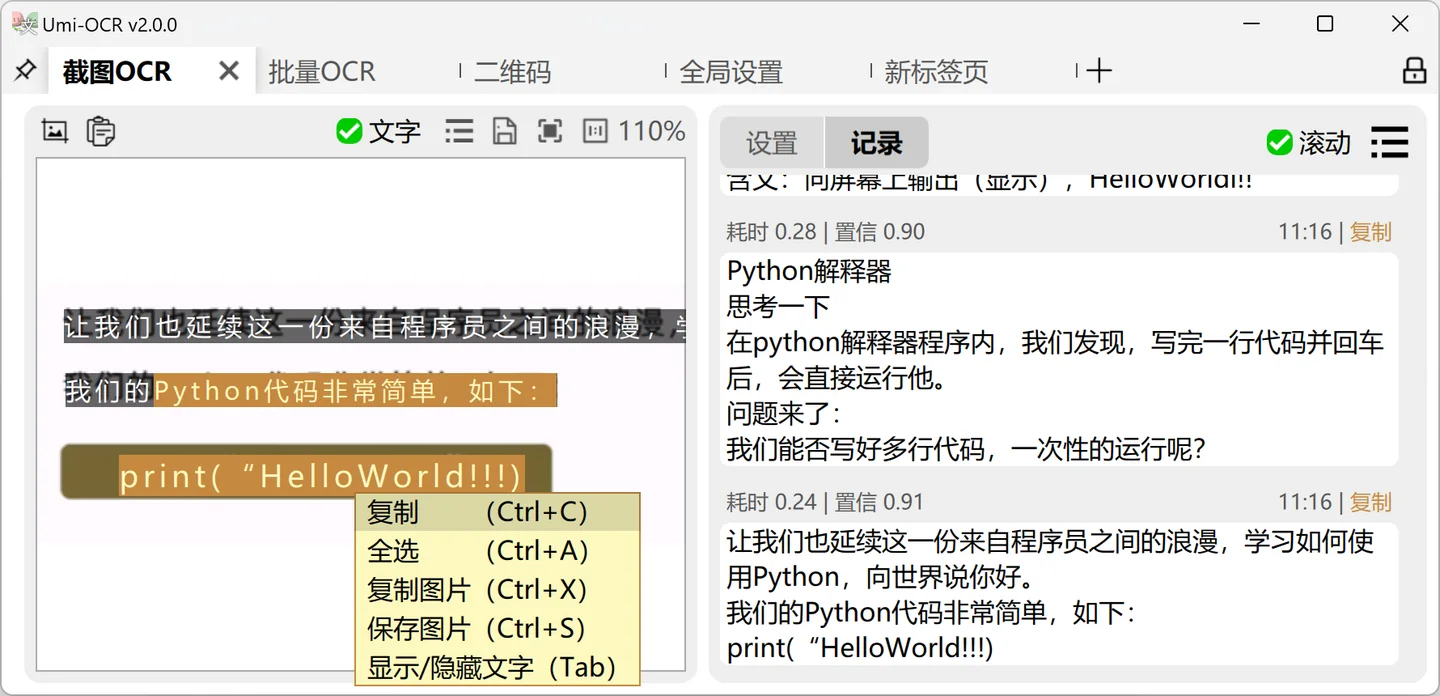
Official product image. Click to inspect the details.
Install the correct package
Choose a representative sample
Recognize and inspect
Export with traceability
Example prompt or task: Recognize this batch of scanned meeting notes locally. Preserve page order, keep technical abbreviations unchanged where possible, and review dates and action-owner names against the original images.
This is an editorial starting workflow, not a measured performance result.
Umi-OCR is free open-source software under the MIT license. Local recognition does not require purchasing a per-page cloud plan, but it still uses the computer's processor, memory, storage and electricity.
Umi-OCR is free open-source software under the MIT license. Local recognition does not require purchasing a per-page cloud plan, but it still uses the computer's processor, memory, storage and electricity.
The application supports different engine plugins, whose models and dependencies must be available on the machine. Optional external integrations are separate products. Free software should not be interpreted as a promise of unlimited speed, perfect recognition or maintenance support.
Yes. The application is published under the MIT license.
Local recognition can run offline once the required program, engine and models are installed.
Yes. Screenshot recognition is one of its main desktop workflows.
Yes. Batch processing is documented, with practical limits determined by your machine and workload.
No. A searchable PDF adds usable text while retaining a PDF-oriented document workflow.
The current project targets Windows x64 and Linux x64; check future releases separately.
Yes. Umi-OCR is a desktop application; RapidOCR is one of the recognition engines that can power it.
Explore platforms, inputs and outputs, licensing, and access requirements.
Windows users can follow the portable-package route, while Linux users should follow the project's current platform instructions. The documented desktop targets are x64; do not assume a native macOS or mobile build from the existence of a web-style interface.
Keep a clean source image when possible. OCR locates and recognizes visual text; complex tables, handwriting, mathematical notation and decorative fonts may need different models or manual correction. Model support should be checked before planning a specialized document project.
Offline OCR is useful for keeping documents on your own machine, provided the configured processing route is local. Download models and updates from official sources, and review any external service you deliberately connect.
Before exporting a shared archive, check whether recognized text exposes information that was difficult to search in the original scans. Keep only the records needed for the task and apply the same access controls to text exports as to source documents.
Reviewed October 3, 2026. Product facts come from the official sources below. Suggested projects, prompts and review methods are FindGoodAI editorial guidance, not measured performance results.
Loading experiences…
Saved tools are private. Approved comments are public; edits return to moderation. Comment counts include approved comments and replies. Each person has one rating. New ratings are automatically approved; withdrawn, unapproved or invalid ratings do not count. Share real experiences and avoid spam, private information or personal attacks.
For moderation appeals or data requests: support@findgoodai.com
Bring a real task and see how it fits the way you work.
User experiences