
Google announced on November 19 that the Gemini desktop app for Mac (gemini.google/mac) is getting computer use. You describe a multi-step workflow across local files, desktop applications, and the web, and Gemini handles the menus, clicking, typing, and form entries without requiring you to babysit every window.
What changed
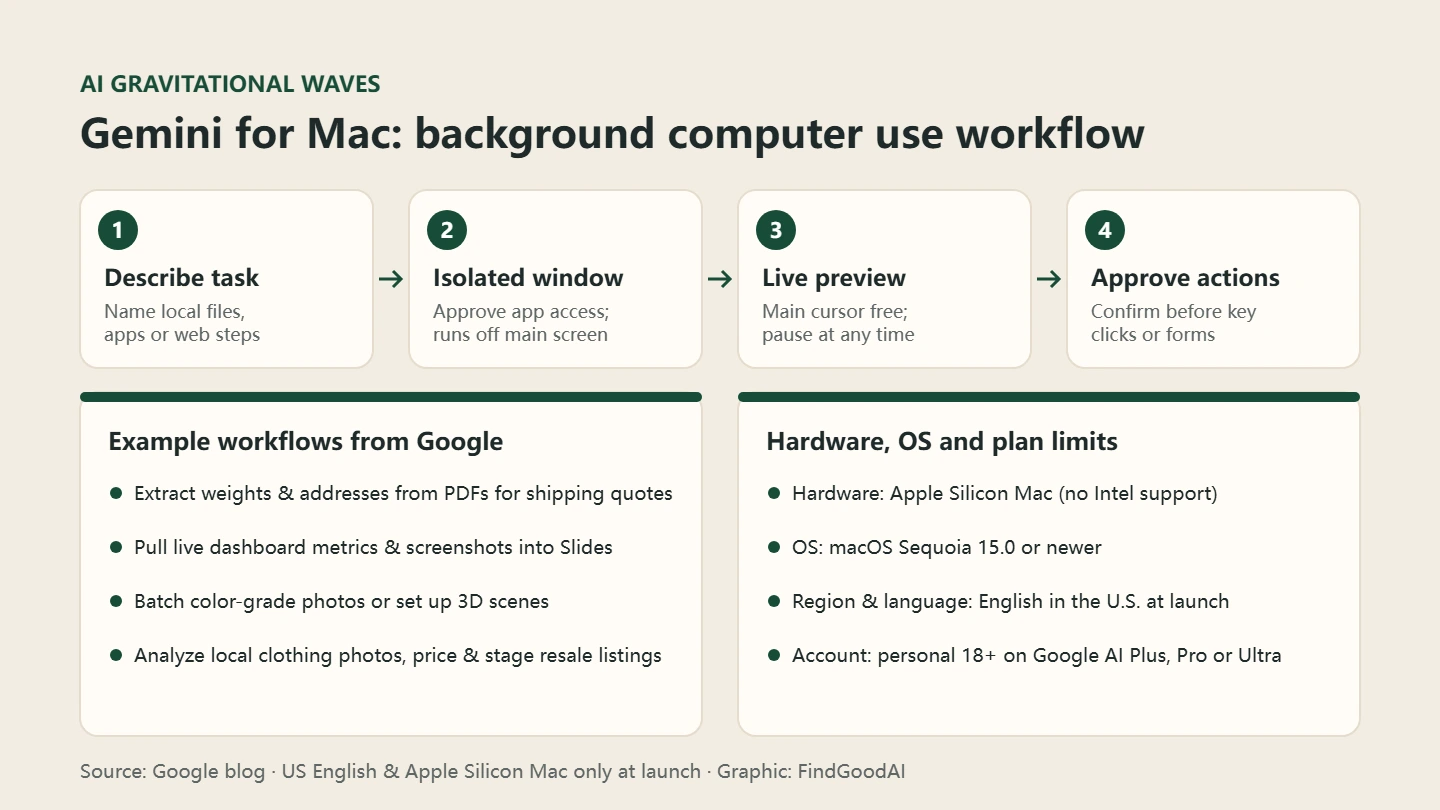
Earlier screen-control agents typically took over the user’s live cursor and desktop, forcing you to pause your own work until a run finished. On Mac, Gemini now executes inside an isolated background window while streaming a live preview inside your chat. Your main screen and cursor stay completely free so you can keep typing, designing, or taking calls. Privacy and control stay manual: you choose exactly which desktop apps Gemini may access, watch every step in real time, pause whenever needed, and approve key actions before they happen.
Practical ways to use it
If you regularly move structured details between local folders, native software, and web tools, you can hand the repetitive middle steps to the background window. Google highlights several concrete workflows:
- Skip manual form entry: Extract weights, dimensions, and shipping addresses from local PDFs and fill out multi-box shipping quote forms automatically.
- Turn live dashboards into decks: Pull metrics and screenshots from live regional dashboards and assemble them into a presentation in Google Slides.
- Creative and resale batching: Batch color-grade photos or set up 3D scenes in design software, or analyze clothing photos in a local folder, research pricing, log details, and stage resale listings.
Limits to keep in mind
The rollout has strict hardware, account, and regional bounds listed in Google’s announcement: it requires an Apple Silicon Mac running macOS Sequoia 15.0 or newer, and is rolling out only in English in the U.S. Access is restricted to personal Google accounts aged 18+ on Google AI Plus, Pro, or Ultra plans (exact plan pricing is not listed in the post; Workspace accounts and non-US regions are not part of the initial launch). To compare desktop-automation options, check Claude, ChatGPT, and more product updates in AI Gravitational Waves.
Source: Google Blog: Automate Mac tasks with Gemini computer use