
Sider
AssistantsRead pages with Chat, handle browser tasks with Hand and customize your browsing experience with Code. Sider adds an AI workspace to the sites and documents you already use.
Chat beside the sourceHand browser tasks
A free desktop AI assistant that runs supported models locally, organizes project files and can expose a local API for your own applications.
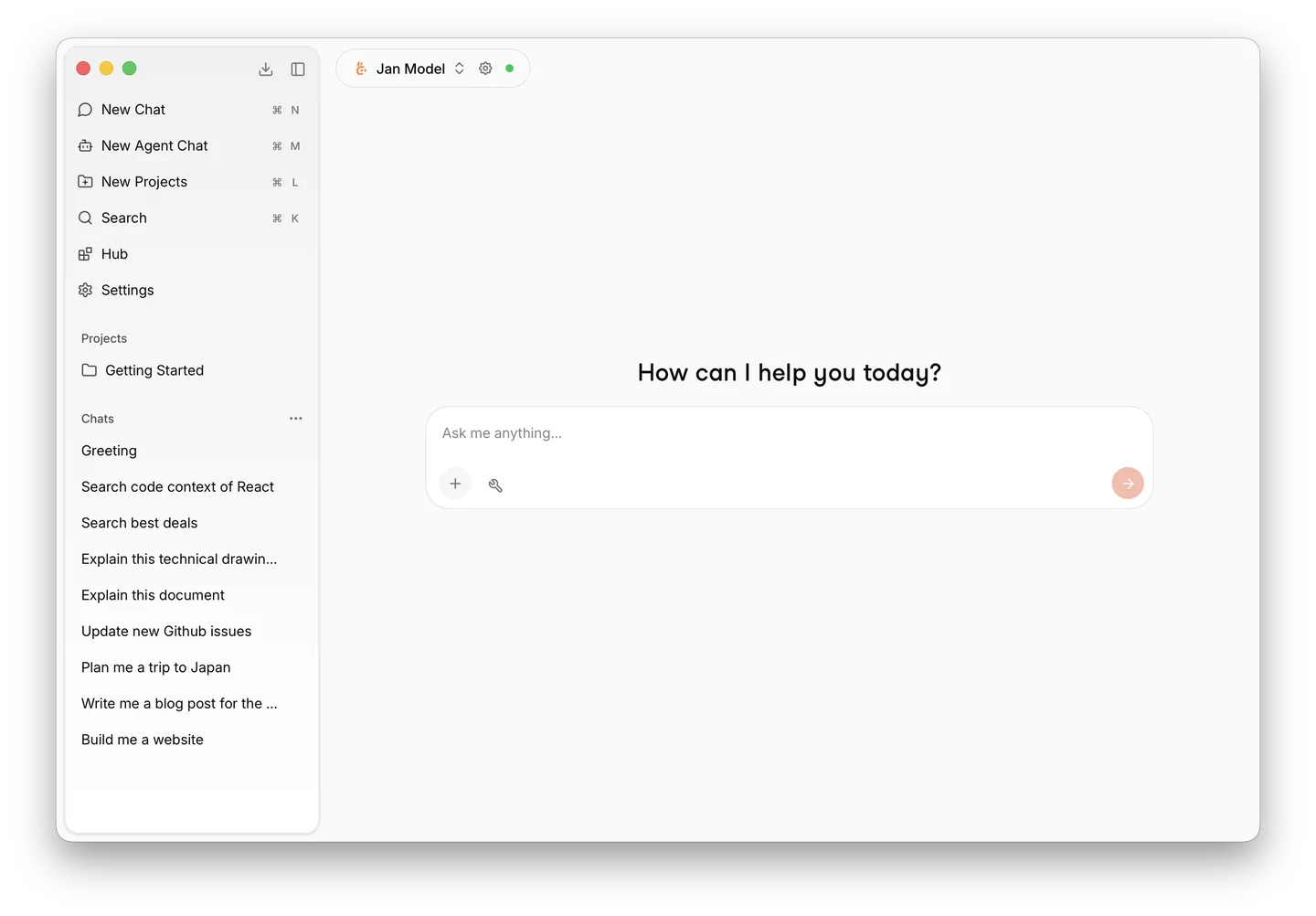
Jan makes local language models approachable through a desktop chat application. Instead of starting with a command-line server, you can download a supported model, open a conversation and gradually add files or project instructions. Local chat does not require a service account, and inference on your own machine avoids per-request cloud API charges.
The practical tradeoff is capacity. A model must fit the available memory, and a downloaded model is not automatically as capable as the largest hosted service. Jan is a good starting point for personal notes, rewriting, bounded document questions and developers experimenting with a local API. For very long documents or demanding reasoning, evaluate a representative task before treating a small model as a complete replacement.
Private first drafts
One-project document assistant
Offline travel preparation
Prototype a local integration
Official product image. Click to inspect the details.
Install the correct desktop build
Download a model that fits
Create a focused project
Check output and data routing
Example prompt or task: Rewrite these notes into a clear project brief. Preserve names, dates and numbers exactly. Separate confirmed requirements from open questions, and do not add facts that are absent from the supplied notes.
This is a suggested evaluation task, not a performance claim. Check preservation of important details before increasing document length or selecting a larger model.
The app is free. Model licenses, device requirements and optional cloud charges are separate.
The desktop application is available under Apache-2.0. Running a local model does not require paying a cloud provider for every response, but it uses storage, RAM or graphics memory, electricity and time on your own machine. Individual downloaded models can have different licenses.
Cloud model integrations remain optional and may require a separately billed API key. Network tools and search can also depend on outside services. The free classification here is based on the local desktop route, not on an assumption that every connected provider is free.
The local desktop route does not require an account. Optional remote providers and services can have their own sign-in or API requirements.
Local inference can work after the required application and model downloads. Cloud providers, web search and remote tools still need a network connection.
No. The format, runtime, model architecture and device capacity must be compatible. Use the documented model hub or supported import workflow.
The application supports document workflows, but extraction and retrieval quality still matter. Check whether the relevant text was processed and whether the answer is supported by it.
Not merely because the photo can be attached. Choose a model that supports the relevant vision input, and verify its actual interpretation.
No. It is a server running on your machine. You supply compute and must configure access; binding it to other interfaces changes who can reach it.
Only when the selected model and all relevant processing and tools are local. A configured cloud provider can receive the request and associated content.
Explore platforms, inputs and outputs, licensing, and access requirements.
Desktop releases support Windows, macOS and Linux. Hardware needs depend on model size, quantization, context and runtime; there is no universal memory number that guarantees every model will work well. The hub guidance is a starting point, followed by a short task on your actual device.
The file guide covers common document formats including PDF, Markdown and Office files, along with code and supported media. Project documents are processed for retrieval. Image and audio understanding require suitable models, and a large attachment does not mean the entire file necessarily appears in every answer context.
For local models, the desktop documentation describes local processing. Selecting a cloud model or remote tool changes that boundary, including content needed to handle a file request. Check the full workflow before placing sensitive material in a project.
Use narrowly scoped tool permissions. Do not expose a development API to a network without the intended authentication and access controls. Apache-2.0 applies to the application code; the terms of a downloaded model and the rights to your files remain separate.
Reviewed October 3, 2026. Product facts come from the official sources below. Suggested projects, prompts and review methods are FindGoodAI editorial guidance, not measured performance results.
Loading experiences…
Saved tools are private. Approved comments are public; edits return to moderation. Comment counts include approved comments and replies. Each person has one rating. New ratings are automatically approved; withdrawn, unapproved or invalid ratings do not count. Share real experiences and avoid spam, private information or personal attacks.
For moderation appeals or data requests: support@findgoodai.com
Bring a real task and see how it fits the way you work.
User experiences