
Sources & references
Qwen assistant, features and downloads ↗
Alibaba’s Qwen assistant combines reasoning, web search, document analysis, multimodal questions and creative work, with a separate model and developer ecosystem.
Qwen’s hosted assistant brings several forms of AI work into one place: reasoning, source exploration, documents and creative tasks. The official assistant page provides web and app entry points. This listing covers Qwen.ai and its linked clients; it does not assume every separately branded regional Alibaba application has identical features or account rules.
For a practical trial, combine a question with a small collection of relevant material. Ask for a specific result that you can open or inspect. A two-page comparison or a tiny interactive demonstration makes it easier to judge usefulness than an open-ended conversation about what AI might do.
Compare source documents into a decision brief
Explore a spreadsheet with explicit definitions
Create a small HTML or SVG prototype
Develop a multilingual writing or learning workflow
Official product image. Click to inspect the details.
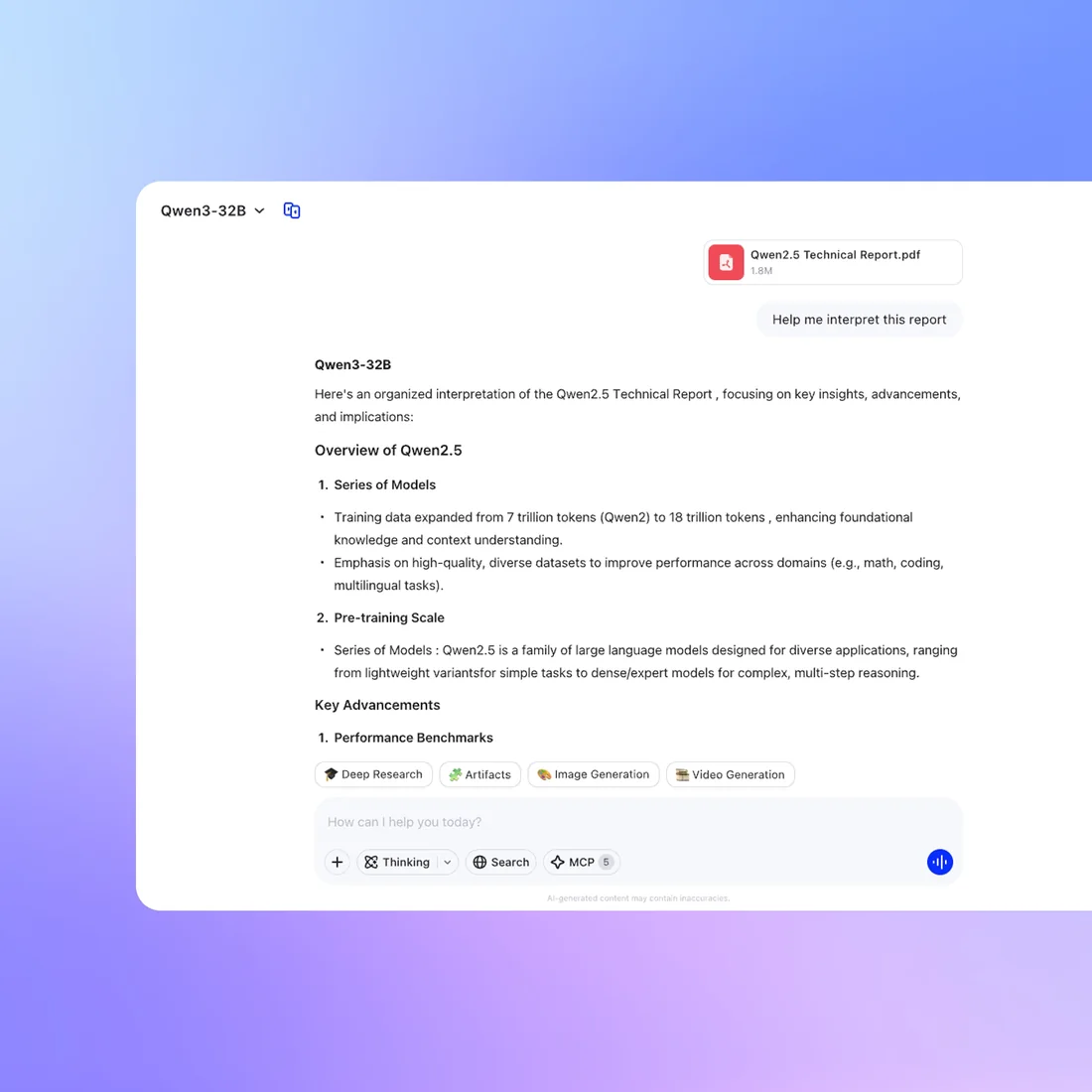
Open the Qwen assistant and choose a bounded task
Provide files, definitions and the intended output
Ask for a first outline or prototype
Verify sources, calculations and the exported result
1. Define one decision. Select two or three options you actually need to compare. Gather their official descriptions and decide which dimensions matter. Use the same criteria for every option instead of accepting a different set of strengths for each.
2. Give a structured brief. Example prompt: “Compare these three documents for a small design team. Build a table of capabilities, constraints, evidence and unanswered questions. Quote no more than a short phrase where essential. Do not infer a missing feature from marketing language.”
3. Turn the result into a working draft. After checking the comparison, ask for a small HTML view that lets a reader filter by two criteria. Keep the dataset visible and request a simple implementation you can understand. This is an editorial workflow suggestion, not a promise that every prototype is production-ready.
4. Inspect both content and behavior. Recalculate any numeric comparison, follow the evidence links and click every control in the prototype. Check a narrow phone-sized view and an empty state. Save the checked artifact separately from the conversation so it is easy to identify the reviewed version.
The assistant page advertises free use. API and third-party deployment costs are separate.
The assistant page advertises free use. This review did not verify a universal paid consumer subscription price or an unlimited entitlement for every mode. Check your account for the features and allowances actually presented to you.
The API platform is a separate developer offering, and self-hosting a released model introduces compute and maintenance costs. Compare the cost of completing your own workflow: input preparation, generation, checking and revisions. A free draft can still be expensive in staff time if it repeatedly needs extensive corrections.
The assistant is a hosted product with a user interface and tools. A model is one component behind an application. Downloading a model does not automatically provide the assistant’s search, accounts, file handling or creative workflow.
A large context window does not tell the assistant which details matter. Define the decision, name the relevant sections and ask for evidence locations. A shorter, well-organized input can be easier to verify than an indiscriminate document dump.
Ask it to report row counts, missing values and the calculation definition first. Recompute one example manually. Check whether a chart excludes records or aggregates categories differently from the question you intended to ask.
Treat the first artifact as a prototype. Check its behavior, accessibility and handling of real data before considering deployment. For an application that stores information or calls external services, review those responsibilities explicitly.
The assistant and API platform are separate products. Read the API account’s billing terms and model prices before connecting an application. A third-party host can also apply its own charges and data policies.
There are released models and official deployment guides, but selection matters. Check the exact license, hardware fit and supported inference software. Start with a representative task and measure the result before committing to a larger deployment.
Use the same documents and output requirements, then compare factual corrections, file usefulness and manual editing. For multimodal work, include your actual media types rather than comparing only text answers.
Explore platforms, inputs and outputs, licensing, and access requirements.
The official product page lists browser, iOS, Android, macOS and Windows access. Choose the platform around the material you need: mobile for a question about a photo, desktop for a longer file-based task. Check the actual client before standardizing a process across a team.
For imported spreadsheets, name the date format and explain whether blanks mean zero, unknown or not applicable. For documents, specify whether you want a summary, extraction or critique. These are different jobs. Export options are tied to the selected mode, so verify an actual output file before promising a format to a colleague.
The API platform provides a route to put Qwen capabilities into your own application. Keep model selection, credentials, retries and usage accounting within the application you control. If the task involves changing code, Qwen Code offers a dedicated agent workflow and its own setup rather than inheriting the permissions of a normal chat.
The Qwen3 repository identifies its open-weight models as Apache 2.0 licensed. Check the license of the particular release you select, especially across different model families. Official vLLM deployment documentation describes a self-hosting route; hardware requirements and operational responsibility remain with the operator.
The linked Qwen.ai privacy policy describes processing by Alibaba Cloud in Singapore and potential use of de-identified content and feedback for improvement. Its training-data disclosure provides additional context. These policies should not be replaced by assumptions about every Alibaba product or every self-hosted model.
Keep a separate copy of important source files, review account controls and avoid adding unrelated personal material to a research upload. When moving from hosted chat to a third-party provider, check that provider’s own storage and access terms as part of the change.
Reviewed October 3, 2026. Product facts are based on the official sources below. Example prompts, workflows and selection advice are FindGoodAI editorial guidance.
Qwen assistant, features and downloads ↗
Loading experiences…
Saved tools are private. Approved comments are public; edits return to moderation. Comment counts include approved comments and replies. Each person has one rating. New ratings are automatically approved; withdrawn, unapproved or invalid ratings do not count. Share real experiences and avoid spam, private information or personal attacks.
For moderation appeals or data requests: support@findgoodai.com
Bring a real task and see how it fits the way you work.
User experiences