
Sources & references
Official downloads and platform FAQ ↗
Research, organize documents and create work files with Moonshot AI’s assistant across web, desktop and mobile.
Kimi is Moonshot AI’s assistant for questions, research and knowledge work. Its help center covers Agent tasks, documents, spreadsheets, presentations and coding. It suits people who want to turn scattered material into an understandable draft or deliverable. Start with one concrete result, such as a comparison memo, rather than asking it to manage an entire project without a brief.
Organize a sourced brief
Prepare a document or presentation
Explore a file-based workflow
Official product image. Click to inspect the details.
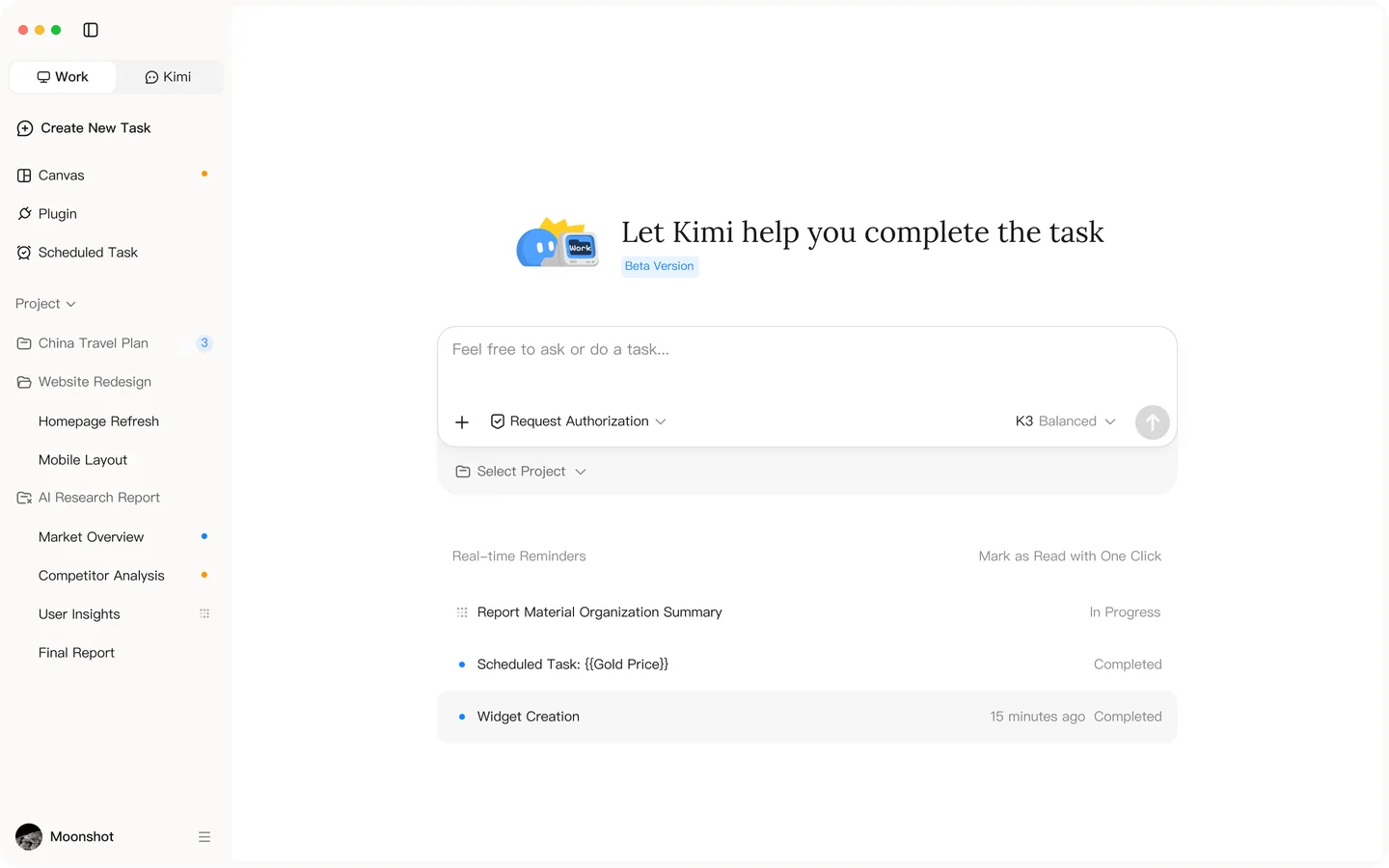
Use the official help center to check the relevant mode before starting.
Define a small deliverable
Select a mode and provide relevant files
Open the output and verify its sources
API charges are separate.
Kimi has free users and paid memberships, with credit-based usage rules. Do not equate a free account with unrestricted access to every mode. Check the membership screen for your account’s currency, allowances, renewal and purchase channel. API access and a consumer subscription are different products; compare their billing separately.
A hosted account is different from a released model. Moonshot publishes model repositories, including Kimi K2 under a modified MIT license. That license covers the repository’s release and has conditions; it does not turn the complete Kimi website into a self-hostable service.
The download FAQ distinguishes synchronized Chat conversations from Work conversations that stay on the desktop where they began. Keep local-file tasks on the machine that contains the files.
Run a representative task first, then inspect its usage. Budget for follow-up edits, not just the first response. A quoted task count is less useful than the allowance your own workflow consumes.
No. Open the cited source and compare names, dates and quantities. For a decision, keep a short record of confirmed facts, unresolved points and your reasoning. A fluent answer is still a draft for review.
Explore platforms, inputs and outputs, licensing, and access requirements.
The download page lists web, Windows, macOS and mobile options. Kimi Work supports Windows and Apple-silicon Macs; the Intel Mac app supports Chat. Inputs depend on mode and may include instructions, uploaded files or selected local folders. Outputs can include answers and work files. Confirm file formats and export options in the tool you intend to use.
The linked privacy policy describes collection of input and output content and a customer-service route to request exclusion from model training. Review the policy applicable to your account. For local work, choose a narrow folder, keep originals and avoid supplying material you are not authorized to share. Connected third-party services have their own policies.
Checked on October 3, 2026.
Official downloads and platform FAQ ↗
Loading experiences…
Saved tools are private. Approved comments are public; edits return to moderation. Comment counts include approved comments and replies. Each person has one rating. New ratings are automatically approved; withdrawn, unapproved or invalid ratings do not count. Share real experiences and avoid spam, private information or personal attacks.
For moderation appeals or data requests: support@findgoodai.com
Bring a real task and see how it fits the way you work.
User experiences