

YouWare
ProductivityExplore YouWare for research reports, slides, spreadsheets and websites, with a practical brief-to-review workflow, credit limits and current pricing caveats.
Presentation and report workflowsSpreadsheet assistance
Bring AI into the boards and workflows a team uses to run projects, sales or operations. monday AI combines product-specific tools and credit-based usage, so choose the underlying monday product first.
monday.com manages work through boards, items and connected workflows. Its AI offering adds tools such as agents, assistants and workflow-oriented AI capabilities, depending on the selected product and plan. The practical benefit is keeping analysis and generated work near operational records. A team can classify incoming information, prepare a summary or support a repeatable handoff without leaving its work-management environment.
Choose the work-management, CRM or other product that fits the team before comparing AI costs. These are different product plans, not a single interchangeable subscription. For a first trial, use one board with a small intake list and explicit fields for original content, proposed category and reviewer. This shows whether the AI improves the existing process rather than simply adding more generated text.
Operations intake: Categorize and track requests through an existing board.
Sales preparation: Prepare reviewed account notes and next-step summaries in the appropriate product.
Project coordination: Keep summaries, owners and status changes tied to shared records.
Official product image. Click to inspect the details.
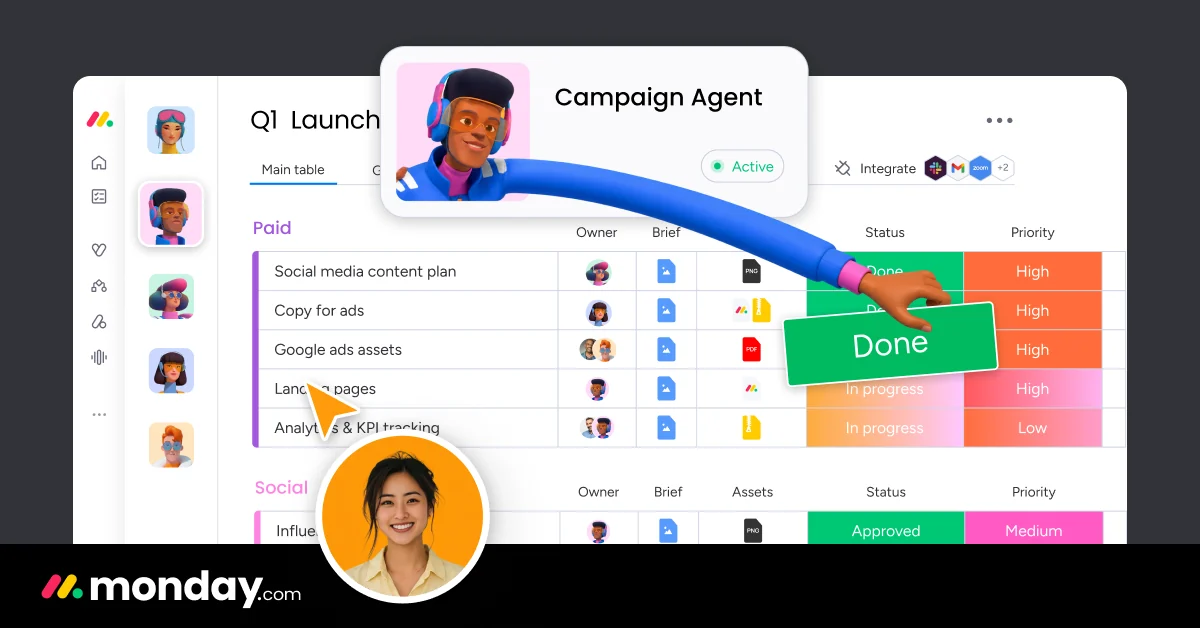
Keep AI-supported tasks connected to structured items and status fields.
Use the available assistant to work with information in the selected product.
Apply plan-supported agents to defined business tasks rather than an unrestricted instruction.
Connect item updates and conditions to repeated operational actions.
Track AI-credit consumption and assess whether recurring work needs a larger allowance.
Select the monday product: Identify whether you need work management, CRM or another workflow product.
Build one sample board: Add records with source text, status, owner and review fields.
Try the available AI tool: Use a bounded classification or drafting task and inspect the result.
Check seats and credits: Read the exact product quote and monitor credit use before scaling.
Identify whether you need work management, CRM or another workflow product.
Add records with source text, status, owner and review fields.
Use a bounded classification or drafting task and inspect the result.
Read the exact product quote and monitor credit use before scaling.
Product-specific seats and AI credits; free work-management entry
Pricing depends on the monday product, plan, number of seats and AI-credit selection. The public page says paid plans start from three users, while work management also has a free plan. A free base product does not establish unlimited access to all AI tools.
The current pricing interface combines seat prices and AI-credit packs, and the included tools vary by plan. Read the final product total rather than quoting one per-seat figure as the cost of every monday AI capability. Credits reflect task complexity and can be purchased as needed.
Capabilities and billing depend on the monday product and its plan.
Work management has a free entry; AI availability must be checked separately.
They account for the work done by eligible AI tools, with consumption varying by task.
No; product, seats, plan and credit allowance affect the quote.
The CRM and related AI offerings address sales; compare the specific product.
Confirm the required AI tool exists on the selected product and checkout.
Explore platforms, inputs and outputs, licensing, and access requirements.
AI tool availability varies across products and plans. Board data must be current; generated classifications and next steps should be reviewed before changing customer-facing work.
Board access and connected-account permissions determine what data users and automations can reach. Keep confidential records in restricted boards and review AI administration settings.
Loading experiences…
Explore YouWare for research reports, slides, spreadsheets and websites, with a practical brief-to-review workflow, credit limits and current pricing caveats.
Create on-brand marketing copy and compare variants using audience-focused performance predictions.
An AI writing workspace for developing characters, outlining stories and revising fiction scenes.
Bring a real task and see how it fits the way you work.


User experiences