

YouWare
ProductivityExplore YouWare for research reports, slides, spreadsheets and websites, with a practical brief-to-review workflow, credit limits and current pricing caveats.
Presentation and report workflowsSpreadsheet assistance
Keep plans, structured records and AI-generated work in one shared document. Superhuman Docs is the current name of Coda, combining editable pages, tables, actions and a contextual assistant.
Coda became Superhuman Docs in July 2026. The product keeps the familiar combination of documents, tables, buttons, formulas and connected services, while adding a rebuilt AI assistant. This is useful for a team that wants a meeting note, decision log and project tracker to share the same context. AI output becomes something colleagues can edit and continue working on together, rather than text left in a private conversation.
A useful pilot is a project document with a brief, a task table and a meeting log. Ask the assistant to summarize open decisions and propose an action table, then compare it with the original notes. Keep owners, due dates and approval status as explicit fields. AI Views and Superhuman Databases were announced as closed beta features; a new user should distinguish these from generally available document and table functions.
Team project hub: Combine the brief, decisions, status and task list in one document.
Meeting follow-up: Turn reviewed meeting notes into action records with owners.
Request tracking: Collect requests in a table and keep their explanation and progress together.
Official product image. Click to inspect the details.
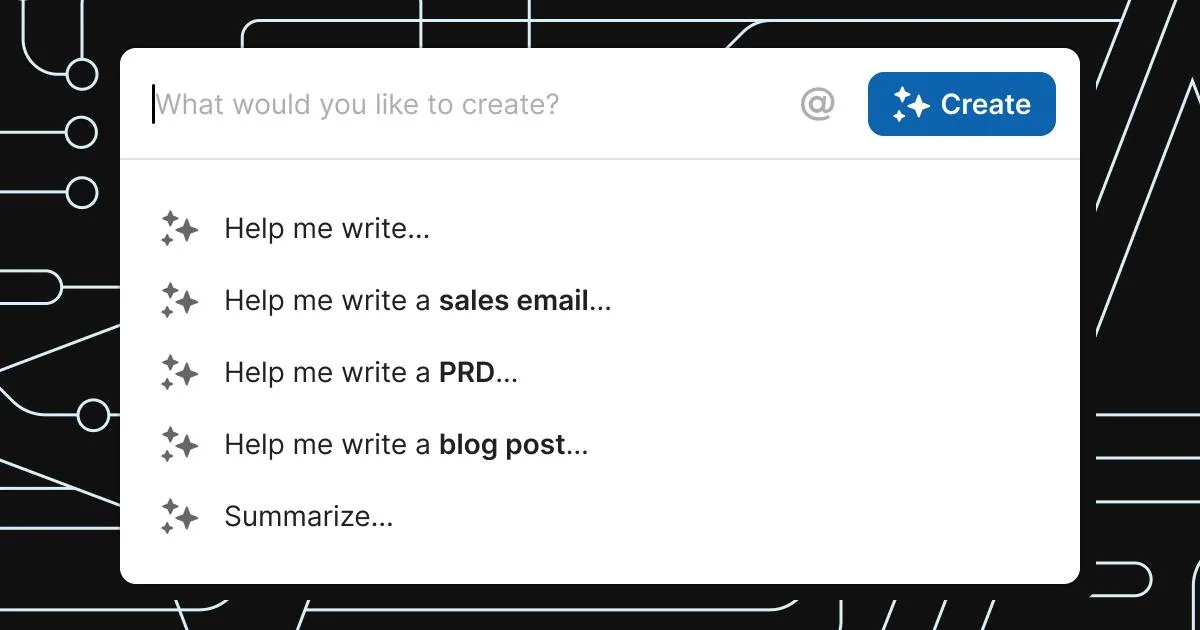
Summarize notes or develop a tracker using the surrounding document context.
Keep tasks, decisions and structured information alongside explanatory prose.
Apply AI to recurring table values or synthesize a page's information.
Connect services and use buttons or formulas to support a document-based workflow.
Connect compatible AI tools to documents while keeping work reflected in the shared surface.
Start with a shared document: Choose a small project and add its brief, notes and one task table.
Define the table fields: Add owner, deadline, source and review status before generating rows.
Ask for a bounded change: Request a summary or action table and inspect it against the source notes.
Share and connect carefully: Confirm access rights and connector permissions, then let colleagues continue editing.
Choose a small project and add its brief, notes and one task table.
Add owner, deadline, source and review status before generating rows.
Request a summary or action table and inspect it against the source notes.
Confirm access rights and connector permissions, then let colleagues continue editing.
Free and paid Maker-based plans; confirm current Docs checkout
The rebrand announcement says existing pricing remains unchanged and Maker Billing continues. The legacy product page describes AI as included for Doc Makers. The current Docs plans page is interactive; a single reliable numeric seat price was not exposed in the public text reviewed for this profile.
Confirm the current Free or paid plan, which members are billable Makers, the AI allowance and any beta-feature access in the account checkout. Avoid treating every collaborator as a paid Maker or assuming a beta feature is included in all plans.
It is Coda's renamed and evolved product, announced in July 2026.
The announcement says existing documents carry into Superhuman Docs.
It also works with tables, trackers and document-based workflows.
The launch announcement labels them closed beta; check current eligibility.
Docs MCP supports compatible tools; use the official setup instructions.
Identify billable Makers, plan terms and AI allowance in the current account checkout.
Explore platforms, inputs and outputs, licensing, and access requirements.
The current name is Superhuman Docs. Features announced as closed beta need separate access, while generated owners, dates and decisions should be confirmed by the team.
Document sharing and connected tools determine who can see the context. Use restricted sharing for internal material and review permissions before enabling integrations or MCP access.
Loading experiences…
Explore YouWare for research reports, slides, spreadsheets and websites, with a practical brief-to-review workflow, credit limits and current pricing caveats.
Create on-brand marketing copy and compare variants using audience-focused performance predictions.
Connect company knowledge across workplace apps, find relevant sources and use that context in AI answers and workflows.
Bring a real task and see how it fits the way you work.


User experiences