

YouWare
ProductivityExplore YouWare for research reports, slides, spreadsheets and websites, with a practical brief-to-review workflow, credit limits and current pricing caveats.
Presentation and report workflowsSpreadsheet assistance
Turn shared records into useful apps and AI-assisted workflows. Airtable AI combines Omni, field agents and relational tables for teams managing requests, projects, feedback or content.
Airtable brings database-style records, interfaces and automations into a collaborative workspace. Omni can help build apps and work with information; field agents can research, categorize or extract information into records. It is particularly useful when a task needs the result to stay in a structured table that a team can filter, update and reuse. Customer feedback, asset inventories and campaign briefs are good examples.
Start with an existing process and a small set of clean records. Give each AI field one job, such as assigning a feedback category from a fixed list, and preserve the source text. Add a reviewer or status field so that generated values are not confused with verified data. When testing an app built through conversation, inspect its tables, permissions and relationships before inviting the whole team.
Feedback triage: Label comments and send reviewed issues into an action list.
Content operations: Organize briefs, assets, generated drafts and approval status.
Document extraction: Extract selected fields from a document and review them in a table.
Official product image. Click to inspect the details.
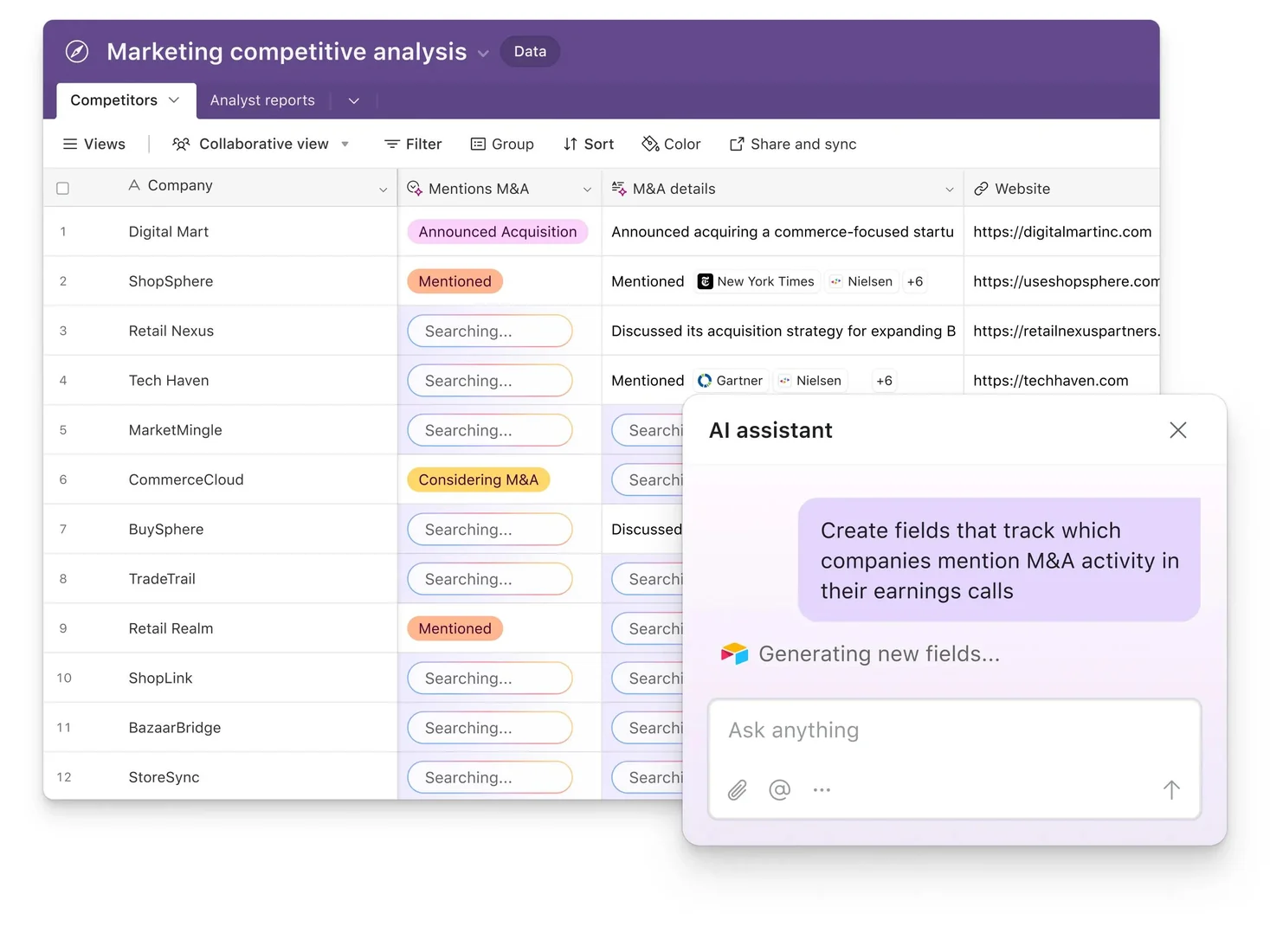
Describe an app or ask questions about information in a base.
Use AI tasks to enrich, extract or categorize information where records live.
Link requests, customers and projects so updates stay connected.
Present the same records in a task-specific interface for a team.
Combine triggers and record updates with AI processing.
Choose a record model: Define the tables, links and fields your current process actually needs.
Build a small base: Import a limited sample and use Omni to help assemble an interface.
Add one field agent: Specify the expected category or extracted field and preserve source data.
Review permissions and credits: Compare generated values with originals, inspect usage and invite users with appropriate roles.
Define the tables, links and fields your current process actually needs.
Import a limited sample and use Omni to help assemble an interface.
Specify the expected category or extracted field and preserve source data.
Compare generated values with originals, inspect usage and invite users with appropriate roles.
Free plan with AI credits; paid seats and optional credit packs
Airtable's AI billing guide says all plans include AI functionality and monthly credits. Free lists 500 credits for each Editor-or-higher user; Team lists 15,000 per billable collaborator. These credits are pooled, rather than private balances for each user. Paid seat prices are separate from the included AI allowance.
Building apps and agents with Omni is listed as free of AI-credit consumption. Research, analysis and field-agent actions can consume variable credits. Additional 10,000-credit packs are listed at $20/month on monthly billing or $200/year on annual billing, subject to plan eligibility.
It also works inside tables, app building and automated workflows.
The billing guide describes shared workspace or organization pools.
The current guide lists app and agent building as free of AI-credit consumption.
Document-analysis tasks are supported and can consume credits.
They can remain in records for filtering and review by the team.
No; record limits, AI credits and other workspace limits still apply.
Explore platforms, inputs and outputs, licensing, and access requirements.
AI output can misclassify a record or infer a value that is absent from a document. Shared credits and user permissions affect availability; critical fields should retain a human review state.
Omni actions depend on workspace and base permissions. Limit sensitive tables to the intended users and check organization AI settings and approved models before connecting confidential datasets.
Loading experiences…
Explore YouWare for research reports, slides, spreadsheets and websites, with a practical brief-to-review workflow, credit limits and current pricing caveats.
Create on-brand marketing copy and compare variants using audience-focused performance predictions.
Connect company knowledge across workplace apps, find relevant sources and use that context in AI answers and workflows.
Bring a real task and see how it fits the way you work.


User experiences