

Sources & references
Miro AI credit allowances and consumption ↗
Generate, organize and refine diagrams, documents, slides and other work directly on a shared Miro canvas. Miro AI is useful when a team needs to turn messy material into a reviewable decision, with credit costs that vary by action.
Miro AI lives inside Miro's shared canvas rather than in a separate chatbot transcript. A team can place notes, research fragments, diagrams and draft plans together, then use AI actions to summarize, cluster or transform the material. The current product pages also describe Sidekicks and Flows for assisted work. The central advantage is continuity: the generated output appears alongside the source items and can be challenged by collaborators in the same space.
This is most valuable when the inputs are genuinely messy: a workshop wall of sticky notes, a user journey with conflicting assumptions, or a design review that needs decisions recorded. Start by marking which items are evidence, which are proposals and which are open questions. Then ask for one transformation, such as grouping themes or drafting a process diagram. Review every cluster name and relationship. AI can make a board appear orderly while silently merging ideas that should stay distinct.
The AI credit model is a practical part of the workflow. The official help center lists 25 credits per month for a Free team, with a monthly refresh and no rollover; Starter and Business include per-license allocations pooled for the team. Actions are not priced alike: a text generation may cost one credit, a diagram or slide five, and prototype generation five per screen. Credits are charged when the result is generated even if it is discarded. Plan a small trial and confirm the feature's credit cost before applying it to a large board.
Workshop synthesis
Product discovery
Technical planning
Official product image. Click to inspect the details.
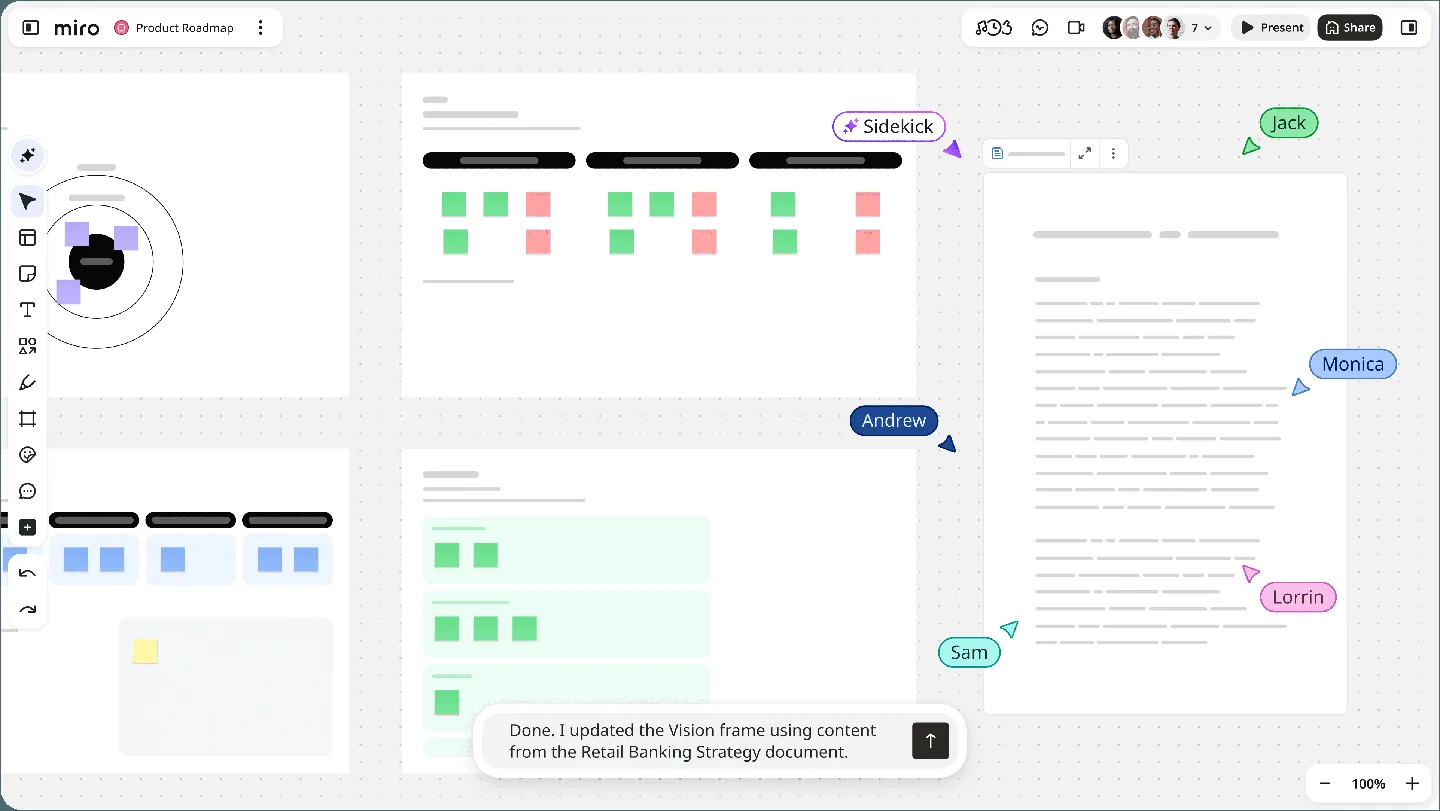
Turn a described process into a diagram on the board. Check line direction, decision labels and whether the diagram still matches the original user journey or system boundary.
Transform selected board material into a document or concise recap. Keep links to the original notes so a summary does not erase disagreement or minority observations.
Draft a presentation or screen concept from canvas context. Treat generated layouts as a discussion starting point and test readability, sequence and user tasks before handoff.
Miro describes specialized AI collaborators and visual workflows that turn canvas context into outcomes. Availability can depend on plan and add-ons, so confirm the team's actual workspace.
Invite stakeholders to comment in context, preserve the source beside the generated artifact, and decide which version is approved. Governance matters more as the board becomes a long-lived project record.
Prepare the board
Choose one AI action
Verify against evidence
Record the decision
Gather source notes, name the decision to be made and separate facts from ideas. Remove material that should not be shared with all collaborators.
Start with one summary, diagram or cluster. Check the current credit cost and define the expected output before generating.
Open the original notes and inspect omissions, merged themes, misleading arrow directions and invented certainty. Revise manually or run a focused iteration.
Add an owner, date and open questions to the approved artifact. Link it back to the board so later readers can distinguish decision from brainstorm.
Pricing checked on October 7, 2026. See plan details below.
Miro's official AI-credit help page currently assigns a Free team 25 credits each month. Starter includes 25 credits per license per month and Business 50 per license per month, pooled across the team. Unused included credits do not roll over. Enterprise allocation depends on license tier. Free and Education cannot buy an AI-credit add-on directly; eligible paid accounts can add credits under their billing arrangements.
Consumption varies by action: the current table lists text and sticky notes at one credit, Docs at two, images at three, diagrams at five, slides at five per slide and prototypes at five per generated screen. AI search is listed at zero. The charge occurs when output is generated, not when it is accepted, so repeated attempts and discarded results still matter. Feature availability and the underlying subscription price should be checked separately from this credit table.
The credit help page lists 25 AI credits per Free team each month, although individual features can have plan requirements.
No. Included credits are calculated from the plan and seats but pooled for the team.
No. Included credits refresh monthly and do not carry forward.
No. The official help page says credits are charged when a result is generated.
The current table lists five credits per generated screen, so a multi-screen flow multiplies that cost.
Review access roles, source material, generated claims and which artifact represents the approved decision.
Explore platforms, inputs and outputs, licensing, and access requirements.
Miro is a proprietary collaboration platform with AI functions embedded in the workspace. An AI-generated board artifact can be edited and shared like other canvas content. The AI-credit help page describes consumption, not a guarantee that every feature is enabled for every subscription; features such as Prototypes and enterprise workflows may have additional plan or add-on requirements.
Check board access, guest roles and organization AI settings before adding customer research, credentials or private strategy. Miro publishes separate AI trust and subprocessor information; teams with data-location or retention requirements should review those documents against their own contract. A generated summary can expose information from nearby board context, so select source material deliberately.
Miro AI credit allowances and consumption ↗
Loading experiences…
Saved tools are private. Approved comments are public; edits return to moderation. Comment counts include approved comments and replies. Each person has one rating. New ratings are automatically approved; withdrawn, unapproved or invalid ratings do not count. Share real experiences and avoid spam, private information or personal attacks.
For moderation appeals or data requests: support@findgoodai.com
Turn interviews, recordings, tickets and surveys into traceable customer insights with projects, channels and AI Chat. The current Free plan offers one project and one channel; Enterprise is custom priced.
Create meeting transcripts, summaries and action items, then search accessible conversations and connected work sources. Read AI has a permanent Free tier for five meeting transcripts per month; collaboration and privacy settings matter before inviting it to a call.
Describe a small business tool and build a hosted Taskade Genesis app connected to projects, agents and automations. Its credits pay for AI creation, while existing published apps continue running after the balance is exhausted.
Bring a real task and see how it fits the way you work.


User experiences