Captions
Video creationTurn recorded footage into styled short videos with automatic editing, captions and prompt-based revisions. Captions also offers avatars, digital twins and generated media for creators who need repeatable video production.
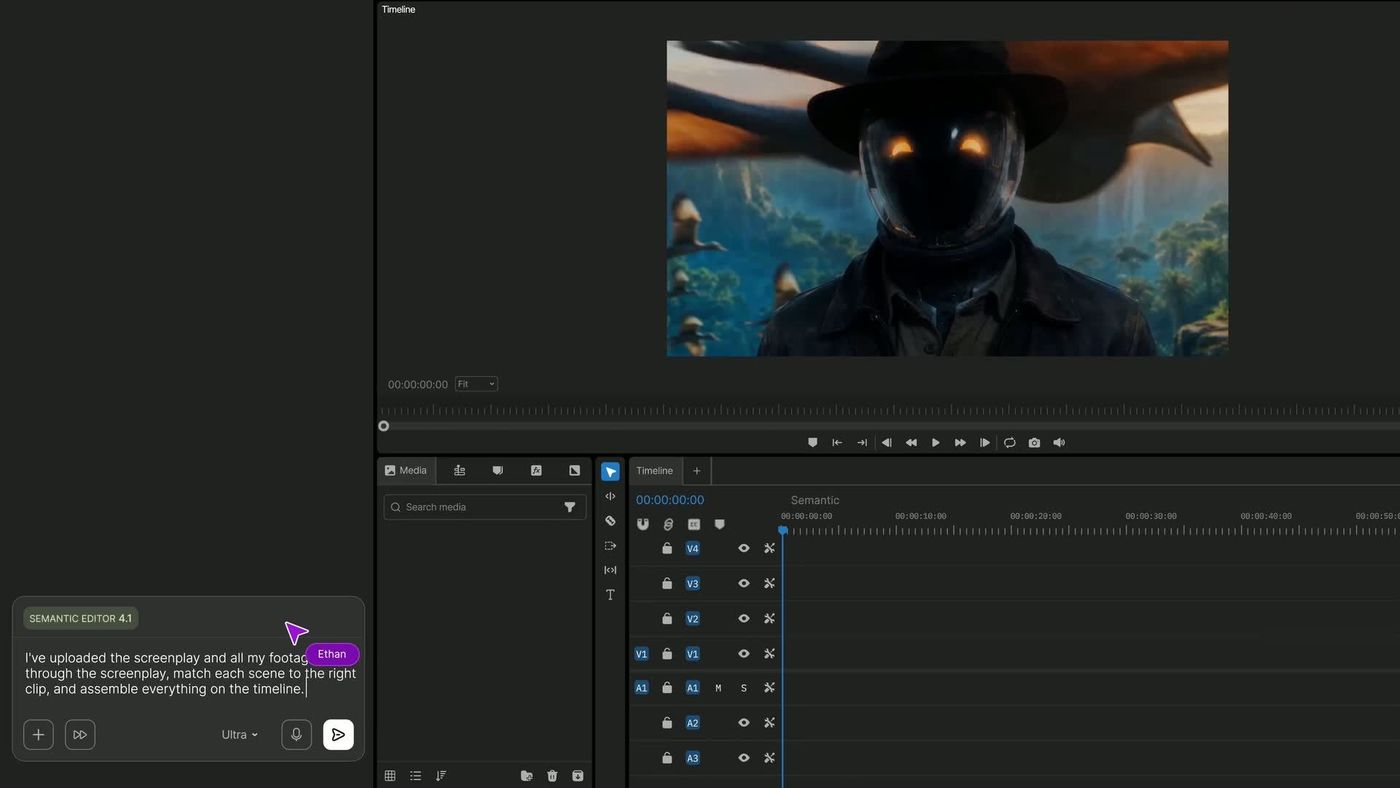
Create and revise videos with AI agents while retaining an editable multitrack timeline. InVideo’s current editor combines footage search, storyboard planning, generated assets and real-time collaboration.
InVideo’s current product presents an agent-assisted editing workspace, not just a prompt-to-video form. Users can bring footage, describe a desired edit and inspect changes on a timeline. This is useful when a project needs both broad instructions across many shots and precise control over a particular frame or audio transition.
Use a small, organized footage set for an initial evaluation. Ask for one complete sequence with a specified duration and narrative order, then compare the result with a shot list. Take over manual editing where exact timing matters, and keep an approved version before requesting broad revisions.
Footage-led marketing edits
Short narrative projects
Team production
Official product image. Click to inspect the details.

The editing agent indexes imported clips so a moment can be found through a description. Descriptive file names and a clear project scope still help the human team stay organized.
Apply one direction across multiple shots, such as changing the look or removing pauses. Review representative clips and exceptions after a broad operation.
Inspect and manually adjust the arrangement of video, voice, music and effects. An editable timeline makes it easier to repair a result without rebuilding the whole sequence.
Develop a shot-by-shot plan and use writing assistance inside the project. Resolve story order and missing assets before spending credits on final generations.
Real-time collaboration and custom agents support distinct production roles. Plan limits determine seats, guest access and available agent tiers.
Organize the project
Build a plan and rough cut
Refine on the timeline
Review and deliver
Collect footage and write the audience, duration, aspect ratio and required story beats.
Prepare the script or storyboard and ask the agent to assemble a first sequence from the available material.
Correct shot choices, pacing, audio levels and transitions. Generate missing assets only after the gap is clear.
Watch the complete export, check credits consumed and retain the approved project version for future revisions.
Pricing checked on October 5, 2026. See plan details below.
The current annual view lists Starter at $20 per seat per month with 400 monthly credits, a full timeline editor, selected models and Agent Two Lite. Plus is shown at a promotional $36 per seat per month billed annually with 2,000 credits; base Max is $75 with 5,000. These are annual-payment offers, not standalone monthly bills.
Seat count, guest access, storage and model access also vary by plan. Credits fund generation and other metered features rather than downloads, and unused credits do not roll over. Compare the cost of the models you will actually use, including revisions, instead of relying on a sample video-count estimate.
Yes. The current editor is designed to work with imported footage as well as generated assets.
Yes. The product provides an editable multitrack timeline.
No. The plan lists selected models and Agent Two Lite.
The pricing FAQ says unused credits do not roll over.
The pricing FAQ distinguishes metered creation from downloading content.
Use one short project, define production roles and review permissions before scaling to more seats.
Explore platforms, inputs and outputs, licensing, and access requirements.
InVideo is a proprietary cloud platform. Current plan comparisons distinguish Lite, Pro and Ultra agents as well as individual generation models. Access to the editor does not imply every frontier model is included on the entry plan.
Limit collaborator access to the people working on the project and use licensed source footage. Review connected-agent permissions before allowing outside tools to edit a timeline. For confidential work, confirm the applicable storage and enterprise controls before upload.
Loading experiences…
Saved tools are private. Approved comments are public; edits return to moderation. Comment counts include approved comments and replies. Each person has one rating. New ratings are automatically approved; withdrawn, unapproved or invalid ratings do not count. Share real experiences and avoid spam, private information or personal attacks.
For moderation appeals or data requests: support@findgoodai.com
Bring a real task and see how it fits the way you work.
User experiences