Topaz Photo
Image & designDenoise, sharpen, upscale and repair photographs through a desktop application or supported editing plugin. Topaz Photo combines several enhancement tools with local and cloud rendering options.
A free, self-hosted browser interface for Stable Diffusion image workflows. It exposes prompts, models, seeds, image-to-image editing and inpainting, with hardware and model licensing handled separately.
Stable Diffusion WebUI, commonly associated with the AUTOMATIC1111 project, provides a browser interface for running image-generation workflows on a configured machine. It is useful when you want direct control over prompts, model selection and generation settings instead of relying entirely on a hosted application’s presets.
The interface is free software, but it is not a free cloud GPU service. You need a compatible model and an environment that can run it. This makes it attractive to people willing to maintain a local setup and learn the controls, while someone seeking a zero-install experience may prefer a hosted tool.
An original illustration study
A localized image correction
A controlled style experiment
A texture concept
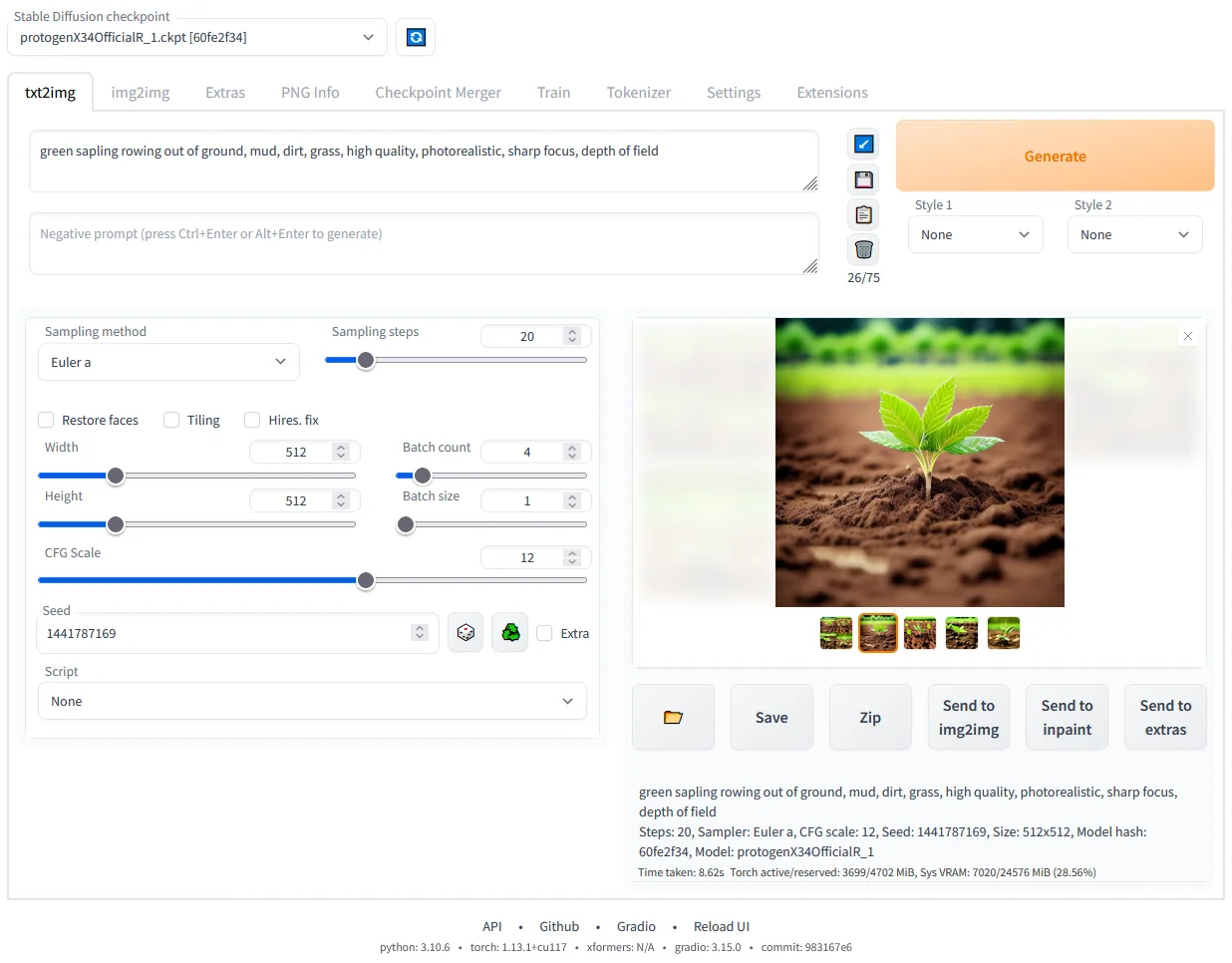
Official product image. Click to inspect the details.

Choose a supported setup
Start with conservative settings
Compare purposeful changes
Save a complete working record
Example prompt or task: An original watercolor illustration of a quiet greenhouse, leafy plants, warm morning light, a clear central path and a simple composition, with no lettering or logos.
This is a prompt example for a compatible model. It is not a claim that every checkpoint follows the same prompt or has the same usage rights.
The interface license does not determine commercial rights for every checkpoint, LoRA or input image.
The WebUI software is distributed under AGPL 3.0 and can be self-hosted without a software subscription. Local generation consumes hardware resources, storage and electricity; renting a remote GPU or using a hosted WebUI service can create separate charges.
Model checkpoints, LoRAs, embeddings and extensions may have their own licenses or conditions. The interface being free does not establish unrestricted commercial rights to every downloaded component. Review the exact model and intended use rather than relying on the general Stable Diffusion name.
Yes. The project is free self-hosted software under AGPL 3.0.
No. Hardware or remote compute is your responsibility.
Yes. Inpainting is part of the documented feature set.
Not necessarily. Model, settings and environment also matter.
No. Check each model and component’s license.
No. Add only needed, reviewed and compatible extensions.
No. Check server exposure, extensions and any external services.
Explore platforms, inputs and outputs, licensing, and access requirements.
The project provides platform-specific setup documentation and a browser-based control surface. Hardware support and dependency versions matter, and not every new model architecture is automatically compatible. Follow the relevant branch and model instructions rather than mixing commands from unrelated tutorials.
Resource use grows with image size, batch size and additional processing. If a task fails from insufficient memory, simplify those settings before assuming the model is broken. Keep a known working configuration so updates or extensions can be evaluated without losing the baseline that already works.
For a local installation, keep the service within the intended access boundary. A browser interface can still become externally reachable if configured for sharing, and extensions may introduce their own network behavior.
Generated images can contain metadata such as prompts and settings. Inspect what will be shared, especially when a prompt includes private project details. Respect input-image rights and the licenses of the model and other components used to create the result.
Reviewed October 3, 2026. Product facts come from the official sources below. Suggested projects, prompts and review methods are FindGoodAI editorial guidance, not measured performance results.
Loading experiences…
Saved tools are private. Approved comments are public; edits return to moderation. Comment counts include approved comments and replies. Each person has one rating. New ratings are automatically approved; withdrawn, unapproved or invalid ratings do not count. Share real experiences and avoid spam, private information or personal attacks.
For moderation appeals or data requests: support@findgoodai.com
Bring a real task and see how it fits the way you work.
User experiences