Murf
Audio & musicCreate voiceovers from scripts and refine delivery with voice, pronunciation and pacing controls. Murf Studio serves content production, while Murf’s API, dubbing and conversational-agent offerings address different workflows.
A free desktop transcription app for audio, video and microphone recordings, with local model processing, subtitle exports and optional transcript analysis.
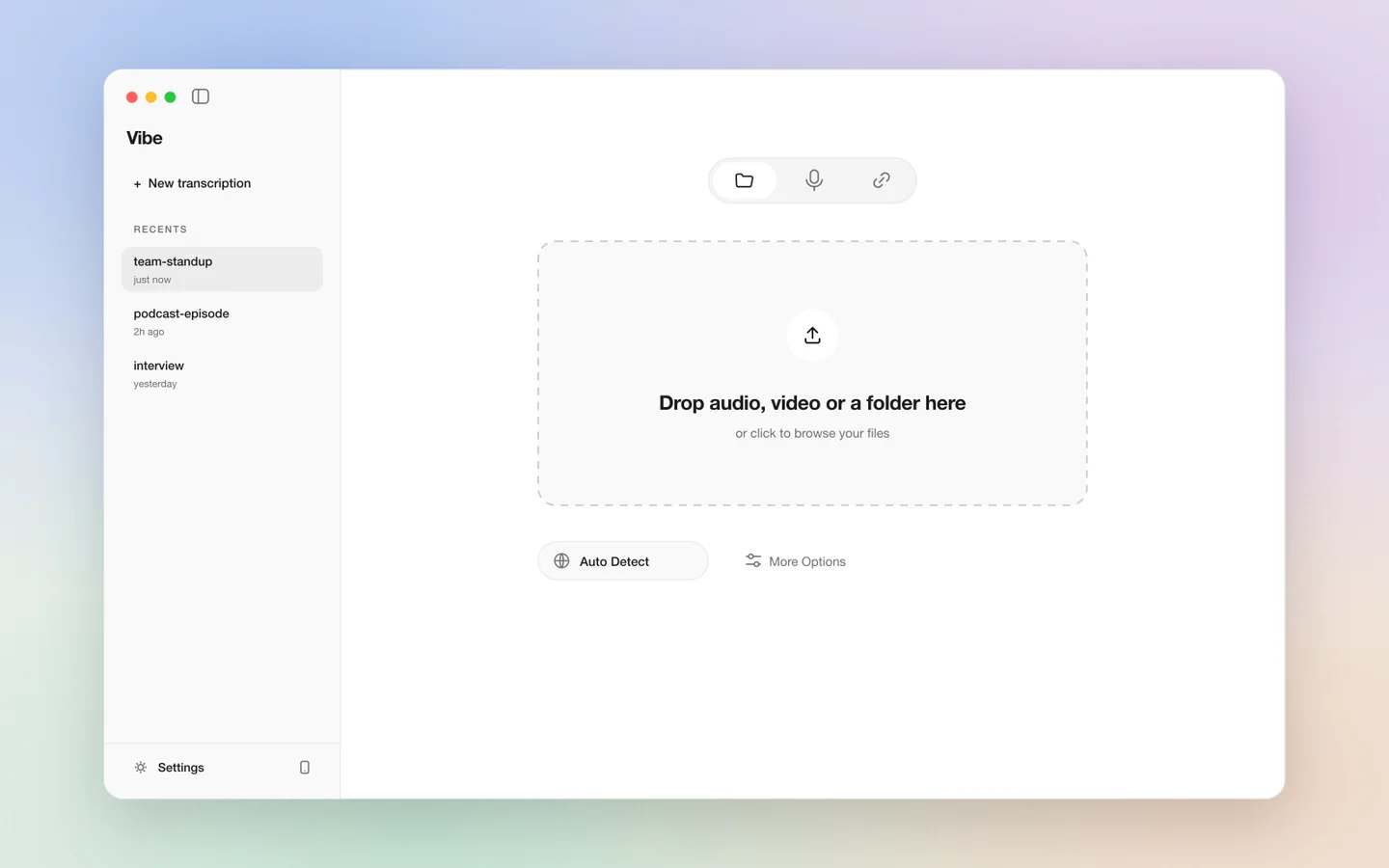
Vibe turns speech recordings into text on your own computer. Its desktop interface accepts audio and video files, while supported recording options let you capture microphone or system audio. This makes it useful for people who want transcripts they can edit and export without treating each recording as a new upload to a cloud transcription service.
A transcript is a first draft of what was said, not an automatically verified record. Background noise, accents, overlapping voices and unfamiliar names can affect the result. Keep the recording alongside the exported text and review passages that matter before quoting them or turning them into a published subtitle track.
Prepare an interview draft
Create captions for a tutorial
Organize recorded lessons
Capture a personal spoken draft
Official product image. Click to inspect the details.

Install the correct release
Try a representative sample
Review text and timing
Export and reuse the workflow
Example prompt or task: Transcribe a five-minute tutorial, export SRT captions, and check product names and the first and last subtitle cues against the recording before importing the captions into a video editor.
This is a suggested task rather than a special Vibe prompt syntax. A caption file contains timing information; plain text alone does not preserve everything a subtitle workflow needs.
The desktop transcription route has no required minute subscription. External APIs and local compute have their own costs.
Vibe is an MIT-licensed desktop project with a free local transcription route. Local use consumes your hardware resources rather than a required cloud minute allowance. Larger models and long recordings can take more memory, disk space and processing time.
Optional external summary APIs are separate services and may charge for use. Ollama-based analysis instead requires a suitable local model and machine. Neither route makes summary quality automatic, and neither should be confused with an unlimited hosted service included in the app.
The MIT desktop application supports free local transcription. Hardware and optional external services are not included as free cloud resources.
Local transcription can run after the necessary models are available. Downloads, online media retrieval and external analysis still require network access.
Use a recognition model with the required language support and test your accent and vocabulary. Model coverage is more specific than a general multilingual label.
Yes, SRT and VTT are documented export formats. Check cue timing and line breaks in the final player before publishing.
No. Diarization is useful for organizing turns, but overlapping speech and similar voices can lead to mistakes.
No. The project provides both external API and local Ollama options. Check the selected provider before running analysis.
It may improve some recordings but requires more resources. Compare a sample and judge accuracy, timing and processing time together.
Explore platforms, inputs and outputs, licensing, and access requirements.
The project supports Windows, macOS and Linux, with acceleration options depending on the platform and model. Model availability and newer features can differ between source development and packaged releases, so use the documentation and release notes that match the installed version.
Keep input recordings and output documents organized separately. If a task fails, the troubleshooting documentation describes collecting logs and system details; inspect those files before sharing because paths or transcript-related information may be present. A smaller sample is usually easier to diagnose than a whole recording archive.
For a local transcription workflow, recordings can remain on your device. If you enable an external summary provider, transcript information may be sent to that provider; this should be a deliberate configuration choice.
Record and process conversations with appropriate permission. Store transcripts carefully because they may expose the same information as the audio in a more searchable form. Keep original recordings when accurate quotations or later corrections matter.
Reviewed October 3, 2026. Product facts come from the official sources below. Suggested projects, prompts and review methods are FindGoodAI editorial guidance, not measured performance results.
Loading experiences…
Saved tools are private. Approved comments are public; edits return to moderation. Comment counts include approved comments and replies. Each person has one rating. New ratings are automatically approved; withdrawn, unapproved or invalid ratings do not count. Share real experiences and avoid spam, private information or personal attacks.
For moderation appeals or data requests: support@findgoodai.com
Bring a real task and see how it fits the way you work.
User experiences