Topaz Photo
Image & designDenoise, sharpen, upscale and repair photographs through a desktop application or supported editing plugin. Topaz Photo combines several enhancement tools with local and cloud rendering options.
Free local image inpainting software for masked object removal, replacement and supported outpainting workflows. The repository was archived in August 2025; evaluate compatibility before adopting it.
IOPaint provides a local web interface for image inpainting: you mark a region and ask a supported model to replace that area. Some models focus on removing a distraction and extending surrounding texture, while diffusion-based choices can use a prompt to generate a different object or composition. Choosing the right mode matters more than simply using the largest available model.
The repository was archived by its owner on August 13, 2025. It remains a useful reference for local image-repair workflows, but this listing does not describe it as actively maintained. A working installation should be treated as a versioned setup, with compatibility checked before changes. For a project requiring ongoing vendor support, that maintenance status is a material limitation.
Clean up an owned product photograph
Repair a small illustration defect
Extend a composition for a new format
Repeat a consistent masked operation
Official product image. Click to inspect the details.

Check the archived setup
Start the local interface
Edit a copy with a precise mask
Review and export
Example prompt or task: Remove a small distracting object from an owned tabletop photo. Mask that region, preserve the product and its shadow, then inspect the repaired texture at full size before exporting a separate copy.
This is an editorial sample task. An erase model can work without a text prompt; generation models may require different settings, and results should be judged visually.
No required local image credit allowance. The repository is read-only, so do not assume continuing fixes or support for new dependencies.
The Apache-2.0 local software route is free and does not require buying image credits from IOPaint. Your machine provides the processing resources, and larger models can require substantial memory, download space and time. CPU support for a particular route does not imply comfortable interactive speed for every model.
Model licenses, optional components and hosted alternatives have separate terms. OptiClean, linked in the project ecosystem, is a separate application and should not be assumed to share the same free distribution. Free software also does not include a maintenance commitment for this archived repository.
The owner archived the repository on August 13, 2025. It is read-only, and continuing fixes or compatibility updates should not be assumed.
Yes, the Apache-2.0 local software is available without a required image-credit subscription. You supply compute and follow the applicable model terms.
No. Erase-oriented models can work from an image and mask, while supported generation models may use text or other conditioning.
No. Inpainting creates a plausible replacement. It is not a method of proving what was behind an object in the original scene.
The documentation includes a CPU route for supported configurations. Model compatibility and practical speed vary, so do not assume all models work equally well without a GPU.
The batch workflow supports shared masks, but the region must align across images. Preview varied samples before processing a collection.
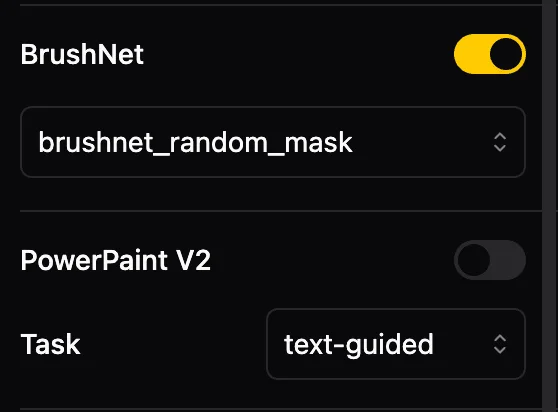
No. It shows a model configuration panel. It does not establish output quality, speed or a measured advantage over another editor.
Explore platforms, inputs and outputs, licensing, and access requirements.
The installation documentation describes a Python-based local service with a browser interface and device choices that depend on the selected model and environment. Model files may download on first use. Confirm that the backend starts successfully before treating the browser page as proof that editing is ready.
The workflow uses an input image, a mask and model-specific settings to produce a modified image. Batch mode can use corresponding masks or a shared mask, but alignment is the responsibility of the workflow. Keep output in a separate folder and use a small sample to establish whether image dimensions and mask placement match your intended operation.
A local installation can process images on your own computer. Downloading weights or using a remote server introduces separate network activity; choose that deliberately rather than assuming every possible configuration is offline.
Use images you are entitled to edit and keep originals. Review software and model terms separately, especially for redistribution or commercial workflows. Label meaningful synthetic changes when viewers would otherwise reasonably mistake the result for an unaltered record.
Reviewed October 3, 2026. Product facts come from the official sources below. Suggested projects, prompts and review methods are FindGoodAI editorial guidance, not measured performance results.
Loading experiences…
Saved tools are private. Approved comments are public; edits return to moderation. Comment counts include approved comments and replies. Each person has one rating. New ratings are automatically approved; withdrawn, unapproved or invalid ratings do not count. Share real experiences and avoid spam, private information or personal attacks.
For moderation appeals or data requests: support@findgoodai.com
Bring a real task and see how it fits the way you work.
User experiences