Topaz Photo
Image & designDenoise, sharpen, upscale and repair photographs through a desktop application or supported editing plugin. Topaz Photo combines several enhancement tools with local and cloud rendering options.
A free local desktop tool for enlarging low-resolution images with AI, with model selection, batch processing and no per-image cloud allowance.
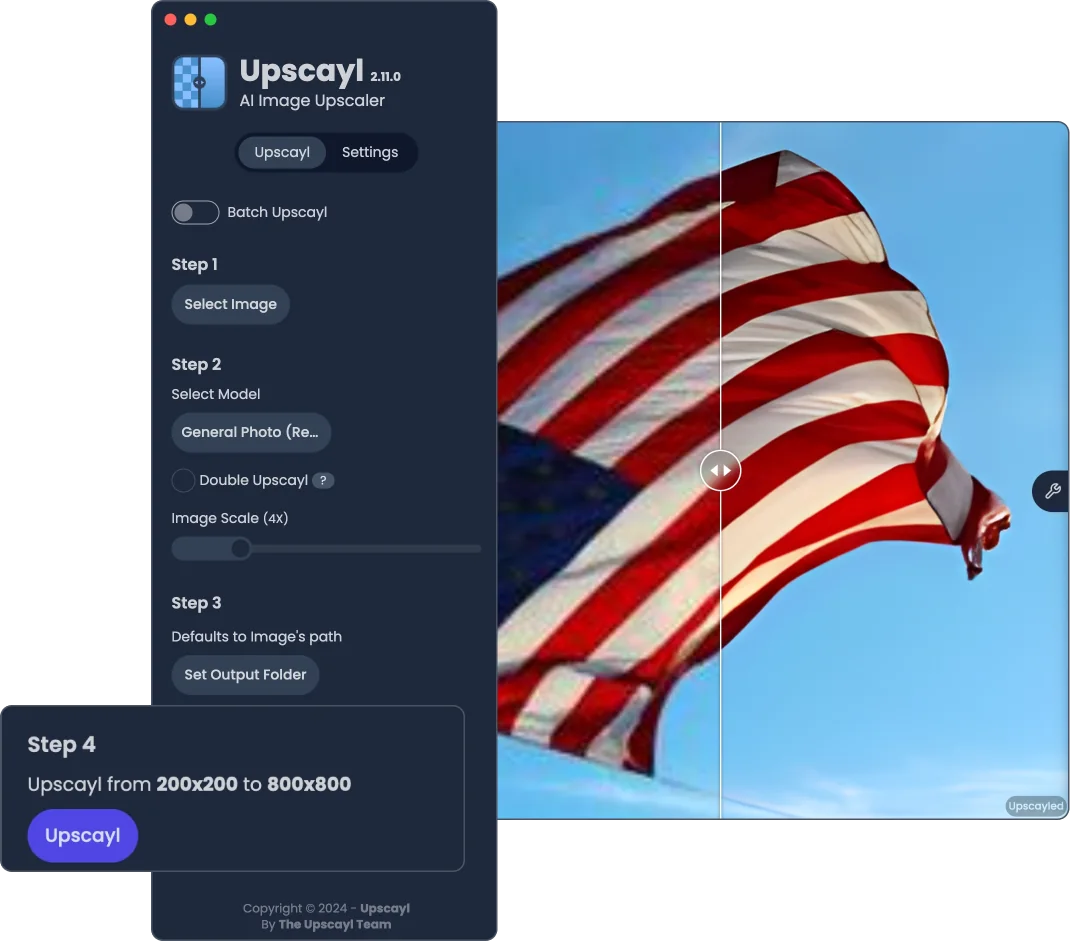
Upscayl Desktop uses AI upscaling models to turn a small image into a larger image with reconstructed detail. It is useful when the only available illustration or photo is too small for a layout, but you still need to judge whether the enlarged version looks acceptable. The desktop workflow runs locally and does not rely on a recurring allowance of cloud image credits.
Upscaling is not the same as recovering an original high-resolution photograph. A model predicts plausible edges and texture; it can also invent detail, distort text or over-sharpen faces. Keep the source file and compare at the intended display size. For evidence, archival accuracy or a product image where fine details matter, the original remains the reference.
Resize a blog illustration
Prepare a presentation visual
Refresh a personal photo copy
Process a consistent artwork set
Official product image. Click to inspect the details.

Check the desktop requirements
Choose a representative image
Run one controlled enlargement
Review before batch processing
Example prompt or task: Choose one owned image containing fine edges and texture. Produce a single enlarged copy, then compare text, faces, color and edge halos with the original before processing the rest of the folder.
Upscayl Desktop is an image-processing workflow, not a chat prompt interface. The task above is a suggested evaluation method; the official comparison image on this page is not a FindGoodAI benchmark.
The free desktop edition is separate from Upscayl Cloud and paid distribution options.
The official desktop download offers a free local route without a per-image cloud quota or a required processing account. Your computer supplies the compute, storage and electricity. This is different from a hosted service that gives a limited set of introductory credits.
Upscayl Cloud and paid distribution options are separate offerings. Do not assume cloud features or a store purchase are required for the free desktop workflow. Check the specific download destination and product name before paying for an option you do not need.
The desktop route is free and local, with no per-image cloud quota. Your hardware and the software and model license conditions still apply.
No. Cloud is a separate offering. This listing describes the free desktop edition and does not transfer cloud-only features or pricing to it.
It estimates detail. Enlarged text, faces or textures may look plausible without matching the original scene, so retain the source and review important areas.
Check supported graphics hardware, drivers and available memory. The compatibility and troubleshooting pages are better starting points than changing every model setting at once.
The troubleshooting guidance highlights sRGB compatibility. Work on a copy converted to the appropriate color space and retain the original color-managed master.
No. A second pass can add artifacts and resource demand. Use it only when the target size and a visual comparison justify the extra processing.
No. Follow the supported NCNN format and model instructions. Model rights and rights to the original image must also be checked separately.
Explore platforms, inputs and outputs, licensing, and access requirements.
Desktop builds cover Linux, macOS and Windows. The project emphasizes Vulkan-compatible graphics hardware; some integrated GPUs work, but compatibility varies. CPU workarounds should not be mistaken for the standard expected performance path. Read the current compatibility list for the actual device.
Large output dimensions and repeated passes increase resource use. If processing fails, consult the troubleshooting guide and application logs, including the actual detected GPU identifiers. A universal instruction to select GPU 0 is less useful than checking what the machine reports.
The desktop workflow keeps image processing on the local machine rather than uploading every image to a cloud inference service. Shared folders, backups and any separate cloud product are independent data paths; local processing alone does not describe those arrangements.
The project publishes source and license information. Software availability does not grant rights to someone else’s photographs, and custom models can have their own terms. For commercially important images, preserve the original and review whether generated details change a product or person in a misleading way.
Reviewed October 3, 2026. Product facts come from the official sources below. Suggested projects, prompts and review methods are FindGoodAI editorial guidance, not measured performance results.
Loading experiences…
Saved tools are private. Approved comments are public; edits return to moderation. Comment counts include approved comments and replies. Each person has one rating. New ratings are automatically approved; withdrawn, unapproved or invalid ratings do not count. Share real experiences and avoid spam, private information or personal attacks.
For moderation appeals or data requests: support@findgoodai.com
Bring a real task and see how it fits the way you work.
User experiences