
Cursor rolled out Voice Chat with Agents on November 6, bringing live two-way voice calls to the Agents Window, desktop IDE, web, and Cursor for iOS. You can speak change requests out loud and keep conversing while your coding agent edits files or runs checks.
What changed compared with dictation
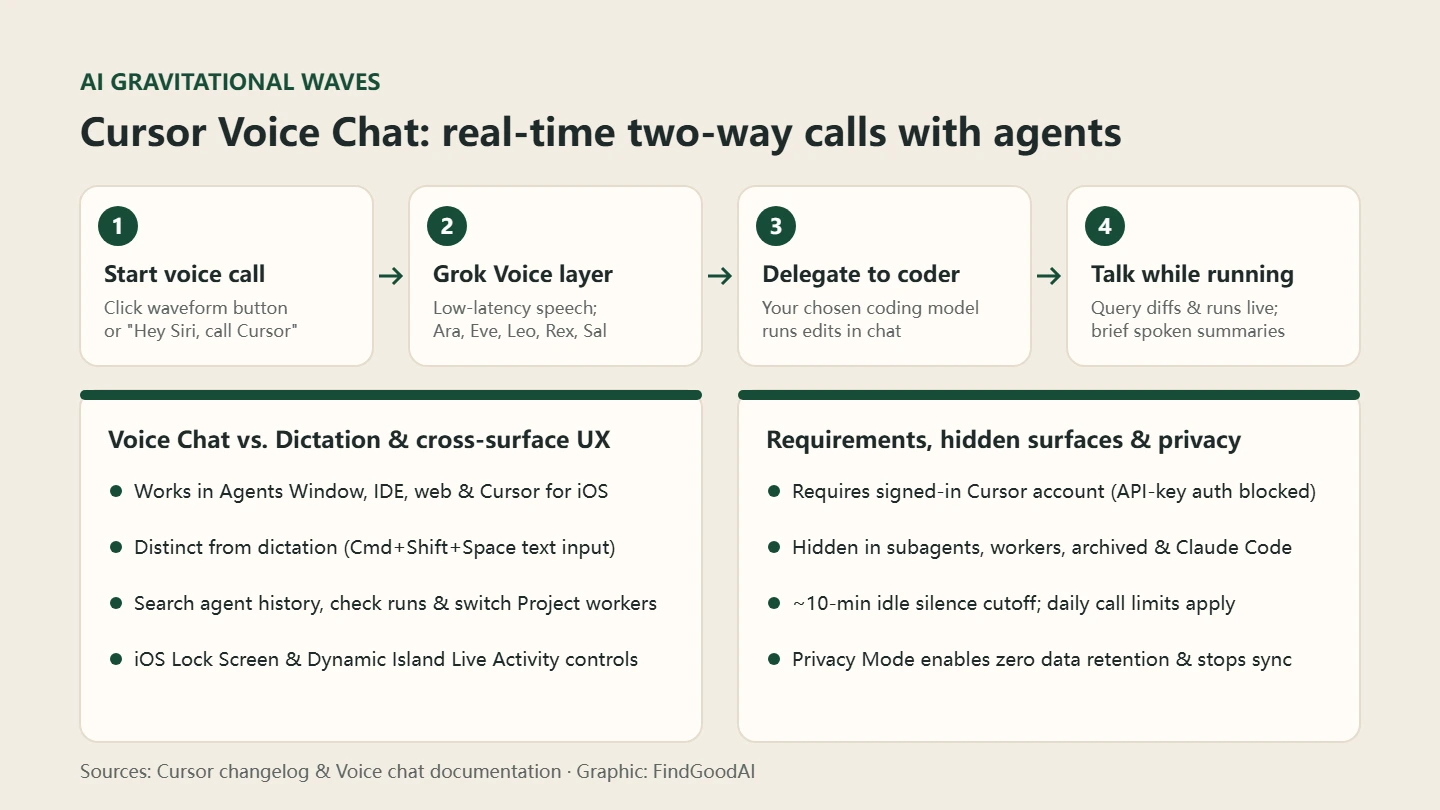
Earlier releases offered one-way dictation (formerly called Voice Mode, still toggled with Cmd+Shift+Space or Ctrl+Shift+Space), which only transcribed speech into the prompt box for manual review. Voice Chat is a real-time speech-to-speech loop: Grok Voice handles low-latency listening and speaking across named voices including Ara, Eve, Leo, Rex, and Sal, while your chosen coding model continues executing edits in the chat. When you ask for code changes, the voice agent hands the task to the chat’s coding agent and stays on the line so you can query diffs, check active runs, search prior agent history, or switch Project workers. Rather than reading long written outputs verbatim, the coding agent speaks brief progress updates and completion summaries.
Practical ways to use it
On desktop or web, ensure the agent is idle and the input box is empty (IDE chats also need at least one prior message), then click the waveform icon labeled Start voice chat where Send normally sits. On iPhone, unlock the device and say "Hey Siri, call Cursor" to start a call with a new agent, with mute and hang-up controls in Lock Screen and expanded Dynamic Island Live Activities. Pair it with our walkthrough on 10 practical Cursor Agent tips for cleaner task handoffs.
Limits and privacy notes
Cursor’s docs note clear boundaries: voice calls require a signed-in Cursor account (API-key sessions cannot start calls), and the button stays hidden inside subagents, Project workers, archived chats, Claude Code chats, and teammate-owned sessions. Team admins can disable voice chat organization-wide. Calls auto-hang up after roughly 10 minutes of user silence when no agent work is running, and daily call caps apply. Turning on Privacy Mode runs voice chat with zero data retention and disables live cross-device transcript sync. Compare coding agent workflows in Claude Code, Codex, and AI Coding Agents, IDEs & App Builders.
Sources: Cursor Changelog: Voice Chat with Agents; Cursor Docs: Voice chat