
Anthropic launched Personal Finance in Claude as a beta on November 5. Once you link your bank, you can ask questions like “how much did I spend on food this month?” or “which bills come out before payday?” and Claude answers from your actual transactions.
Who can use it
- Region: US only, and only US banks can be linked.
- Plans: Pro, Max and Ultra. Not available on Free, Team or Enterprise. It is rolling out gradually, so it may not appear for you yet.
- Apps: Claude on the web, Claude Desktop, and the iOS and Android apps.
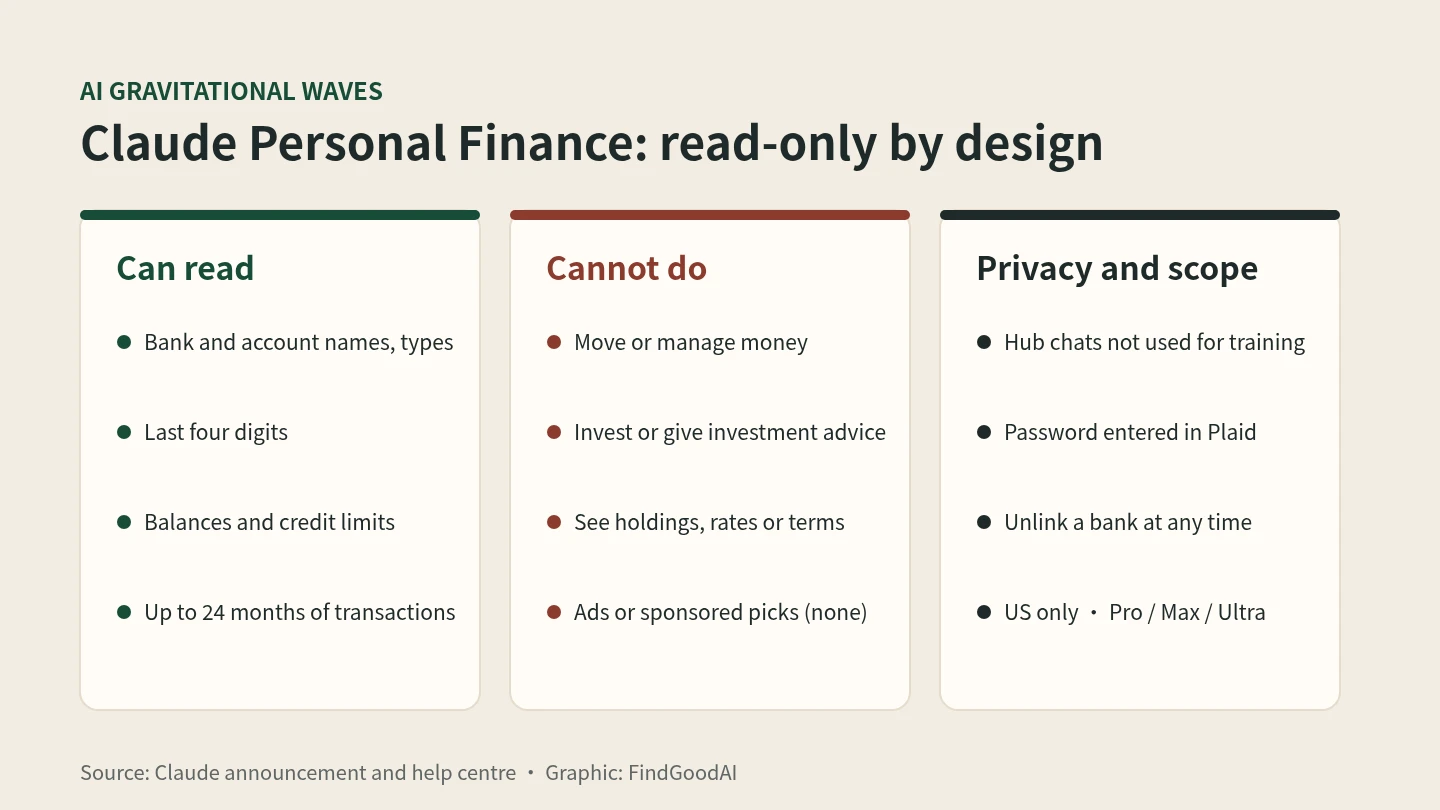
What it reads and what it cannot do
It reads: bank names, account names and types, the last four digits, balances and credit limits, and up to 24 months of transactions (amount, date, merchant, category and bank description). It does not see holdings, trades, rates or terms.
It cannot: access is read-only, so Claude cannot move, manage or invest your money, and the feature is not built to give investment advice. Anthropic says there are no ads or sponsored recommendations, and it does not sell its own credit cards, loans or savings accounts.
How to set it up
- Open “Personal Finance” in the side menu (hover over “More” if you do not see it).
- Select “Get started”, add goals if you like, and continue.
- Select “Link accounts with Plaid”, choose your bank, sign in and pick the accounts to share. You enter your bank password in Plaid; Claude never sees it.
- Back in Claude, link more banks if you want, up to 16. Finish the Plaid step within 10 minutes; transactions take a few minutes to sync.
Privacy and limits
- Conversations in the Personal Finance hub are not used to train models. Chats outside the hub follow your normal privacy settings.
- You can unlink a bank at any time, but only the whole bank, not a single account. Unlinking your last bank resets the dashboard, budgets and setup answers, and this cannot be undone.
- Balances can be a day or two old and may differ from your bank. Check important figures in your bank app or statements.
- Not available in scheduled tasks, Cowork tasks or Claude Code, and it may not work inside Projects.
Editorial perspective
The most useful job for an AI reading your transactions is finding money you do not notice leaving: duplicate charges, subscriptions that quietly went up, unexpected fees. Claude can list these line by line faster than you can scan a statement. Read-only access through Plaid is safer than pasting statement screenshots into a chatbot, but bank descriptions can still contain full account numbers, so decide which accounts to share before you link them.
Sources: Claude: Introducing Personal Finance in Claude; Claude Help Center: Use Personal Finance in Claude