
Sources & references
Adobe Premiere — Official product page ↗
Adobe Premiere — Official documentation and feature details ↗
Adobe Premiere combines professional timeline editing with assistive and generative AI features. It is most valuable when AI removes repetitive editing work while the editor retains control over the story, shot selection, sound and final delivery specifications.
Adobe Premiere combines professional timeline editing with assistive and generative AI features. It is most valuable when AI removes repetitive editing work while the editor retains control over the story, shot selection, sound and final delivery specifications.
Professional editors, documentary and interview teams, and creators who need a conventional post-production workflow around AI features.
Cut a short interview using transcript search, clean the dialogue and check captions against the actual spoken words.
Professional editors, documentary and interview teams, and creators who need a conventional post-production workflow around AI features.
Cut a short interview using transcript search, clean the dialogue and check captions against the actual spoken words.
Official product image. Click to inspect the details.
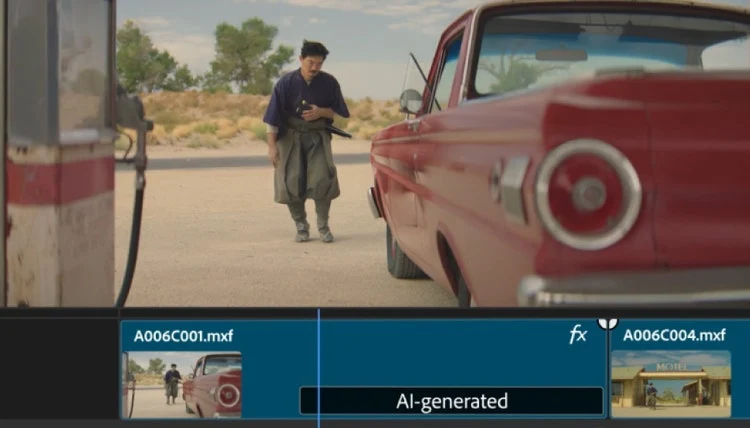
Create transcripts and captions, then correct terminology and speaker-related errors.
Improve dialogue clarity while listening for changes to voice texture and room tone.
Add frames or ambient sound around a cut using supported Firefly-powered workflows.
Isolate and track a subject with AI assistance, then inspect difficult edges and occlusion.
Adapt an edit for different outputs while retaining the timeline and final quality controls.
Organize footage and define the delivery specifications.
Use transcription to locate useful interview passages.
Apply audio or masking assistance only where needed.
Review the timeline and export a technically checked master.
Organize footage and define the delivery specifications.
Use transcription to locate useful interview passages.
Apply audio or masking assistance only where needed.
Review the timeline and export a technically checked master.
Creative Cloud membership includes assistive AI features. Generative features have limited complimentary usage and can consume generative credits. Availability depends on the subscription, region and installed version.
Professional editors, documentary and interview teams, and creators who need a conventional post-production workflow around AI features.
Cut a short interview using transcript search, clean the dialogue and check captions against the actual spoken words.
Creative Cloud membership includes assistive AI features. Generative features have limited complimentary usage and can consume generative credits. Availability depends on the subscription, region and installed version.
Windows and macOS desktop editing. Footage, audio and transcripts → finished timeline edits
Generative extensions are synthetic footage, not recovered original frames. Feature availability depends on version, hardware and plan; complex edits still require editorial judgment.
Review the timeline and export a technically checked master. Treat this suggested workflow as a starting point and compare the result against the requirements of your own project.
Explore platforms, inputs and outputs, licensing, and access requirements.
Generative extensions are synthetic footage, not recovered original frames. Feature availability depends on version, hardware and plan; complex edits still require editorial judgment.
Upload footage, voices and likenesses only when you have the appropriate permission. Check the plan and asset licenses for the intended use. Review generated frames, audio and captions before sharing, especially where a synthetic result could be mistaken for a real recording.
Adobe Premiere — Official product page ↗
Adobe Premiere — Official documentation and feature details ↗
Loading experiences…
Bring a real task and see how it fits the way you work.
User experiences