

Sources & references
Whimsical AI product overview ↗
Whimsical Agent guide and credit rules ↗
Whimsical pricing and plan features ↗
Create and revise flowcharts, mind maps and wireframes from a prompt inside Whimsical. Its Agent works on editable boards, so the value is in iterating with a team, not merely producing a static picture.
Whimsical combines boards, diagrams, wireframes and documents in one workspace. Its current Agent can create a diagram from an instruction, read a linked Whimsical file for context and respond to follow-up changes in the same workspace. Separate AI-assisted mind-map and wireframe entry points are also documented. The useful distinction is that output remains part of the board: you can move objects, reconnect arrows, annotate decisions and ask a colleague to challenge the logic.
The best first project is small and testable. For example, describe a user sign-up path with a failed verification branch and ask for a flowchart. If the output skips the failure path, request the missing branch explicitly. For a product idea, ask for one low-fidelity mobile screen, then edit content and navigation before generating a second screen. The goal is shared understanding; a beautiful but ambiguous map can slow a team down.
Whimsical AI has a separate credit model from ordinary board editing. The official Agent guide says each user gets ten free AI credits to try it; additional credits must be purchased even on paid workspace plans. Costs vary with request complexity. A large context file or many rounds of revisions can spend more than a short, narrowly scoped diagram request. This is important when comparing the Free workspace with the Pro workspace: a paid editor seat is not an unlimited AI subscription.
Map an onboarding flow
Explain a technical system
Explore a product concept
Official product image. Click to inspect the details.
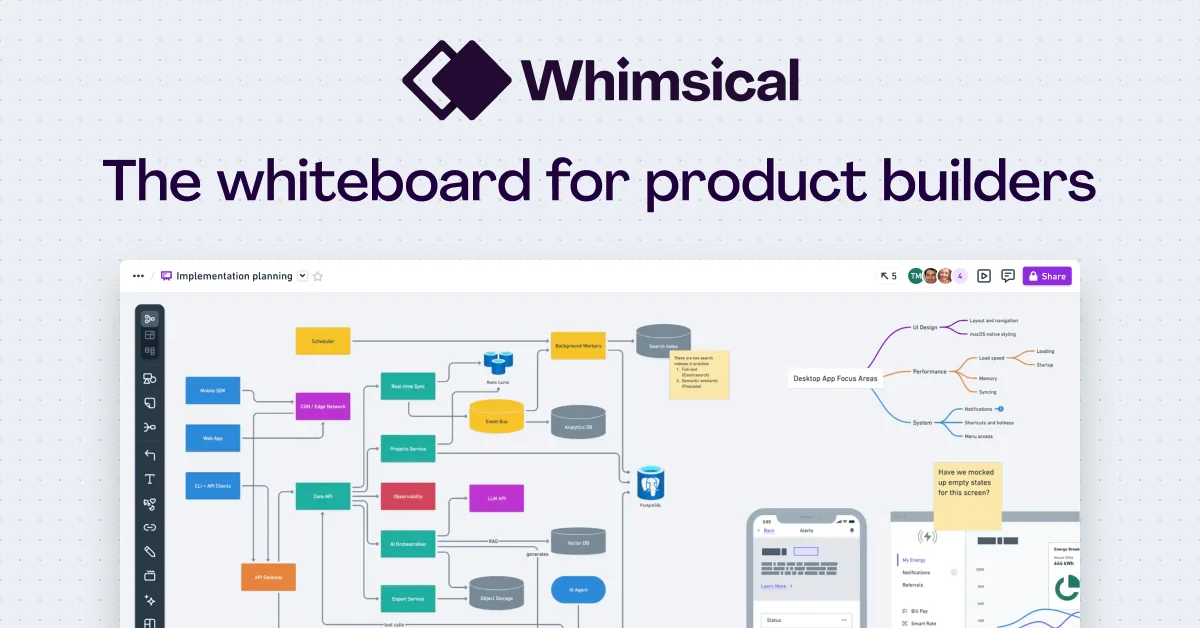
Open the Agent from the sparkle icon and describe a flowchart, sequence diagram, wireframe or brainstorming task. Keep each chat focused on one board or topic so revisions are understandable.
Transform a process statement into boxes and connectors. Verify every condition, owner and exception, especially handoffs that a generated map might simplify away.
Expand a starting idea into branches for research or planning. Merge redundant branches and add source links; an AI-generated taxonomy is a working hypothesis, not proof of completeness.
Describe a screen and ask for editable elements. Review information order, navigation and empty states with real user tasks rather than judging only the visual balance.
Invite editors or share a review link, collect comments and preserve the board beside written decisions. Pro and Business change object limits, version history and admin controls.
State the scope
Generate one artifact
Inspect and revise
Share for review
Write the audience, starting point, intended output and constraints. Name any exception that cannot be omitted.
Ask the Agent for a single flowchart, mind map or screen. Avoid requesting a whole system in the first interaction.
Edit shapes directly, or request a focused change such as adding a failed-payment path. Compare the visual with your written source.
Invite a reviewer, capture comments beside the relevant object, and agree which version represents the decision.
Pricing checked on October 7, 2026. See plan details below.
Whimsical's October 2026 pricing page lists Free at $0, with up to 50 new board objects and 50 document blocks per month, watermarked exports and seven days of version history. The annual-billing view displays Pro at $10 per editor per month and Business at $20 per editor per month; Pro removes those object limits and export watermarks, while Business adds stronger organizational controls. Confirm the monthly-billing view before purchasing.
The Agent documentation says every user receives ten free AI credits for trial. No plan includes an ongoing AI-credit allowance; further credits are sold separately at $0.10 each in bundles. Purchased credits expire after a year. Personal credits follow the user, workspace credits can be used by editors in that workspace, and workspace credits are spent first when both exist. A complex prompt can use more credits than a simple one, so avoid describing the free ten as ten guaranteed diagrams.
No. The current Agent guide says extra AI credits are purchased separately on every plan.
Each user gets ten trial credits; this is not stated as a monthly renewal.
Yes. You can ask for focused changes while working in the file, and you can edit board objects directly.
No. Consumption varies with request complexity, so a complex wireframe may cost more than a small flowchart.
The official help page says chats are private to you; separately check the board's sharing permissions.
Try one short process with a known exception, then check whether the diagram preserves the exception and ownership.
Explore platforms, inputs and outputs, licensing, and access requirements.
Whimsical is a proprietary visual collaboration service. The AI Agent can receive images as visual context and can use a Whimsical file URL as input. It is best for editable, reviewable structure rather than precise engineering schematics or production UI specifications. The official documentation also lists dedicated connections with other AI assistants; those integrations should be evaluated separately from the built-in Agent.
Agent chats are private to the user according to the official guide, but a board itself can be shared. Review workspace roles and link permissions before adding confidential product plans. Whimsical says it uses Anthropic Claude for diagram generation and that Anthropic does not retain those inputs or train on them; check the applicable AI terms and organizational requirements before connecting sensitive files or external assistants.
Whimsical AI product overview ↗
Whimsical Agent guide and credit rules ↗
Whimsical pricing and plan features ↗
Loading experiences…
Saved tools are private. Approved comments are public; edits return to moderation. Comment counts include approved comments and replies. Each person has one rating. New ratings are automatically approved; withdrawn, unapproved or invalid ratings do not count. Share real experiences and avoid spam, private information or personal attacks.
For moderation appeals or data requests: support@findgoodai.com
Convert bitmap logos, sketches and artwork into editable SVG, PDF, EPS or DXF paths. Web previews can be inspected free; production downloads need a web subscription, while API calls use a separate credit plan.
Start a poster, social image, logo concept or product graphic from a template or prompt, then edit pieces through Smart Layers. Playground now resolves to playgroundai.com; plan limits combine rolling generation caps and monthly model credits.
Freepik adopted the Magnific name in April 2026. The current suite spans image, video, audio, design and stock assets; AI credits and stock-download rights are separate, and the free tier is for personal use.
Bring a real task and see how it fits the way you work.


User experiences