Speechify
Audio & musicListen to written material through text-to-speech voices and adjustable playback. Speechify combines reading tools with premium scanning, summaries and voice features, while its Studio and API are separate products.
Create voiceovers from scripts and refine delivery with voice, pronunciation and pacing controls. Murf Studio serves content production, while Murf’s API, dubbing and conversational-agent offerings address different workflows.
Murf Studio helps turn a written script into narration for lessons, product demonstrations, presentations and other media. It is useful when the wording changes frequently or several versions need a consistent voice. The wider Murf platform also includes developer and conversational products, which should be evaluated separately from the Studio editor.
Begin with a short script containing the difficult material your real project will use: a brand name, an acronym, a number and a sentence with deliberate emphasis. Compare voices using that same passage, then correct pronunciation and timing before generating a full lesson or promotional sequence.
Training narration
Product demonstration
Presentation audio
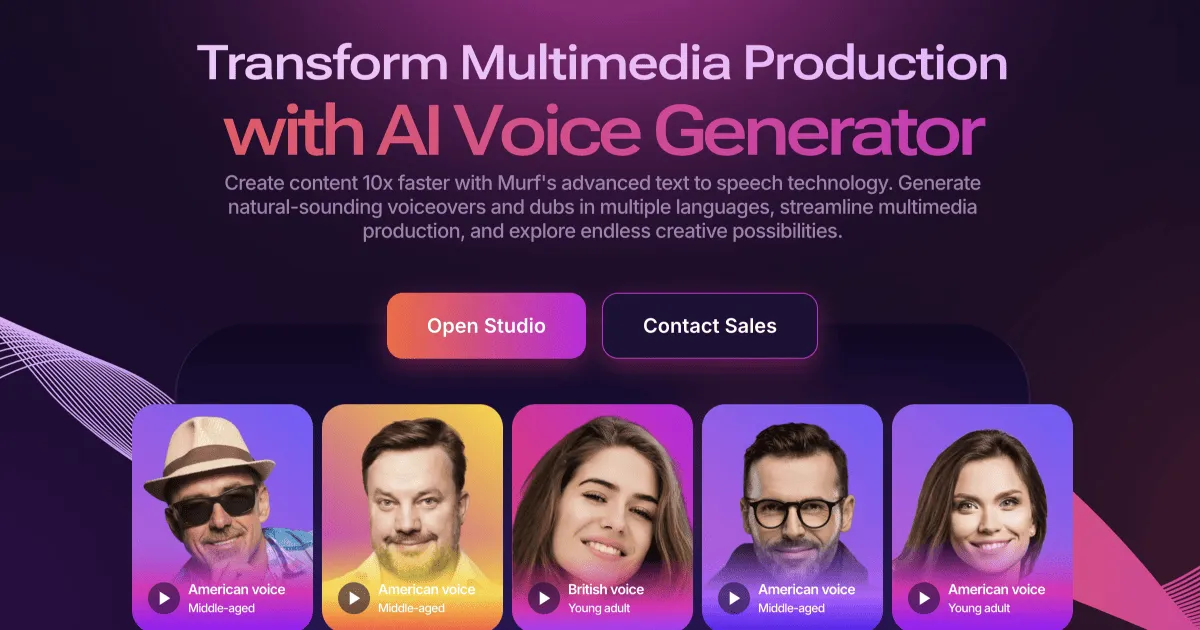
Official product image. Click to inspect the details.

Choose from the available voices, styles and languages. Test the full sentence rather than a single word, because pacing and intonation depend on context.
Adjust difficult terms and use pronunciation-library capabilities appropriate to the plan. Keep a small glossary for names that recur throughout a course.
Pitch, speed and intonation controls help shape narration. Advanced controls such as emphasis and Say It My Way are listed with higher Studio tiers.
Prepare narration for videos, presentations and learning material. Check timing against the actual visual sequence so a sentence does not outlast the screen it explains.
Canva and presentation-related integrations connect voice work to other tools. Availability differs across Creator, Business and enterprise arrangements.
Polish the script
Compare representative voices
Refine pronunciation and timing
Export an approved version
Write for speech, expand ambiguous abbreviations and mark any required pauses or emphasis.
Use the same difficult paragraph for each candidate and choose one suited to the audience.
Correct names and numbers, then align the narration with the visual sequence.
Listen through the final file, confirm format and license, and retain the script and settings for revisions.
Pricing checked on October 5, 2026. See plan details below.
The Studio Free offer lists ten projects and ten minutes of voice generation, with no downloads or commercial rights. In the yearly view, Creator is $228/year, displayed as $19/month, with 24 generation hours per year and one editor. Business is $792/year, displayed as $66/month, with 96 hours per year and one editor.
Creator includes commercial rights for its individual/freelancer use case; the comparison separately lists a Business License on Business and Enterprise. Full broadcasting rights are an Enterprise add-on. Murf API and Dub have their own pricing tabs, so Studio hours should not be counted as API or dubbing allowance.
The Studio Free offer explicitly excludes downloads.
The page presents them as a free preview allowance; it does not promise ten new minutes every month.
No. The comparison separately identifies Business License and full broadcasting rights.
Murf provides pronunciation controls and library options. Test the term in its full sentence.
API and Studio are separately priced products.
Keep the approved script, chosen voice, pronunciation notes and timing requirements.
Explore platforms, inputs and outputs, licensing, and access requirements.
Murf is a proprietary voice platform. Distinguish a personal creator license, a business license and any broadcasting requirements before choosing a plan. A voice-generation allowance is a production quota; unlimited downloads on a paid tier do not mean unlimited generation.
Check who can open a project and avoid placing confidential scripts in broadly shared links. Custom voices require appropriate permission from the speaker. Enterprise lists additional controls and a no-training provision; confirm the terms of the actual plan instead of applying those guarantees to every account.
Loading experiences…
Saved tools are private. Approved comments are public; edits return to moderation. Comment counts include approved comments and replies. Each person has one rating. New ratings are automatically approved; withdrawn, unapproved or invalid ratings do not count. Share real experiences and avoid spam, private information or personal attacks.
For moderation appeals or data requests: support@findgoodai.com
Bring a real task and see how it fits the way you work.
User experiences