InVideo
Video creationCreate and revise videos with AI agents while retaining an editable multitrack timeline. InVideo’s current editor combines footage search, storyboard planning, generated assets and real-time collaboration.
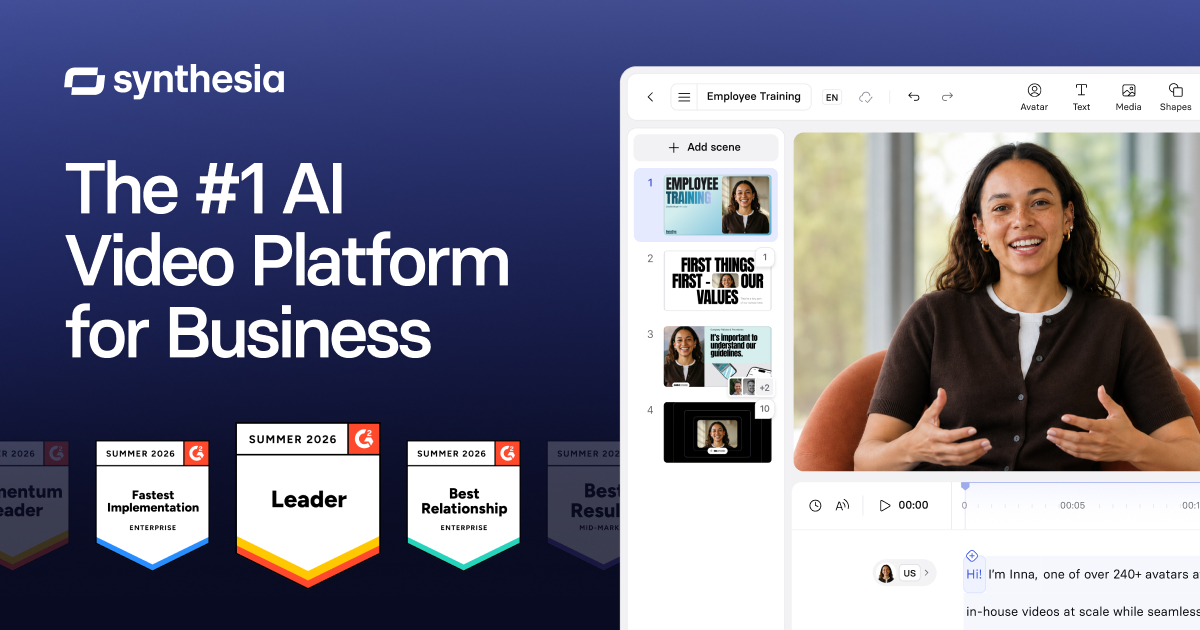
Turn scripts and business material into presenter-led videos with AI avatars, narration and scene editing. Synthesia suits repeatable training, product explanations and localized internal communication.
Synthesia is built around producing explainers and training videos without filming a presenter for every revision. A script, an avatar and supporting visuals form a scene-based project. Changes to a policy, interface or product message can then be handled by updating the relevant content and generating a revised version.
Start with a two-minute lesson containing one clear learning outcome. Keep sentences short, use real screenshots for software steps and review pronunciation before generating the full video. An avatar can deliver a script consistently, but the team remains responsible for the accuracy and usefulness of what it says.
Employee onboarding
Product education
Localized announcements
Official product image. Click to inspect the details.

Choose from the avatar library available to your plan, or explore supported personal-avatar workflows. Match the presentation style to the audience and purpose.
Build the explanation scene by scene and place narration beside the visual material it explains. This structure makes later corrections easier to locate.
Paid plans include assistance for turning source material into a first video draft. Review any condensed or reorganized information against the original.
Localization tools support producing content for other languages. Availability and credit use vary, and specialist terminology should be checked by a fluent reviewer.
Sharing, downloads, branded pages and interactive features differ by plan. Decide whether the audience needs a downloadable file, a hosted link or an interactive lesson.
Write the learning objective
Arrange scenes and visuals
Preview voice and avatar
Review and distribute
State what the viewer should understand or do after watching, then remove unrelated material.
Split the script into short scenes and add the screenshots, diagrams or media needed for each point.
Check names, acronyms, numbers, pacing and alignment with the visuals.
Generate the final version, watch it end to end and select the appropriate sharing or download option.
Pricing checked on October 5, 2026. See plan details below.
Basic is free and lists a monthly allowance of 10 minutes of video creation or dubbing, three survey responses and 500 shared credits, with watermarked videos shared by link. Starter is $29/month with 1,250 credits on top of the free allowance and adds downloads and logo removal.
Pro is $89/month with 6,000 credits on top of the free allowance and additional avatar, branding and interactive-video features. Enterprise is quoted separately. Video minutes shown on the pricing calculator are estimates: avatars, B-roll, motion graphics and dubbing consume credits differently.
Yes. Stock avatars can present a script, subject to the library available on your plan.
The current Basic offer lists sharing by link; downloads are added with Starter.
No. Usage depends on the generated elements and operation.
Scene-based scripts and visuals support revising the affected material and generating a new version.
Yes. Check meaning, specialist terms, numbers and pronunciation in each language.
The pricing page separates API offers; verify the relevant product before budgeting.
Explore platforms, inputs and outputs, licensing, and access requirements.
Synthesia is a proprietary service with separate plan entitlements for videos, interactive training and API use. Personal avatars require an appropriate creation and consent process. Stock-avatar availability does not grant permission to imply an unrelated person or organization endorses your message.
Review workspace guests and public sharing links when producing internal training. Use approved source documents and check retention and enterprise controls before uploading confidential material. Keep the final script and revision owner recorded so updates remain traceable.
Loading experiences…
Saved tools are private. Approved comments are public; edits return to moderation. Comment counts include approved comments and replies. Each person has one rating. New ratings are automatically approved; withdrawn, unapproved or invalid ratings do not count. Share real experiences and avoid spam, private information or personal attacks.
For moderation appeals or data requests: support@findgoodai.com
Bring a real task and see how it fits the way you work.
User experiences