Topaz Photo
Image & designDenoise, sharpen, upscale and repair photographs through a desktop application or supported editing plugin. Topaz Photo combines several enhancement tools with local and cloud rendering options.
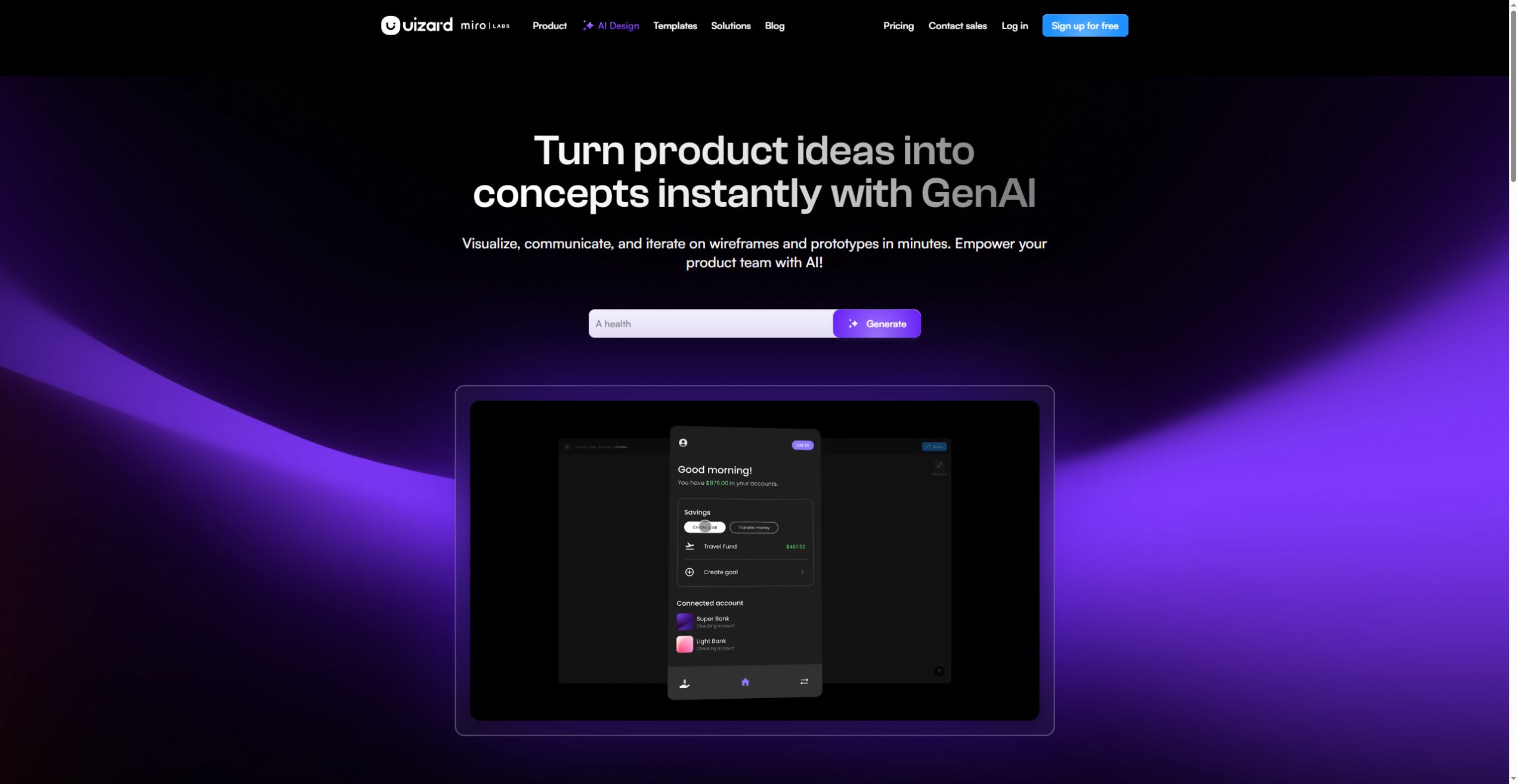
Turn prompts, screenshots or sketches into editable interface concepts. Uizard helps product teams explore screens and communicate flows before committing to full implementation.
Uizard focuses on quickly making product ideas visible. Autodesigner generates interface concepts, while screenshot and wireframe scanners provide starting points from existing visual material. The result belongs in an editable design and prototyping workflow rather than being treated as a finished application.
It works well for discussing a feature before detailed visual design or engineering. Pick a narrow flow, such as creating and editing a task, and test whether colleagues understand the navigation. Use that feedback to improve labels and screen structure before polishing the visual style.
Feature proposal
Sketch workshop
Early usability review
Official product image. Click to inspect the details.

Autodesigner creates projects, screens and themes from a description. Include the target device and user task to make the result easier to evaluate.
Use a screenshot as a starting point for an editable mockup. Expect to review inferred components, text and layout instead of assuming an exact reconstruction.
Digitize hand-drawn wireframes so a sketch can become a shared design discussion. Clean labels and clear grouping improve the starting material.
Connect screens into a reviewable flow. Include a route back and basic alternative states so reviewers can understand more than the happy path.
Sharing and comments support feedback; eligible paid plans add React and CSS handoff. Review generated components with a developer before integrating them into a real application.
Define the task and device
Create the first screens
Connect and revise
Review and hand off
Write what the user needs to achieve and whether the design targets mobile, tablet or desktop.
Start from a prompt, sketch, screenshot or template. Use representative text instead of filling every area with placeholders.
Link the screens and test navigation, labels and missing states. Resolve confusing steps before adding visual detail.
Share with the appropriate reviewers, collect comments and export or hand off the accepted version in a supported format.
Pricing checked on October 5, 2026. See plan details below.
The current Free plan offers two projects and three AI generations per month with Autodesigner 1.5. The annual Pro view starts at $12 per creator/month, with Autodesigner 2.0, 500 monthly generations, private projects and up to 100 projects.
Business is listed at $39 per creator/month on annual billing, with 5,000 monthly generations and additional brand or team capabilities. Viewers and commenters are listed as free. Match the number of creators and expected iterations to the plan rather than counting everyone as an editor.
Its primary workflow creates editable designs and prototypes; production implementation still needs engineering.
Yes. Screenshot Scanner creates an editable starting point that should be reviewed.
Wireframe Scanner is designed for digitizing hand-drawn wireframes.
The checked pricing page lists Autodesigner 1.5 for Free and 2.0 for Pro.
Current paid offerings list React and CSS handoff; verify the selected plan.
One complete task with a start, success state, return path and the most likely error or empty state.
Explore platforms, inputs and outputs, licensing, and access requirements.
Uizard is a proprietary design service. Image and PDF exports and developer handoff have plan-specific limits. A clickable prototype demonstrates an interaction concept; it does not automatically supply production data storage, account security or business logic.
Use authorized screenshots and remove private account details from reference material. Check whether the project is private before adding unreleased designs, since private-project availability differs by plan. Share only the review surface intended for the recipient.
Loading experiences…
Saved tools are private. Approved comments are public; edits return to moderation. Comment counts include approved comments and replies. Each person has one rating. New ratings are automatically approved; withdrawn, unapproved or invalid ratings do not count. Share real experiences and avoid spam, private information or personal attacks.
For moderation appeals or data requests: support@findgoodai.com
Bring a real task and see how it fits the way you work.
User experiences